According to Yahoo, the global big data and analytics market was $41.39 billion in 2022, and is expected to skyrocket to $346.33 Billion by 2030. Augmented Analytics is forthcoming too, and will be one of the fundamental factors driving that growth. It’s true that data analytics methods always change. For now, or at least until the next analytics breakthrough, ultrawide screens offer great advantages for data analytics.
All four phases of data analytics: descriptive, diagnostic, predictive, and prescriptive require one common thing – efficiency. All of them do benefit from an ultrawide monitor. However, especially for descriptive and diagnostic data analytics, the way you interpret the data matters a lot. Unlike predictive analytics, where less manual intervention is needed, descriptive and diagnostic analytics requires analyzing data from multiple angles.
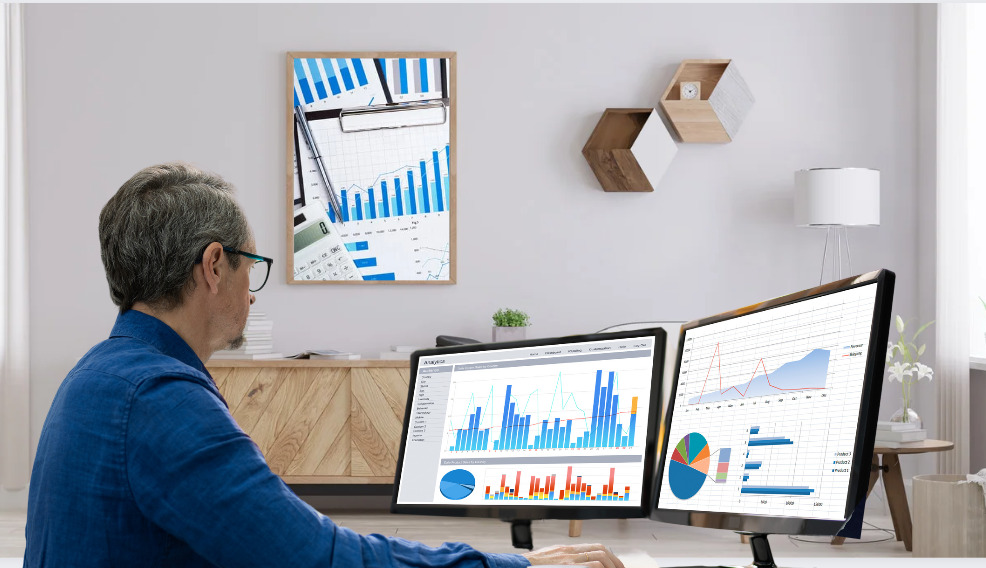
Now, it’s obvious that more screen area is better for data analytics. And for a larger screen, you can only increase a monitor’s width, not its height, as your viewable area. That’s why ultrawide screens are ideal for data analytics. Ultrawide monitors are a much better way to achieve an ultrawide screen, I mean, than this traditional data analytics setup:
Traditional method: A data analyst using 2×16:9 monitors for data analytics
Here are the benefits of an ultrawide screen for data analytics, given the greater viewable screen area it offers:
The Way you interact with the Data
At a glance, it may seem like an ultrawide monitor makes it easier to interact with data, nothing else. However, the way you interact with the data is one of the most important aspects of data analytics. And it is greatly improved too by using an ultrawide screen. Not only is it faster, but it also helps you to see and interact with the data patterns more clearly. Using an ultrawide screen, you require fewer scrolling and switching between tabs. It also allows you to work on multiple tasks or windows simultaneously. You can keep one window open for analyzing data and another window open for creating reports. In addition, an ultrawide monitor can run multiple windows side-by-side, so you can compare data more effectively.
The Way you Visualize the Data
Given the rate at which visual information is processed, the use of quality infographics is 30x more likely to be read than plain text. Ultrawide screens offer a great advantage here, as they support wider resolutions. This not only makes data visualization easier but also allows for the simultaneous display of multiple data points. You can easily view multiple charts and graphs at the same time, and compare them. After all, you’re a human being. Better graphics and visuals do attract your attention more than a bunch of numbers. Due to the 21:9 aspect ratio of an ultrawide monitor, you can visualize data in a way that’s more appealing.
For example, you can use a timeline chart on the left and view the data chart on the right – all on the same screen. And both the screens are as good as a normal monitor and a half each! In fact, you can also use the extra space to add more elements to the visualization. Good visualization leads to a better understanding of the data.
Finding the Insights
In data analytics, there are a lot of insights you may miss if you don’t have enough screen space. For example, if you’re working with a spreadsheet that has five columns, you might find it difficult to view the entire spreadsheet on a normal monitor. Another example is if you’re working with a map. You need to zoom in and out a lot to get a clear view of the data. An ultrawide monitor offers the perfect solution for this.
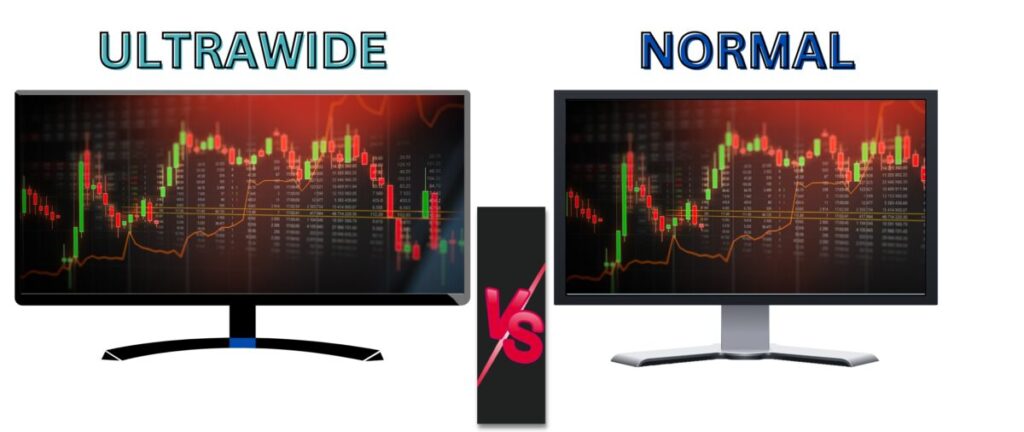
Technical analysis of the financial market is also a form of data analytics. If you are a trader, spotting insights like hidden candlestick patterns are invaluable. On an ultrawide screen, you can see the entire trading chart. See the illustration below of the same trading chart; one is on a normal monitor, another on an ultrawide monitor:
You can clearly see how much you might be missing with a normal monitor! In the example above, at least 20 candles are hidden in the normal 16:9 monitor compared to a 21:9 ultrawide.
Saves a Lot of Time
Many professionals have stated that data analytics is a stressful career. A fair portion of that is attributed to the time-consuming nature of the job. Using an ultrawide monitor saves data analysts a lot of time and stress. Generally, it takes more time to analyze data and create meaningful insights on a 16:9 monitor. For example, if you want to compare two data sets, you would have to switch between the two windows on a monitor, which can take time. Furthermore, moving your cursor from one window to another can also be tiresome. In fact, if you are working on a large project, it can be time-consuming and tedious. That is especially if the project is about data mining. An ultrawide monitor makes navigation faster and saves time.
Also, one thing to note here is that you are not paying the price of accuracy; with an ultrawide monitor, it’s faster yet more accurate.
The Nature of Data Analytics Software Tools
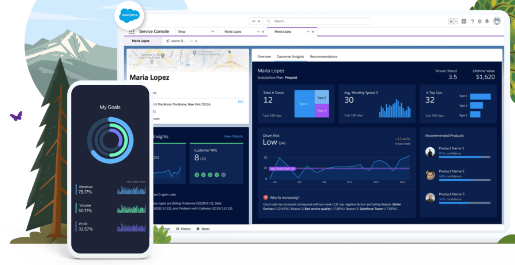
Image credit: Tableau
The nature of current data analytics software tools demands considerable screen space. Working with multiple tabs, windows, and tools becomes inconvenient on regular-sized screens. And for any data analytics professional, all those tasks are often simultaneous. For example, running queries, reviewing results, visualizing data, and creating reports. Especially the data analytics software like Tableau and Power BI, which are used to create interactive reports and dashboards, require vast screen estate. The nature of the current data analytics tools is also about a lot of number crunching. And an ultrawide monitor helps you to view more cells, rows, and columns of the data at one time.
The way an ultrawide screen makes data analytics better, faster, and more accurate provides a great edge. From traders to data miners, and from statisticians to data scientists, all should use an ultrawide monitor for data analytics. In some cases, though, a 21:9 screen may not be enough, like if big data analytics is the job. Even then, rather than using 2×16:9 monitors, there are 32:9 ultrawide monitors available for a cleaner and more efficient setup.
Gaming always asks for more – GPU performance, screen width, CPU cores, RAM, and what not. The difference an ultrawide screen makes in gaming depends firstly on your hardware, and then on your gaming needs. Like, purchasing an ultrawide monitor still won’t fix that laggy gaming experience caused by your poor GPU, right? So, the most important question here is about its worth, which is based on several factors.
Is an Ultrawide Monitor Worth it for Gaming?
The 33% bigger width ultrawide monitor offers is hands-on appealing for gamers. Especially when it comes to competitive and immersive gaming – two of the most popular genres – having a wider field of view can make all the difference. For example:
You can see more surroundings and enemies.
Easier to spot hidden items and clues.
An average ultrawide monitor costs anywhere between $200 to $800. However, depending on your purpose, the price difference can be significant. Below is a table showing the average price ranges of different ultrawide monitors and their suitability for gaming:
Price Range
Refresh Rate
Resolution
Aspect Ratio
Features and Gaming Suitability
$150 to $200
60-75 Hz
1080p
21:9
For normal usage
$200 to $300
75-144 Hz
1080-1440p
21:9
Acceptable for gaming. The option to choose a curved monitor unlocks.
$300 to $450
75-160 Hz
1440p
21:9
Good for gaming, better response rate.
$450 to $800
144-240 Hz
1440p to 4K
21:9 or 32:9
Advanced features like G-Sync, nice colors. Great for gaming.
$800 or more
144-240 Hz
4K
21:9 or 32:9
Larger screen (up to 49”), advanced gaming features, much better color accuracy and image quality. Best for gaming, but pricey.
Yes, the cheapest ultrawide monitors are available for around $150, however, they are not particularly made for gaming. For example, LG’s 29WN600-W costs as low as $180, but has a refresh rate of only 75 Hz. Any current gaming monitor should offer a refresh rate of 144 Hz or higher. In fact, the refresh rate of a monitor matters just as much; if not more, than having an ultrawide screen for gaming. And an average ultrawide gaming monitor with a good refresh rate, decent response time, and image quality will cost around $500. So, here are the factors to help to decide if an ultrawide monitor is worth the investment:
Your PC’s Specs
If you have $700 jumping in your pocket and have to choose between an ultrawide monitor and a decent GPU, go for the GPU right away. For gaming, GPU matters much more than the screen’s aspect ratio. In fact, the CPU could also come before upgrading to an ultrawide monitor on your priority list.
A decision is when you have to choose between upgrading to a better SSD/RAM, and an ultrawide monitor. As such, consider the following before choosing one:
a. Between RAM and Ultrawide Monitor
In most cases, RAM has a limited role in gaming. So, if you have decent RAM, and if high-RAM-demanding games like COD Warzone are not your daily cup of tea, go for the ultrawide monitor. If your game types demand more RAM or the RAM you have is not enough, go for a cheaper RAM upgrade, and still buy an ultrawide monitor. Anyways, if gaming is your sole purpose, just don’t break the bank for RAM!
b. Between SSD and Ultrawide Monitor
A good SSD is hard to not recommend for any gamer. As a gamer, you know the importance of loading times. A high-end 1 TB SSD costs around $100 to $150, which can be decisive on whether or not you have money left over for the ultrawide monitor. Choosing between an SSD and an ultrawide monitor is tough. So, here are some factors to consider:
i. Do you have an HDD? If you are using a Hard Drive in 2023, take a big jump to an SSD. An SSD with not only higher storage, but also tech specs like SATA III, PCI-E NVMe and so.
ii. Is your budget too tight? If it’s too tight, and if you’re not planning to save enough money that buys an ultrawide gaming monitor, go for an SSD.
iii. Do you already have an SSD? If you do, just go for the ultrawide monitor, and skip the upgrade for now.
If you have an HDD right now, the reason I recommended a big jump to a good SSD is that loading times are the worst possible way to waste your gaming time. Like, it’s so unproductive to wait tens of minutes for the OS or the games to load. You deserve better than that.
What Games do you Play?
For some gaming needs, an ultrawide monitor has a more significant impact than others. For example, for flight simulators, the wider field of view is a huge advantage, while the same can’t be said for an FPS.
Games That Benefit from Ultrawide Monitors
Here is a list of some game types that work great with an ultrawide monitor:
Flight simulators
Flight simulators require a wide field of view because the player needs to see both the cockpit and the terrain outside. Furthermore, these games are not limited to a specific track, making an ultrawide monitor ideal.
Battle Royale
Battle royale games are always fast-paced and chaotic. An ultrawide monitor helps you to spot enemies and items quickly. The wider field of view is also helpful for spotting hidden clues. As such games are mostly competitive, the edge you get from an ultrawide monitor can be the difference between winning and losing.
Strategy games
Strategy games like Age of Empires, LOL, and Starcraft benefit most from ultrawide monitors. With an ultrawide monitor, you can easily see the whole map and manage your armies in a better way. The wider field of view also helps you to spot enemy movements and plan your strategies accordingly.
Open world/RPGs
RPGs including The Witcher 3, Tomb Raider, and Assassin’s Creed are also great with an ultrawide monitor as such games ask for more exploration, better with a wider aspect ratio.
Sports games
An ultrawide screen does not give you any big competitive edge in sports games. However, the wider field of view helps to immerse you in the game and make it more enjoyable. For example, an ultrawide screen is more similar to the real shape of an NFL ground (100×53 yards) than a normal monitor. Even though not completely exact in dimensions, a wider screen means you can view more of the pavilions and spectators too.
It’s absolutely worth it to buy an ultrawide monitor for playing sports video games.
Games That do not Ask for an Ultrawide Screen
And here are some types of games that don’t necessarily require an ultrawide monitor:
FPS
First-person shooters are more about accuracy and reaction time. An ultrawide monitor won’t make you a better aimer.
Arcade
Arcade games are all about quick reflexes and do not benefit much from an ultrawide screen.
Puzzle
You don’t need to buy an ultrawide monitor for puzzle games like Monument Valley, etc.
Platformers
Platformers like Mario and Sonic the Hedgehog don’t need an ultrawide monitor either. That’s because such games are all about timing and precision.
Racing Games
In any racing game, the player is usually focused on the track ahead. An ultrawide monitor won’t help you race better. Furthermore, it does not make the racing games more immersive, as it’s all about the track ahead.
Bonus tip: If immersion is your top gaming priority, then go for a curved ultrawide monitor.
Bottom Line
Ultrawide monitors, in a nutshell, are good for gaming; they do not have any disadvantages. But it is worth it for you, especially considering its higher price, is up to you. One way or the other, a balance is necessary, both in your PC’s specs, as well as your budget. Buying an ultrawide for gaming in a 90s PC won’t be a sound decision. Firstly, consider a powerful GPU, then a good CPU; then comes the monitor’srefresh rate, and only after that, consider an ultrawide screen.
So, you’ve just upgraded to an ultrawide monitor. With the higher aspect ratio and resolution, you’ll have plenty of space for work – and for play. Now it’s time to find the right wallpaper. A good wallpaper can help you get into the right mindset for work, or it can be a fun way to show off your personality. If you’re not sure where to start, we’ve got you covered. Here are the best places to find wallpapers for your ultrawide monitor:
WallpaperCave is a great online source of wallpapers for an ultrawide monitor. In this site, it’s easy to find the perfect wallpaper for your taste and device. One thing we love about WallpaperCave is the community aspect. Users and curators drive the site, who also submit and vote on new wallpapers. This makes for a well-rounded collection that’s always fresh. You can also follow WallpaperCave on social media for the latest updates. Their most popular wallpaper has been downloaded 13,000+ times.
WallpapersWide is a great website to search for ultrawide monitor wallpapers. It has a simple design and a wide range of categories to choose from. The categories include Aero, Animals, Architecture, Army, Artistic, Awareness, Black and White, Cartoons, Celebrities, City, Computers, Cute, Elements, Food and Drink, Funny, Games, Girls, Holidays, Love, Motors, Movies, Music, Nature, Seasons, Space, Sports, Travel, and Vintage. With so many options, you’re sure to find the perfect wallpaper for your ultrawide monitor.
Since its launch in 2020, 4kwallpapers.com has been the go-to website for high-resolution and high-aspect-ratio wallpapers. The website constantly updates itself with new images, and it’s easy to find what you’re looking for. From Cyberpunk 2077 to Marvel, pure landscapes to digital art, there’s a 3440*1440 wallpaper for everyone on 4kwallpapers.com. Also, the site is pretty techy and modern, something we can easily expect from a site with the term “4K” in it.
Unsplash is easy to use and has a user-friendly interface, making it a great option for anyone looking for free and high-quality wallpapers. For ultrawide monitors only, they have tens of thousands of beautiful images to choose from. It is also fairly the most popular site in this list. However, one downside to it is that the majority of Ultrawide Wallpapers from Unsplash are of nature’s images. So, if you are a gaming enthusiast, or looking for something more abstract or geometric, you might be disappointed.
Wallpaperaccess.com is a great site for ultrawide monitor wallpapers. They are known for high-quality, bright, and sharp backgrounds. You can easily navigate through their categories to find the perfect image to customize your device, or you can directly search for it. If you are a gamer or an anime fan, this site is just for you. Although their list of ultrawide wallpapers includes a fair variety, gaming and animes have occupied a significant spot. They have very few wallpapers compared to other sites in the list, but still, the quality and dedication we can see in each of their wallpaper are unmatched.
Conclusion
So, there you have it. As we hope you’ve seen, there are plenty of fantastic wallpapers out there for your ultrawide monitor. No matter what your taste, you should be able to find something that you love. And, if not, you can always create your own wallpaper. Using Canva Pro or any similar design program, you can make a custom wallpaper that is truly unique to you. But if you want to save time, the above websites are great places to start your search.
Ultrawide monitors are becoming increasingly popular. Apart from the larger viewing area, many ultrawide monitors also have a high resolution. This makes them ideal for gaming and other graphics-intensive applications. Before diving into the best ultrawide monitors for all purposes, we’ll try to understand ultrawide displays further.
What is an Ultrawide Monitor?
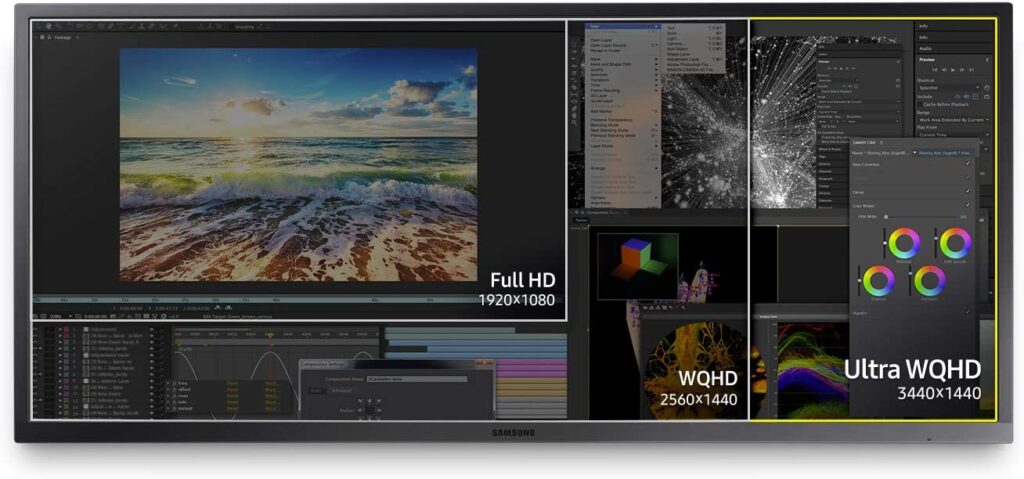
An ultrawide monitor is a type of computer display that is much wider than a traditional display. What’s actually ultrawide is the aspect ratio. For example, even a 65-inch screen with a width of 52.3 inches, if it has a general 29.4 inches height, it is not considered an ultrawide monitor. And ultrawide monitor’s width is generally 2.33 times greater than a standard 16:9 monitor if its aspect ratio is 21:9. See the difference:
The difference is even greater in the 32:9 ultrawide monitors, which are relatively newer. Ultrawide screen lets you see more of your work at once, making it great for productivity. Such monitors also have great gaming capabilities, as they can display more of the game world than a standard monitor.
Who is an Ultrawide Monitor for?
One who is looking for immersive gaming or movie-watching experience will definitely want to consider an ultrawide monitor. But competitive gamers can take the biggest advantage of it. A larger aspect ratio and view area give competitive gamers a significant edge. Not only can they see more of the game, but they can track opponents more easily and spot potential threats earlier. If you want to have more screen real estate to work with, an ultrawide monitor is also a great option. That means you can have multiple windows open side-by-side without overlap, or you can just have one really large window. And for day traders, an ultrawide monitor is a no-brainer, as it significantly enhances their ability of determining trend patterns.
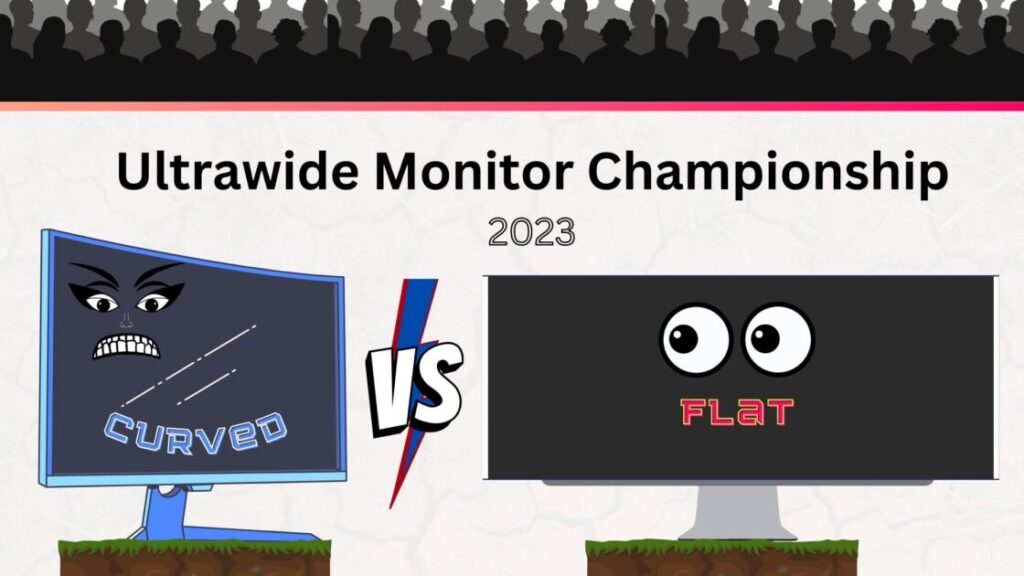
Curved vs Uncurved Ultrawide Monitors
The purpose of the curve in an ultrawide monitor should be first understood. When you’re looking at a monitor for long periods of time, your eyes have to constantly readjust to take in the entire screen. This can lead to eye strain and headaches. A curved ultrawide monitor eliminates this problem because your eyes naturally follow the curve of the screen.
Is a curved ultrawide monitor good for me?
If you do a lot of work with multiple applications open at the same time, a curved ultrawide monitor can help you stay more focused. The curved screen creates a more immersive experience that can help you better see all the applications you have open. If you’re not sure whether you want a curved or flat ultrawide monitor, it’s best to use a flat one straightaway. The benefit of the doubt goes to the flat screen. If you want a curved ultrawide monitor, you simply want it for an extra bit of immersion during creative tasks. If you are confused, you do not want those features at all.
Is a curved ultrawide monitor OK for office work?
The curve of a curved ultrawide monitor can cause problems when you’re trying to line up multiple windows side-by-side. So, if you’re looking for a monitor for office work, stick with a flat one. For example, if you need to have two Word documents side-by-side, it can be difficult to get them to line up perfectly on a curved monitor. But if your office work is something like graphics designing, video editing, or other creative work, a curved monitor can be more aesthetically pleasing.
Should I get a curved ultrawide monitor or a flat one?
If you’re looking for a monitor for office work, it’s best to stick with a flat one. However, if you do creative work or if you want an immersive experience, a curved monitor can be great.
And if it is for casual purposes, here are some things you should consider before deciding:
If you have a lot of desk space – If you have limited desk space, a curved monitor can be more difficult to position.
If you share your screen with others often – If you share your screen with others often, they may not be able to see as much as they would on a flat monitor.
How much you value image quality – Curved monitors can sometimes have issues with image quality, such as ghosting or screen tearing. So if image quality is precisely important to you, stick with a flat monitor.
How much you want to spend – Curved monitors are often more expensive than flat ones.
If you want to use multiple monitors – Multiple flat monitors are easier to line up than multiple curved monitors.
Vertical Ultrawide Monitors
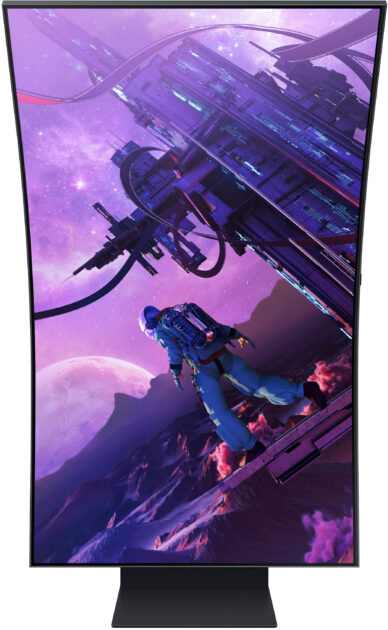
Much different than a curved or flat ultrawide monitor, this type of monitor looks more like a giant smartphone. It can be changeable with how you position it and how you want to use it. This type of monitor is best for those who want to save desk space or have a more mobile workstation. It is like a desktop smartphone.
Such monitors are available in resolutions of 1440p and 4K. For starters, vertical ultrawide monitors are much more versatile when it comes to positioning and use. This is due to their unique design, which allows for more options when it comes to how you set them up. Additionally, vertical ultrawide monitors tend to offer higher resolutions than their flat or curved counterparts. This is especially true when you compare them to monitors with similar screen sizes.
Vertical ultrawide monitors are ideal for users who want the highest level of detail and clarity possible. Those who love smartphone displays are also seekers of such a monitor. Not only does this monitor saves desk space, but it also gives the user a mobile-friendly experience. Most casual PC users use smartphones more amounts than the PC every day. This monitor is easier to get used to.
How to Look for the Best Ultrawide Monitors?
The often-overlooked, yet a thing to look for when ultrawide monitors are the panel type. You’ll want to make sure that you’re getting an IPS panel. Higher refresh rates and higher resolutions are also great things to look for, but they don’t mean much if you’re stuck with a TN panel. Another important thing to keep in mind is the screen size.
Ultrawide monitors come in a variety of sizes, from 21 inches all the way up to 38 inches. It’s important to find the right size for you. The size of an ultrawide monitor affects both the price and value. Last but not least, you’ll want to make sure that the monitor has the right inputs for your needs. If you want to use it for gaming, you’ll need to make sure it has a DisplayPort or HDMI input. If you’re just using it for work or general use, you can get away with just about any input.
Here we have selected the best ultrawide monitors for each type of user:
LG 29WQ600-W – For Office Use (Budget Ultrawide Monitor)
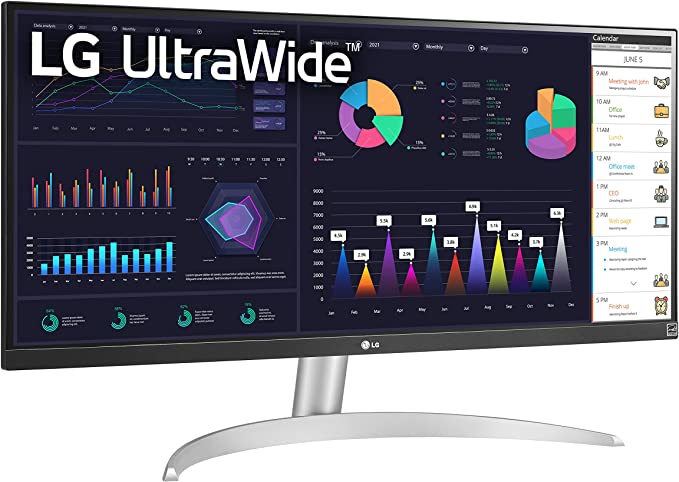
The LG 29WQ600-W is a 29-inch IPS LED monitor with a wide Quad HD resolution of 2560 x 1080 pixels. It has a fast 100 Hz refresh rate and AMD FreeSync technology. It also features a USB-C connection for fast and seamless connectivity to your laptop, desktop computer, and other external devices. The OnScreen Control software allows you to control various display settings with a single mouse click. The ultra-narrow bezel and tilt adjustment make it the ideal screen for a desktop setup. This ultrawide monitor is an ideal screen for budget-conscious office users who are looking for an upgrade from their current monitors.
The INNOCN 34 is a great choice for an office monitor because it has a large 34″ screen with a 21:9 aspect ratio. It also has a resolution of 3440 x 1440, which is higher than most monitors on the market at $450 price range. Although this ultrawide monitor is slightly more expensive than the LG 29WQ600-W, it would be a good choice if a flat display suits your office work or personal preferences. This monitor also features a height-adjustable stand and a tilt adjustment feature. Additionally, it has USB Type C, DP 1.2, and HDMI 2.0 + 1.4 ports, so you can easily connect it to your computer or other devices. The monitor also has a blue light filter to help reduce eye strain.
The SAMSUNG 34-Inch SJ55W Ultrawide Monitor has a variety of other features that make it a great choice for office use, including a tilt adjustment, flicker-free display, and split-screen capabilities. Also, a 34-inch ultrawide display for $290 is unreal. Not only does it offer great value for the money, but the performance is also great. The only drawback is that this is an older version. And the bezels are a bit thick. But other than that, it’s a great monitor for office use. 4ms Response time is super-fast, and you won’t have any issues with image tearing or stuttering thanks to AMD FreeSync. PBP/PIP and easy-to-use embedded split-screen software enable you to work on multiple office tasks at the same time with ease.
No, that’s not a smartphone. It’s easy to get confused due to its changeable vertical screen. Changeable means it can be reverted back to horizontal on wish. Mainly because of the high refresh rate, low input lag, and quantum dot display, the Samsung Odyssey Ark is a great display for high-end budget. If you are a casual user or just want to save desk space, or want to wow your friends, this vertical ultrawide monitor is worth every penny of its $2800 price tag.
If you are a programmer, there is no better choice than this. A vertical monitor is great for editing code and the extra-wide aspect ratio is perfect for viewing multiple files side-by-side. Codes like C#, C++, and Java will look fantastic on this display. If you are a web developer, the Samsung Odyssey Ark is also a great choice. The extra-wide aspect ratio is perfect for viewing multiple web pages side-by-side.
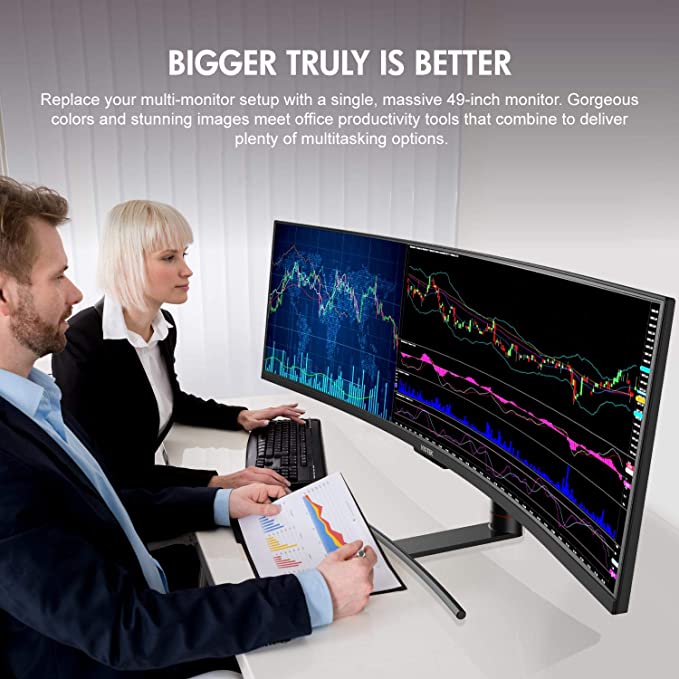
The Viotek SUW49DA is a massive all-in-one solution that can replace your multi-monitor setup. It is a 49-inch curved monitor with a 5120 x 1440p resolution. The monitor has a refresh rate of 120 Hz and a 3ms OD response time. It also has FreeSync with LFC and G-SYNC support, and GAMEPLUS targeting crosshairs. The Viotek SUW49DA is also a beautiful dual QHD display that delivers images with phenomenal color reproduction and a 99% sRGB gamut. The monitor is also optimized to play and win with features that are designed to help you focus and win. For traders, this monitor can pretty much change the game. With it, technical analysis becomes easier with better pattern and trend recognition.
For $850, we could not find a better alternative for traders. This curved ultrawide monitor is a great value and investment for a day trader who occasionally plays PC games.
DELL S3422DWG – Best Ultrawide Monitor for Budget Gaming
The Dell S3422DWG is a great budget-friendly ultrawide gaming monitor. It has a large 34-inch screen with a resolution of 3440 x 1440, and a refresh rate of 144 Hz. The monitor also features AMD FreeSync technology, which helps to eliminate screen tearing and stuttering. The monitor has a slim, tapered stand that is easy to adjust, and it is also height- and tilt-adjustable. If you have $1000-$1500 in your pocket, go for a mid-range GPU and buy this one for $379. You can use lower graphics settings to get higher FPS and take advantage of the full 144 Hz refresh rate. Such a great monitor for the price.
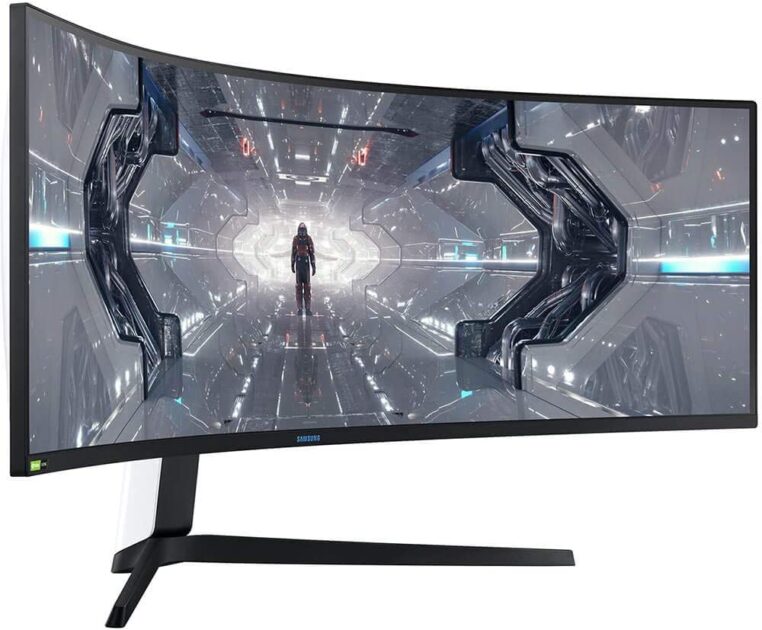
The Samsung LC49G95TSSNXZA Odyssey G9 monitor is one of the best monitors on the market for hardcore gaming. It has a massive 49-inch display with a resolution of 5120×1440, making it perfect for gaming on a high-end PC or gaming console. The monitor also has a rapid 240hz refresh rate, making it four times as fast as a traditional 60hz monitor. Additionally, the monitor supports NVIDIA G-SYNC and AMD FreeSync Premium Pro, ensuring that your games will always look smooth and tear-free.
Finally, the monitor has a customizable Infinity Core Lighting system that allows you to match the look of your monitor to the rest of your gaming set-up. The curved ultrawide monitor also has a whooping 32:9 aspect ratio that keeps games looking alive, even when you need to pause. Maybe the only concern is the price. But if you game for a living, $1,317 for this monitor is a good investment.
LG 29UM59 – Flat Ultrawide Monitor, Barely for Gaming
The LG 29UM59 is a great budget ultrawide monitor for gaming. It has a 29″ IPS display with a resolution of 2560×1080 and a refresh rate of 75 Hz. Also, the monitor possesses a number of features that are great for gaming, including a Reader Mode, Key Lock, DAS Mode, OnScreen Control, Game Mode, and Black Stabilizer. However, the 75Hz refresh rate shows its limitations in games like Fortnite. It also has a number of features that are great for gaming, including Screen Split 2.0, Smart Energy Saving, Six Axis Control, and Flicker Safe. The only significant downside is that it only has two HDMI 1.4 ports and no USB-C port.
This monitor is for two types of gamers:
1. Those who want a flat ultrawide display for gaming. Maybe for whatever reasons like the design, they don’t want a curved display.
2. Those who want an ultrawide display to play games in 60 Frames/second, but don’t want to spend much. This is a great value for $176.
This $500 monitor is an all-fit-in-one solution. For example, if your computer only has one HDMI port, you can use the USB type-C to charge your laptop, connect to another monitor, and transfer data all at the same time. It also comes with a stand that is height and tilts adjustable. Plus, the display is a 34″ curved 21:9 aspect ratio that is WQHD and has an IPS panel. The sRGB color gamut is 99% and it is HDR 10 compatible. This monitor is a great all-in-one solution for anyone who needs an upgrade from their current display. The lower-mid budget ultrawide monitor is perfect for anyone who wants to game, work, or watch movies on a larger screen. Only if your eye is sensitive to curved displays, then this monitor may not attract you. For everyone else, it is a perfect combo of all aspects.
Bottom Line
For traders, gamers, office workers, and everyone in between, the benefits of having an ultrawide screen are impossible to ignore. We tried to choose the best ultrawide monitors for each type of user based on their budget as well as the monitor’s unique features. Hope you liked the article!