Author: Britney Foster

  • Best Electric Toothbrushes for Different Users

    Best Electric Toothbrushes for Different Users

    Most electric toothbrushes are not made for Children under the age of 3, unless otherwise stated.

    An electric toothbrush is a toothbrush using electricity to move the bristles. Such toothbrushes can come up in many ways. For example, it can be a sonic toothbrush, an ultrasonic brush or even one that uses UV light to kill bacteria. A 40-year-old man who has a lot of plaque on his teeth may want a toothbrush with a pressure sensor. A young woman with sensitive gums might prefer a toothbrush that uses UV light or sonic waves to get rid of the traditional brush head. The best way to find out the most suitable for you is by asking for your dentist’s recommendation. If your dentist recommends using one type over another then go ahead and follow his/her advice. However, that’s not all. There are many different types available in the electric toothbrush market.

    Why Prefer an Electric Toothbrush Over Traditional?

    A manual toothbrush is frustrating to use. You have to put in a lot of elbow grease to get your teeth clean. An electric toothbrush, on the other hand, does all the work for you. Just put the brush in your mouth and let it do its thing. Electric toothbrushes are also better at getting rid of plaque and tartar. Plaque is a sticky film of bacteria that forms on your teeth. Tartar is plaque that has hardened onto your teeth.

    Electric toothbrushes are also more fun to use. They come in a variety of colors and styles. Some toothbrushes are fancy, like the ones that genuinely have a timer, for 2-minute-brushing-session. A timer in an electric toothbrush, for some, is like RGB in a gaming PC; nothing but a feature. So, finding which one works best might take some trial-and-error before settling down into something permanent.

    If you’re looking for a modern way to brush your teeth, an electric toothbrush is the way to go. And to be more precise with that, we’ve selected the best electric toothbrushes for each group of people.

    Oral-B iO Series 4 – For Those Who Don’t Know Where to Start

    Hygienest-Approved

    The Oral-B iO4 electric toothbrush is perfect for anyone who is looking for a complete clean. With 4 smart modes and a 2 minute timer, this toothbrush is perfect for a personalized brushing experience. The pressure sensor indicates optimal cleaning pressure and warns of over pressure. The inclusion of a travel case is not a bid deal for a reputable electric toothbrush brand like Oral-b. However, the round head and gentle micro-vibrations of this toothbrush make for a smooth and harmonious cleaning experience. On top of that, it is dental hygienist approved. This means a lot, especially for those who are just upgrading from a manual toothbrush to electric, and know very less about what they’re doing. For $60, this is a pretty good electric toothbrush to start with.

    Philips Sonicare 1100 – Cheapest Electric Toothbrush

    Budget’s best friend
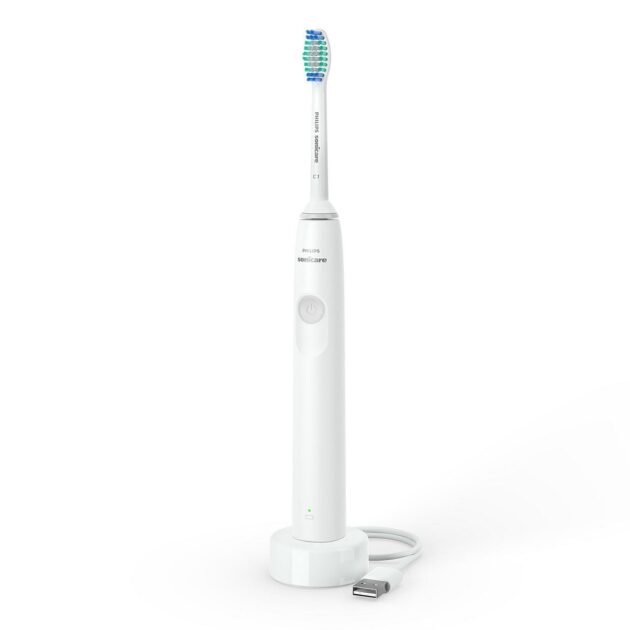
    Philips Sonicare 1100 Electric Toothbrush


    The Philips Sonicare 1100 Rechargeable Electric Toothbrush is a great choice for those who want a simple toothbrush that is electric. Its easy start program and timers help you to get into the habit of brushing your teeth thoroughly, and the rechargeable battery lasts up to 14 days between charges. The brush head clicks on and off the brush handle for a secure fit and easy maintenance and cleaning. The $20 toothbrush, due to its budget-friendly price, is a great choice for a wide range of individuals. However, a con of the product is that it does not come with a case. However, if you are not a traveler, there is not much need of a travel case anyways. But if you still need one, you will have to purchase one separately to protect your toothbrush. Here is the recommended travel case for your Philips Sonicare 1100.

    Case for Philips Sonicare 1100

    If you decide to buy the travel case, Philips Sonicare 1100 will cost you a total of $32 ($20 for the toothbrush, $12 for the case). So, if you are at a super-low budget and travel frequently, do consider that.

    BURSTkids Sonic Toothbrush – Electric Toothbrush for Kids (3+)

    Designed by Dental Pros for Kids
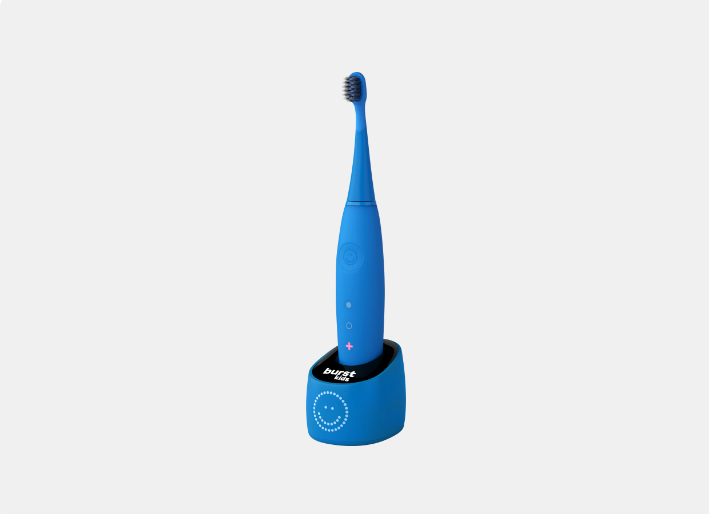
    BURSTkids Sonic Electric Toothbrush

    BURSTkids brushes are so cute; perfectly suited for kids. Not only due to its cuteness, but the BURSTkids Sonic Toothbrush was also designed by dental professionals to be easy for children to use, giving them a better clean than a manual toothbrush. An average electric toothbrush vibrates 24,000 – 40,000 strokes per minute. With 31,000 sonic vibrations per minute, this toothbrush does the job pretty fine. A big plus about this BURSTkids Sonic Toothbrush is 26 times better plague reduction than any normal toothbrush. It will make sure your little one’s teeth are as clean as can be! Such a better plague reduction was made possible due to a test with 1000s of BURST Ambassador Dental Professionals. And it seems to be true, as 96% of parents who bought the product reported that it was easy for their child to use. A child says something is easy when the toothbrush is making their teeth comfortable, when they can actually do it, and have fun doing it at the same time. And that is exactly what BURSTkids Sonic Toothbrush offers. We had to select this one.

    They also have a similar package of electric toothbrush for (2+) kids that includes access to exclusive CoComelon video content.

    Victool Pet – Electric Toothbrush for Dogs

    Bugdet-Friendly Dog Toothbrush

    Victool Pet Electric Toothbrush

    The Victool Pet Dog Electric Toothbrush is perfect for those who want to make sure their furry friend’s teeth are properly cleaned. This toothbrush has 2 brush heads for replacement and is made with soft bristles to help clean the tartar without hurting your pet’s gum. Also, this toothbrush is easy to use and is battery-operated. You do not have to break your bank to buy this toothbrush as it is available at Walmart for $11. Although there are other expensive options, not everybody can afford to spend $100 for a toothbrush for their dog. Considering the features, it is a great toothbrush for the price. The Victool Pet Dog Electric Toothbrush is not for those who are not willing to spend time brushing their dog’s teeth.

    If you want more comfort while brushing your dog’s teeth, that’s what you pay the additional amount for. For more comfort, you can refer to Penn-Plax 360°:

    Brush Baby BabySonic – Electric Toothbrush for 1, 2, and 3-Year-Olds

    Best for babies, a top-seller since 2014

    Brush Baby BabySonic Electric Toothbrush

    The Brush Baby BabySonic is an electric toothbrush for infants and toddlers aged 0-3 years. The brush features a smart LED timer and gentle vibration to provide a fun brushing experience, and includes 2 sensitive brush heads. The brush is made of BPA-free materials and is waterproof and compact, with a suction base to keep it in an upright position when not in use. One special feature of Brush Baby BabySonic is that it has a small grip and simple ON/OFF button. This makes it possible for your little one to eventually brush on their own. Also, the smart 2 min LED light timer with 30 sec pulse teaches your toddler good brushing habits. The toothbrush’s durability and endurance teaches your 1-year-old good brushing habits. Released in 2014, this electric toothbrush is still a top-selling product on the market and has received many positive reviews from new parents.

    Oral-B iO Series 9 – Best Electric Toothbrush for Braces

    If you/your kids have braces, and want to go electric
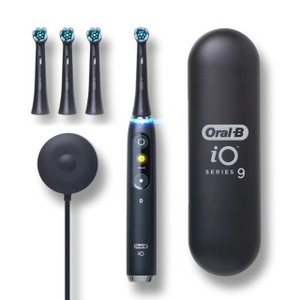
    Oral-B iO, Series 9

    The Oral-B iO Series 9 is the most advanced electric toothbrush for healthy gums during and after braces. It combines powerful, but gentle micro-vibrations with Oral-B’s unique dentist-inspired round brush head design for a professional clean feeling every day. Furthermore, it has a built-in pressure sensor that protects your gums from over-brushing, and it comes with a charging base that sanitizes your brush head. As an added bonus, the iO Series 9 toothbrush is compatible with the Oral-B app, which gives you personalized brushing routines and tips, and tracks your progress over time.

    Related Post: Best Ultrawide Monitors for Each Purpose

    Conclusion

    So, we’ve taken a look at the best electric toothbrushes on the market. And the verdict is? There is no one electric toothbrush for all. For you, for your kid, for your dog, or for your budget, the best electric toothbrush is the one that fits you and your needs the most. One thing to keep in mind, however, is electric toothbrushes are not a substitute for good oral hygiene habits. Be sure to brush at least twice a day and floss daily for healthy teeth and gums!

  • Apple’s Upcoming Product Releases in 2023

    Apple’s Upcoming Product Releases in 2023

    We recognize apple for innovation. They’ve set themselves apart as a trendsetter in the tech industry. In September 2022, apart from iPhone 14, Apple released the AirPods Pro 2, the Apple Watch Ultra, the Apple Watch Series 8, and the Apple Watch SE. In October, Apple released the 10th-generation iPad, the iPad Pro, and the Apple TV 4K.

    Despite heavy competition in the past few years, Apple has managed to maintain their market share. Even during 2022’s sharp Wall Street downfall, the company has maintained itself, falling only 16%. That’s because of new innovations in each new apple product. The upcoming Apple products in 2023 are going to be interesting to look forward to. Unlike in general cases, Apple is also going to release a surprise-package product the upcoming year.

    Apple keeps on updating its products’ features frequently. However, the company seems to be stable when it comes to release dates of most of its new products. For example, iPhones always launch on September of every year. In 2023 too, iPhone is set to release the exact same month. But there is much more than an yearly iPhone/iPad update coming from apple in the upcoming year.

    The types of products we can expect from Apple in 2023 are:

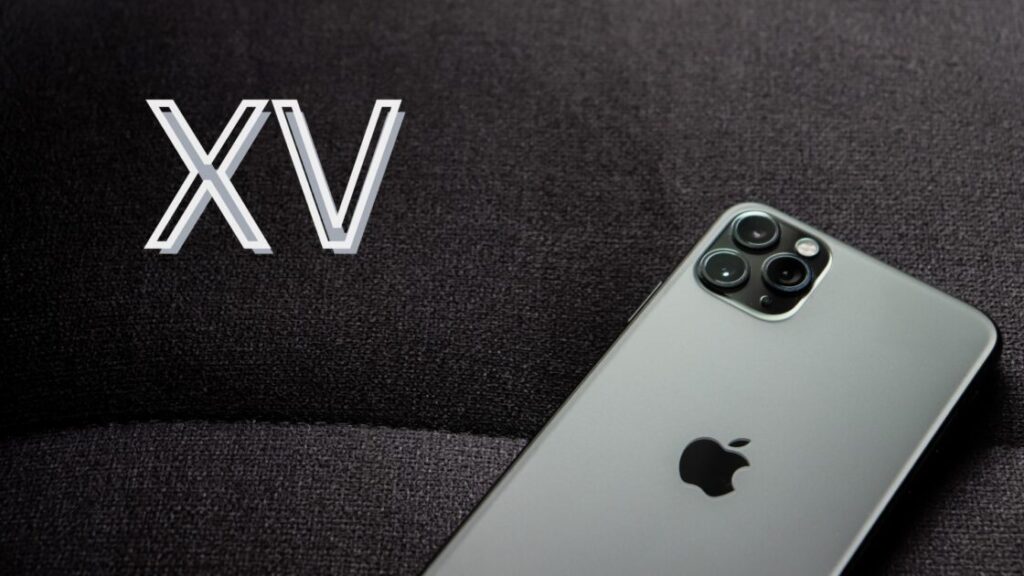
    Apple iPhone XV – iPhone, But with Periscopic Lens

    Apple iPhone XV

    The upcoming Apple iPhone XV is set to release in September 2023 and is rumored to have a few new features, including USB-C, and a Qualcomm modem chip. The iPhone XV Pro models could also feature solid-state volume and power buttons, as well as an increased 8GB RAM. However, Touch ID is unlikely to exist on the new iPhone. Furthermore, the standard iPhone 15 model will continue to use USB 2.0, while the iPhone XV Pro models will feature USB 3.2 or Thunderbolt 3 for higher-speed data transfer. Rumors also suggest that only the iPhone XV Pro Max will feature the periscope camera lens. It means that the this upcoming apple device will have much better zoom quality than its predecessors. This upcoming apple product will be good for those who love traveling, thanks to its periscope camera lens.

    Mixed Reality Glasses – A Surprise; Apple Goes Virtual

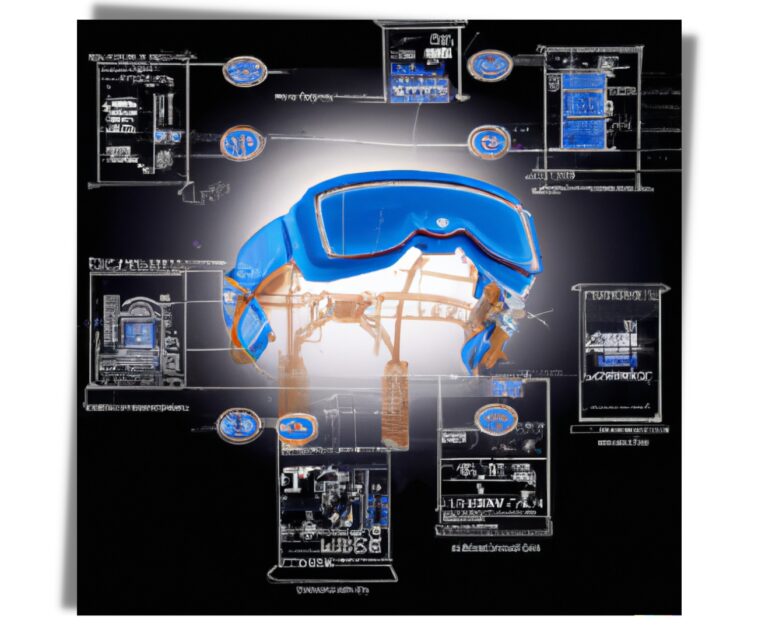
    apple's upcoming mixed reality glasses' engineering
    apple’s upcoming mixed reality glasses’ engineering, abstract

    Apple’s upcoming mixed reality glasses will offer a unique and immersive experience that combines the best of both virtual reality and augmented reality. With powerful A-series processors, high-resolution micro OLED displays, and multiple 3D-sensing modules, the glasses will provide an unparalleled experience that will be perfect for gaming, streaming video, and video conferencing. The $2,000-$3,000 glasses are expected to launch in 2023. Features including skin detection, spatial detection, and expression detection will make the glasses truly one-of-a-kind. One of the coolest features is the inclusion of an App Store specifically for the glasses, which will offer a range of gaming, streaming, and video conferencing content. This upcoming product from apple is sure to revolutionize the way we interact with the world.

    A Really Smart Speaker – The All-Fit-in-One Solution

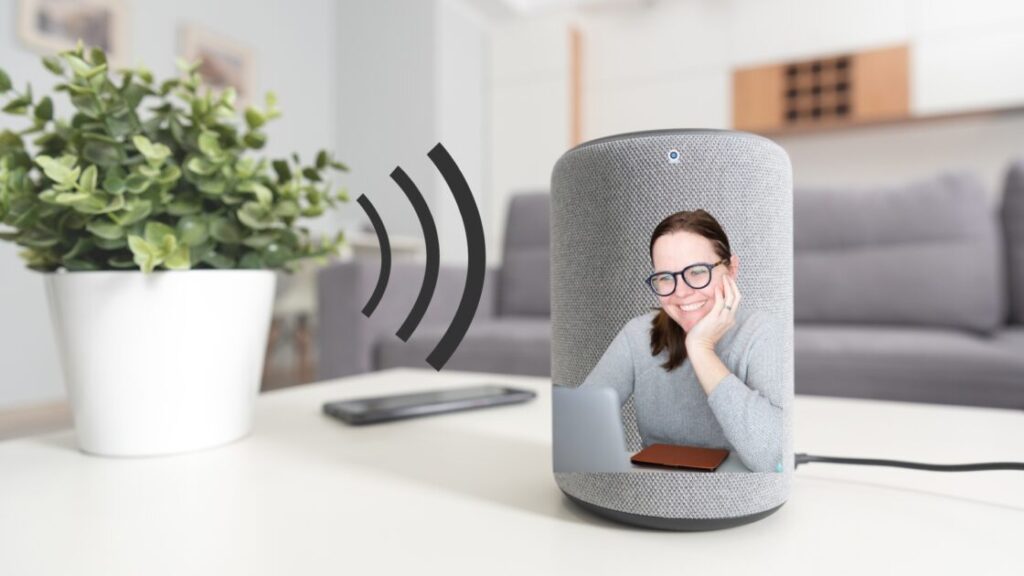
    apple's upcoming all-in-one homepod device

    After discontinuing its original HomePod in March 2021, Apple is working on a new similar product that will have features of a smart speaker, Apple TV, and FaceTime camera. It will be a great device for those new to the Apple ecosystem in the coming years. The rumored all-in-one homepod, or “really smart speakers”, as some people are calling it, could be released in Q3 2023. This device will be revolutionary for many. If you’re having a FaceTime with someone and they want to watch a movie with you, you can easily switch to watching the movie on your TV while still being on the call. And guess what the TV looks like – a speaker! Apple hasn’t released the price of this imminent product, however most estimations lie anywhere between $899 to $1299. Apple’s patent 20220042676 of an electronic device with visual feedback directly hints towards this upcoming gadget. Click here to search for that patent.

    14-inch iPad – A Giant Tablet

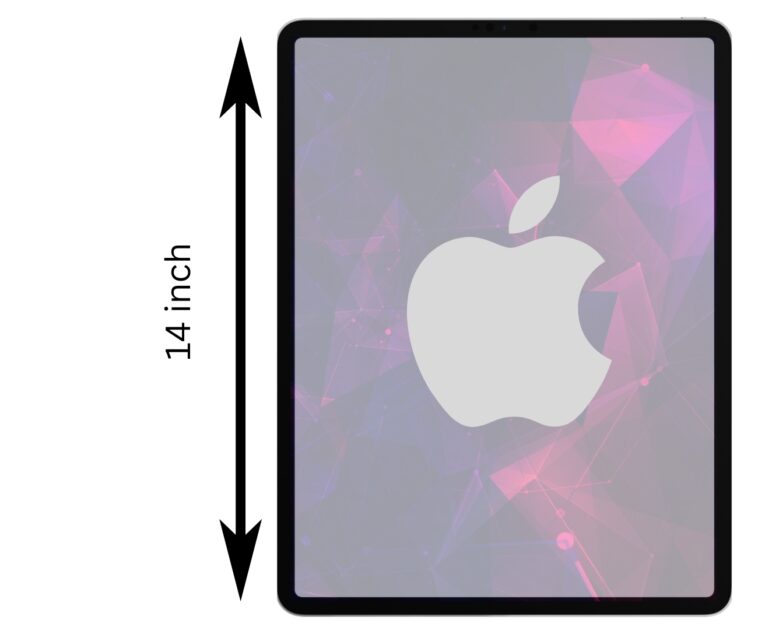
    14-inch iPad

    The 14-inch iPad is set to become Apple’s biggest tablet yet. With a larger screen than the 12.9-inch iPad Pro, this future device will be perfect for those seeking a bigger screen for work or play. The giant iPad will possess 512GB of internal storage and 16GB of RAM. Apart from size, this upcoming apple device will be a great choice for those who want big storage. The features also include a mini-LED panel or even an OLED panel. Apple will release this iPad in 2023, and it is sure to be a hit with Apple fans!

    Related Post: iPhone XR’s price over the years

    15-inch Macbook air – The Biggest Macbook Air Ever

    15-inch macbook air

    The MacBook Air is distinct from other Macs because of its thin and light design, making it perfect for portability. In 2023, Apple could release a 15-inch version of the MacBook Air, which would be the largest size to date for the device. This larger apple product would still maintain the thin and light design, making it a good option for those who want a sizeable screen but don’t want to sacrifice portability. The exact features of apple’s upcoming 15-inch MacBook Air device are still unknown. According to rumors, the device could come with mini-LED or ProMotion display technology.

  • Avoid Taking Online Typing Speed Tests

    Avoid Taking Online Typing Speed Tests

    Online typing speed tests could do harm to you. They could make you think you’re a worse typist than you are. In fact, most of the time, your typing speed is just fine. People who type fast don’t necessarily make fewer mistakes. It’s not that online typing speed tests do not measure accuracy, they do. However, the problem is that the testing environment is not natural. Therefore, the accuracy of the environment to measure WPM, or that to measure the typing accuracy itself, is low.

    Addiction to online typing tests

    a person addicted to online typing tests

    Many people are addicted to online typing speed tests. They can become obsessed with their typing speed and accuracy. They can start to feel anxious about their typing skills. Each time you take a new test, you may want to improve your previous results. Furthermore, most online typing test platforms put average WPMs and accuracy histograms to lure you in and take the test. The thing is, you don’t need to know how you compare to others, especially when it comes to typing.

    Any time you spend on such a typing speed test is time wasted. You will not get any better at typing by taking these tests. In fact, you will just get frustrated and think you’re not good enough. It is better to prevent yourself from online typing test addiction in the first place. Also, repetitive typing can cause RSI (repetitive strain injuries). Typing for no reason i.e. taking typing speed tests online is unworthy for other various reasons too.

    Online typing speed tests are worse than gaming and social media

    Gaming, to an extent, is productive. It can improve your eye-hand coordination. Furthermore, gaming teaches you teamwork, a key to success in any career. Social media is not the best place to stay. However, if used in moderation, they can be okay. But typing speed tests are a complete waste of time. And, they are worse than gaming and social media. Unlike the other two, online typing speed tests do not have many benefits other than to show you how fast you are at copying the given text.

    Online typing speed tests that sell products

    Some typing speed test platforms are created by people who want to sell you something online. They want you to buy their product or service. So, be careful when you’re taking typing speed tests on such online platforms. For example, they might show you an ad after you finish the test. Or, they might say that you need to improve your typing speed and accuracy. They’ll tell you that their product can help you do that. By showing a higher average typing speed, they make you look below average.

    Why online typing speed tests are inaccurate

    person frustrated due to inaccuracy

    Online typing tests are inaccurate for a variety of reasons. It could be the test itself, your computer, or your internet connection. However, here are the heavy reasons behind their inaccuracy:

    1. Keyboard matters a lot in an online typing speed test

    The physical keyboard you’re using affects your typing speed. If you’re using a laptop with a small keyboard, you’re naturally going to type slower than someone using a full-size desktop keyboard. And if the “full-sized” keyboard is one of those ergonomic ones with the split layout, you might even type slower than the person with the small laptop keyboard. In simpler terms, the keyboard needs to be good in order to type faster and more accurately. No two persons in this world have the same keyboards. Therefore, the stats on those websites do lie, and you are competing with ghosts.

    2. Real-life typing is different

    An average person can type 36 words per minute in an online typing test. If you’re a touch-typist, you can type about 60 words per minute in a typing speed test. However, in the real world, your typing speed will be different; mostly, lower, due to different writing circumstances. What this means is that the typing speed test measures your typing speed in an isolated setting which is not representative of your actual typing speed.

    3. Time limit

    In a typing speed test, you have to type within a given time limit. This time limit puts a lot of pressure on the test-takers and as a result, they make more mistakes. In the real world, you don’t have to type within an artificial time limit, and therefore, you can take your time to type accurately. According to research, online speed test takers seldom care about accuracy and they only focus on typing as fast as they can which is not a good thing. That’s all thanks to the countdown clock that has a set time limit.

    4. Copying does not help

    In a typing speed test, you are usually asked to type a given text. This text is usually very short and it’s not something that you would type in the real world. As a result, you can’t really learn anything from taking such a test. In the real world, you would be typing different texts all the time, and therefore, you need to be able to touch-type quickly and accurately without looking at the keyboard.

    5. Typing speed tests do not improve your typing quality

    Remember, typing can come up in many ways, more than just copying a text with little edits. And online typing test never improves your writing quality. Rather, it significantly hampers it. For example, after taking the test, you might start to focus on your typing speed rather than the content you are trying to communicate. This can lead to more errors and less clarity in your writing.

    6. Cheaters

    Last but not least, there are always people who are trying to cheat in such tests. They might use different online programs or even hardware to type faster. This means that the results of the tests are not accurate and you should not trust them. Most of the cheaters are AI-powered bots.

    Similar Post: Internet speed test: Google vs Ookla vs Xfinity

    How to get better at typing?

    practicing to type better

    The only way to get better at typing is to practice. A good way to improve your typing speed is to use a typing program that will give you feedback on your progress. You can do that by typing for at least 10 minutes a day. But, don’t worry about your speed. Just focus on accuracy. As you practice, your speed will improve. If you are feeling like your keyboard is causing inaccuracies or unnaturally slowing your typing speed, do consider buying a new one. But, not in order to take a typing speed test online and beat others.

    Is typing 60 WPM good?

    Well, it is relative. There are factors that affect your typing speed, as we already discussed. A typing speed of 60 WPM is above average. But nobody is going to give you a prize for being above average at typing, are they? Typing faster when it counts, however, is a good ability to have. Because as you are doing something, it allows you to do more in less time.

    How to evaluate your typing speed instead?

    evaluating typing speed

    Instead of taking typing tests online, where you have to copy text, a better way to measure your typing speed is to choose a blog title, look at the clock, complete writing the article, count the words you have written, and count the time that has elapsed. Dividing the elapsed minutes with the total words you have written is the best way to measure your typing speed.

    Writing a blog post is a better measure of your typing skills because you can type at your own pace, without feeling pressured to finish within a certain time limit. And, you can edit your work as you go, which is not possible when taking a typing test. If you are writing a research or work document, you can also test your speed by timing yourself as you type.

    Is a typing certificate worth it?

    Having a few typing speed practice sessions to achieve a typing certificate is understandable. Some jobs actually require you to take typing tests and have certificates. Although such jobs exist in very few numbers, they are out there. In most cases, however, you can still earn the job without having a typing certificate. If your job requires you to have a typing certificate, but you do not have a decent keyboard, a better alternative is to try out some physical typing lessons at a typing school near you. And if you are taking online typing speed tests to achieve a typing certificate for your job, in that case, it’s just fine. But it’s still not compulsory to miserably compete against other online typists.

    Bottom Line

    When you are looking to improve your typing skills, take some time to focus on your posture, the position of your hands on the keyboard, and how you are using your fingers to type. With some practice, you will be able to increase your writing quality. Typing speed and accuracy will increase naturally over time, regardless of whether or not you frequently examine them online.

  • Internet speed test: Google vs Ookla vs Xfinity

    Internet speed test: Google vs Ookla vs Xfinity

    Testing your internet’s speed frequently is a good practice. We all know how important internet speed is. A slow internet connection can be frustrating. It can even hinder productivity. So it’s important to choose an internet service provider (ISP) that can give you the speeds you need. The easiest way to compare ISPs is to use an internet speed test. These tests measure the time it takes for data to travel from your computer to a server and back again. The faster the data travels, the faster your internet connection.

    There are a few different internet speed tests out there. Google and Ookla are two of the most popular. But which one is the most accurate? To find out, we ran a speed test on both Google and Ookla. We also tested Xfinity, a popular internet speed tester. Here’s how the three free internet speed tests stacked up.

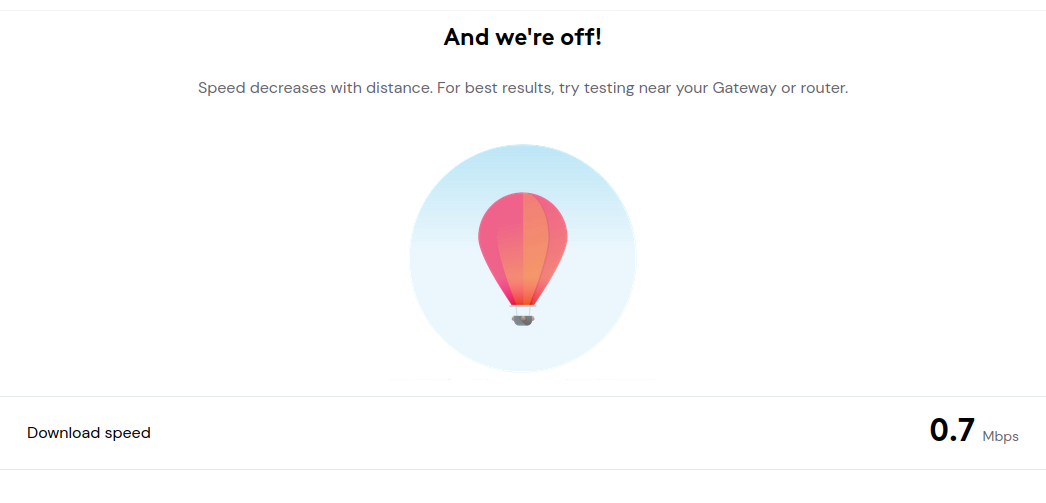
    Here are the themes of all three internet speed test services.

    Talking about the looks alone, Ookla is the definite winner. It has a modern and sleek design. The Google speed test has a more basic design, while Xfinity’s looks a bit outdated. Okay, now let’s talk about the speed test results.

    Ookla

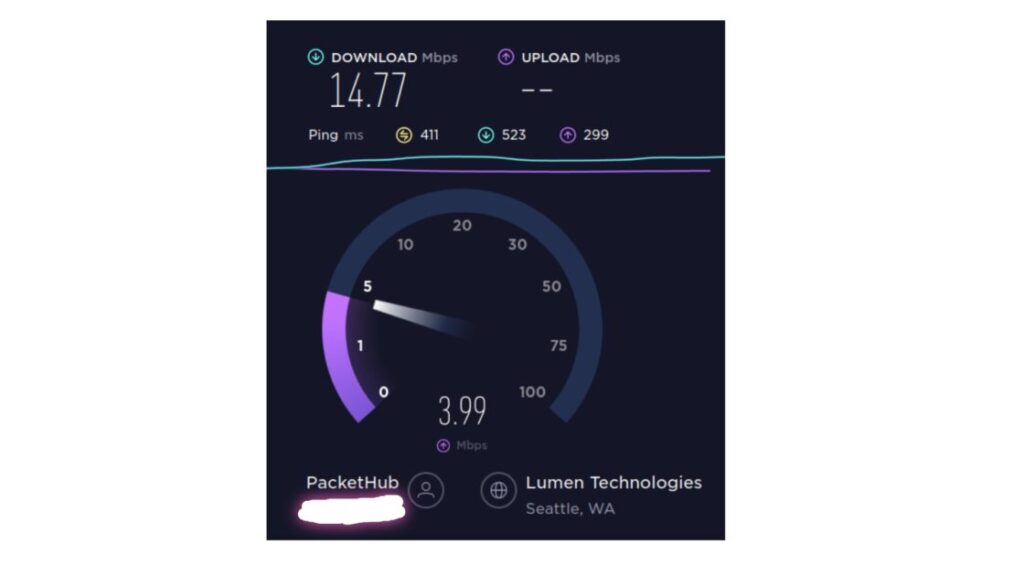
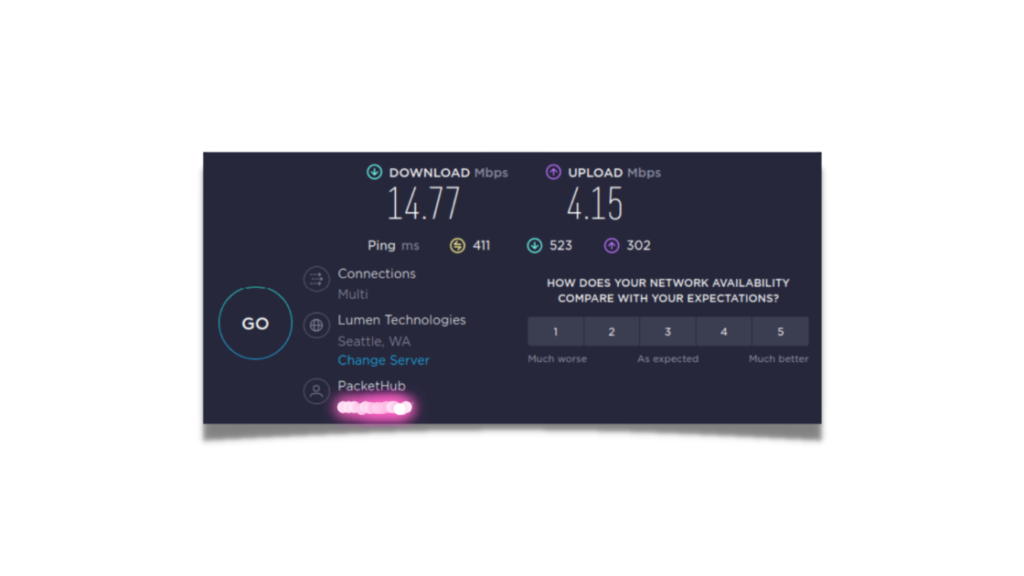
    Ookla internet speed test results

    As you can see, Ookla showed a download speed of 14.77 Mbps and Upload speed of 4.15 Mbps for the internet connection. That was pretty much as-expected. Nothing too surprising at all.

    Google

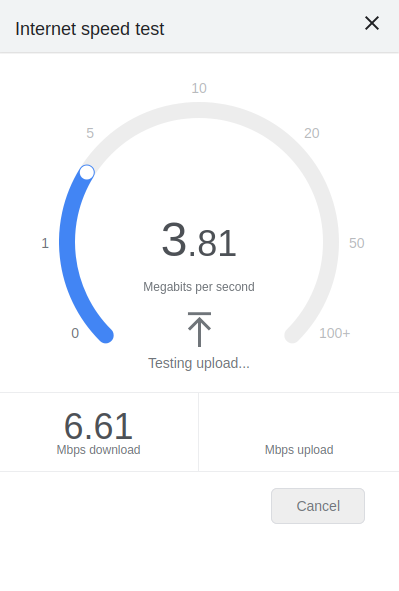
    Google internet speed test results

    After Ookla, we tried Google’s internet speed test. Apart from the internet speed, it showed what tasks the speed is suitable for. It was a pretty impressive first look at the report. But the speed test results were out-of-the world. Google showed a download speed of 5.07 Mb/s and upload speed of 0.58 Mb/s. After that, we tried to recheck the speed on Ookla, but it showed similar results. We tested the internet speed once more on Google. It showed a download speed of 4.88 Mb/s. More than the fact that it showed lower speed than the initial test, what was mind-blowing was that the first test results were not any kind of bug.

    xFinity

    xFinity internet speed test results

    As the internet speed test by Google and Ookla showed a huge difference in results, we headed on to xFinity, although it was not in the script. xFinity showed a download speed of 19.4 Mb/s. They did not show the upload speed, however, the report of xFinity was much closer to Ookla, than speed test by google. So, it is only normal to contact Google after this, and so did we.

    So, what’s the verdict?

    Are Google’s internet speed test results wrong?

    When it comes to internet speed tests, you usually get better results from speedtest.net. This is because the Speedtest by Ookla or xFinity will tell you the speed your router device is getting from your ISP. However, Google’s speed test will tell you the actual internet speed that your device is getting from your router. That’s because Google’s test measures the time it takes to download a file from a Google server. This is a more accurate measure of your internet speed. Google’s internet speed test, hence is not wrong. Rather, it is the more accurate representation of what internet speed you use normally.

    What is the right way to test internet speed?

    ookla's speedtest by google fiber
    Ookla’s speedtest (using google fiber)

    The right way is to measure the internet speed is to actually use the internet and see how fast it is. The problem with this is that different activities take different amounts of time, so it can be hard to compare. This is simply why internet speed tests exist.

    The conventional wisdom is that the internet speed refers to the speed your ISP sends. If you want to test how fast your internet speed is when compared to other ISPs or internet users, you can use Ookla or xFinity. However, these two speed tests are not accurate when it comes to actual internet usage.

    Google's internet speed test engine powered by measurement labs
    Google’s internet speed test engine powered by measurement labs

    If you want to be more precise with the actual internet speed you are getting, use Google’s test engine powered by measurement labs. This is because it will take into account the time it takes to connect to the server, as well as the time it takes to load the page.

  • Is apple’s mixed reality headset a concern for the metaverse?

    Is apple’s mixed reality headset a concern for the metaverse?

    Apple has recently won a patent for a head-mounted device that could be used to display virtual reality content. The device would have a display that covers the user’s peripheral vision, providing a more immersive experience. This patent adds to the mounting evidence that Apple is just as interested in virtual reality and mixed reality technology as Meta. Apple has been hiring experts in the field, and has several patents related to VR and Mixed Reality. Meta’s case is the same except for the fact that it is firing experts, instead.

    Metaverse vs Apple’s Mixed reality headset

    Apple is working on a mixed reality headset that is set to come out next year. The price will be between $2,000 and $3,000 and the headset will include a Mac-level M2 chip, more than 10 cameras, and the highest-resolution displays ever featured in a mass-market headset. The headset will run a new operating system, “realityOS”, which will include mixed-reality versions of core Apple apps like Messages, FaceTime, and Maps.

    Metaverse is a concept; on the other hand, apple’s mixed reality headset is an actual product in development. The former is a hypothetical future where people can connect and interact with each other virtually, using avatars. The latter is a device that would allow users to view and interact with virtual content in a more immersive way. The concern here is that if Apple’s headset is successful, it could pave the way for the company to create its own Universe.

    We can compare apple’s mixed reality headset with Meta’s Quest Pro VR Headset they launched on October 25.

    Meta’s Quest Pro vs Apple’s Mixed Reality Headset

    Meta’s quest pro VR headset is a $1500 device featuring a Qualcomm Snapdragon XR2+ chip, 12GB of RAM, and 256GB of storage. It gives 50% more performance than the Quest 2, according to Meta.

    When it comes to VR, AR, or MR, size matters a lot. The smaller, thinner, and lighter the headset is, the better. In fact, it is the basis for judging how futuristic a headset is. Meta switched to new pancake lenses in order to reduce the thickness of the headset. Still, they are delivering a relatively high resolution of 1,800 x 1,920 pixels per eye. The headset’s visuals are better than most mid-end PCs with a 90Hz refresh rate.

    Its horizontal FOV is pretty much as good or better than all of its rivals except for the Vive Pro 2’s 116 degrees. The Quest Pro also features 10 sensors on the interior and exterior of the device. The five outward-facing cameras support full-color passthrough, hand-tracking, and scene understanding without the need for additional external sensors. Meanwhile, the five inward-facing sensors track eyes and face movements for features like foveated rendering and enhanced avatar animations.

    What’s different about Apple is that its headset is not just for gaming or entertainment. Also, Apple’s mixed reality headset will possess two high-resolution 4K micro OLED displays with up to 3,000 pixels per inch. The resolution seems so unreal for any wearable lens technology. Apple is working on a video service for the headset featuring 3D content that can be played in virtual reality. The company is continuously looking for engineers who can work on development tools geared toward virtual and augmented reality. One of apple’s recent job listings is for development of a 3D mixed-reality world.

    What Apple seems to have learned from Meta’s downfall

    Metaverse has turned out more of a curse for Zuckerberg and his company. On behalf of the company, Zuckerberg said that within the next decade, the metaverse will “reach a billion people”. Clearly, the investors are not into Zuckerberg’s bet on Metaverse. Due to its announcement of dumping money into Reality Labs, Meta’s stocks are down by more than 67% this year. That’s the key reason why Apple is not broadcasting its mixed reality headset as Meta did.

    Apple is looking to position the device as a tool for businesses and professionals. In fact, apple’s mixed reality headset is not just a concern for the metaverse, but for the entire tech industry. Apple has the potential to disrupt the status quo and change the way we interact with eye technology.

    With its mixed reality headset, Apple could provide a new way for people to interact with computers. The device would allow users to control a computer with their eyes and gestures. This would be a major shift in how we use computers today and could have a profound impact on the way we work and live.

  • When Will Apple’s Mixed Reality Headset Launch?

    When Will Apple’s Mixed Reality Headset Launch?

    Last Updated – November 18th, 08:01 AM GMT

    Apple has not announced a launch date for its mixed reality headset. However, industry experts believe that Apple will launch its mixed reality headset in 2023. This would make Apple one of the first companies to enter the mixed reality market.

    Headsets from apple, meta, and vuzix are all in development and are expected to launch in the next few years. This will be a key driver for the growth of the mixed reality market.

    Apple has been working on a mixed reality headset for several years. The company has been filing multiple patents for the headset recently, adding the assumption that it is close to launching.

    Apple’s competitor Microsoft released a mixed reality headset, HoloLens, on March 30, 2016. However, they shut down the project in 2021 to team up with Samsung for the same.

    According to researchers, global augmented reality market will grow at a CAG rate of 40.9% from 2022 to 2030 to reach USD 597.54 billion by that time. Augmented reality is a subsidiary of mixed reality that adds computer-generated images to the real world. Mixed reality takes it to the next level, creating an entirely virtual world that the user can interact with. In mixed reality, the real world comes into play to determine what is shown in the headset.

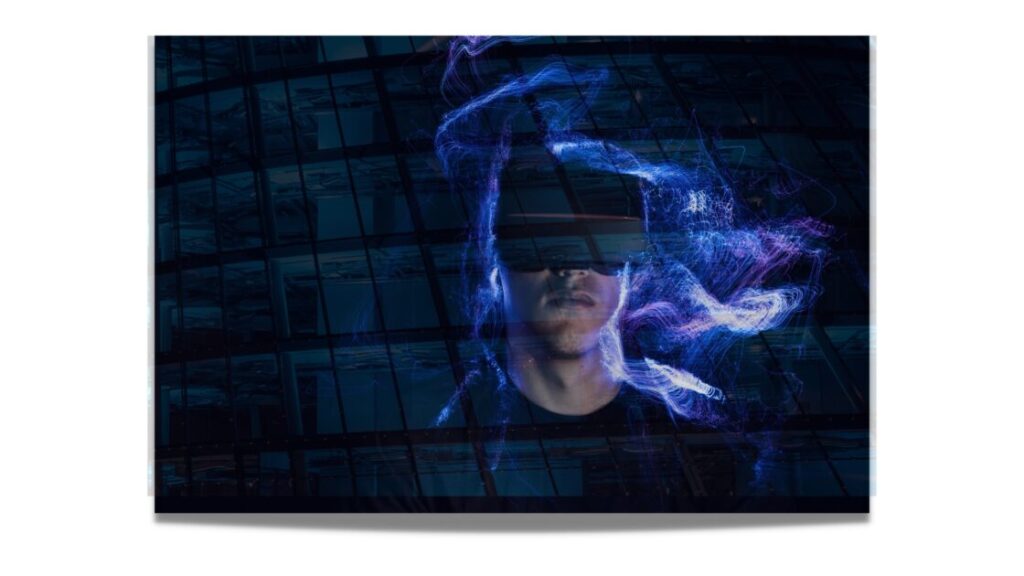
    mixed reality

    Looking at the competition in the mixed reality field, apple wants to launch its product as soon as possible to get an edge over its competitors. The headset’s mass production will begin at the end of Q1 next year. There were some rumors that it may launch in January 2023. But the current reports hint, apple might be releasing the mixed reality headset at the beginning of Q3 2023.

  • 5 Types of flying Robots – Nutsel Academy

    5 Types of flying Robots – Nutsel Academy

    Statistically, a flying robot has a much higher chance of succeeding in its mission than a ground robot. 42,000 feet is the current approved limit for most air vehicles. With the ability to fly, a robot can more easily avoid obstacles, travel long distances, and reach high places.

    flying robots

    Dividing the labor of a mission between ground and flying robots can be an effective way to use each type of robot to its strengths. For example, a search-and-rescue team might use a ground robot to search an area for survivors, while a flying robot equipped with a loudspeaker could be used to call out to survivors and direct them to the ground robot.

    Here are the 5 different types of flying robots:

    1) Air balloon robots

    People use air balloon robots for advertising, surveillance, and research. As per a report by Zion Market Research, the global air balloon robots market is expected to reach Multimillion USD by 2028. Futuristic uses of air balloon robots include using them as flying cell towers and delivering food and other supplies to disaster areas.

    Air balloon robots

    Hot air balloon: A hot air balloon robot is powered by a burner that heats the air inside the balloon, causing it to rise. The hot air balloon is the oldest air balloon, dating back to the 18th century.

    Gas balloon: A gas balloon robot is filled with a lighter-than-air gas, such as helium. Gas balloons are typically made of latex or mylar and can be filled with a variety of gases, including hydrogen, helium, and methane.

    Hybrid balloon: A hybrid balloon robot is a combination of hot air and a gas balloon. These are relatively new technology and are typically helpful for long-duration flights.

    As the name suggests, a flying air balloon robot is one that flies using one or more air balloons. Your average birthday party balloon is not going to cut it though; these balloons are much bigger. Like, really big.

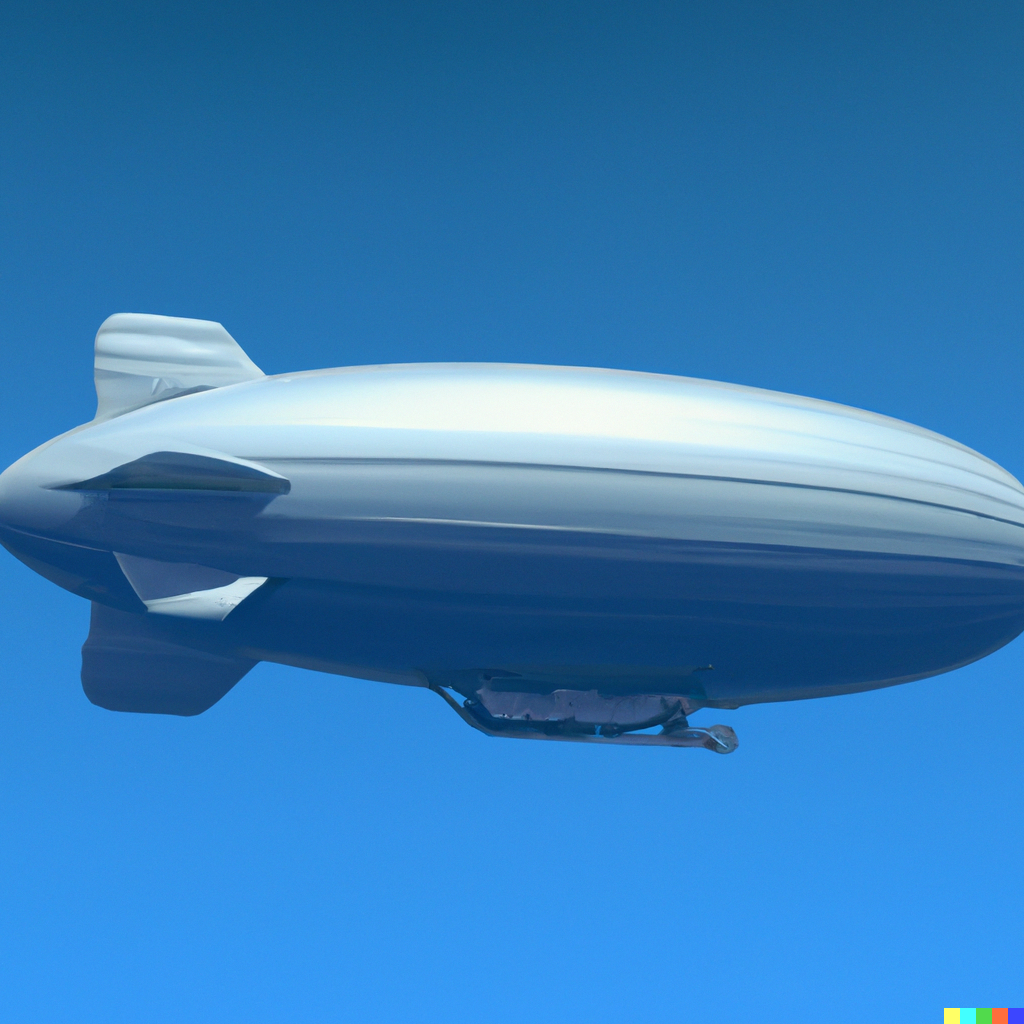
    Airships

    They are a type of flying robot that uses one or more gas-filled balloons to stay afloat. Airships are made for leisure and sporting activities, but can also be used for military and commercial applications.

    a blimp

    Zeppelin: A zeppelin is a type of airship that has a rigid frame and a non-rigid envelope. Zeppelins were first used commercially in the early 20th century and were the largest type of airship ever built.

    Blimp: A blimp is a type of airship that has a non-rigid envelope and no rigid frame. They are smaller than zeppelins and are typically used for advertising and sporting events.

    Dirigible: A dirigible has a rigid frame and a semi-rigid envelope. Dirigibles are smaller than blimps and are typically used for military and scientific applications.

    2) Airplane robots

    Airplane robots are exactly what they sound like: airplanes. yes, but it has types.

    Fixed-wing airplane: A fixed-wing airplane robot has wings that are attached to the main body of the plane and do not move. Fixed-wing airplanes are the most common type of airplane and are used for a variety of applications, including cargo transport and surveillance.

    Rotary-wing airplane: A rotary-wing airplane robot has wings that rotate around a central shaft, similar to a helicopter. Rotary-wing airplanes are less common than fixed-wing airplanes and are typically used for applications that require vertical takeoff and landing, such as search-and-rescue missions.

    Tilt-rotor airplane: A tilt-rotor airplane robot has rotors that can tilt from a vertical to a horizontal position, allowing it to take off and land like a helicopter but fly like an airplane. The relatively-new technology is typically used for military applications.

    3) Autonomous flying robots

    Autonomous flying robots are robots that can fly without the need for a human operator. These robots are equipped with sensors and algorithms that allow them to navigate and perform their tasks without human intervention. Many autonomous flying robots are also capable of autonomously docking with and charging from a power source, such as a solar panel or power outlet.

    Autonomous basically means something that is self-governing, while automatic refers to something that happens without conscious thought or effort. In other words, autonomous things are under their own control, while automatic things happen automatically.

    Now, “autonomous” can mean certain things:

    • Not needing any sort of human intervention, even for takeoff and landing, or
    • Being able to make decisions based on pre-programmed criteria, or
    • Relying on artificial intelligence to make decisions and carry out tasks.
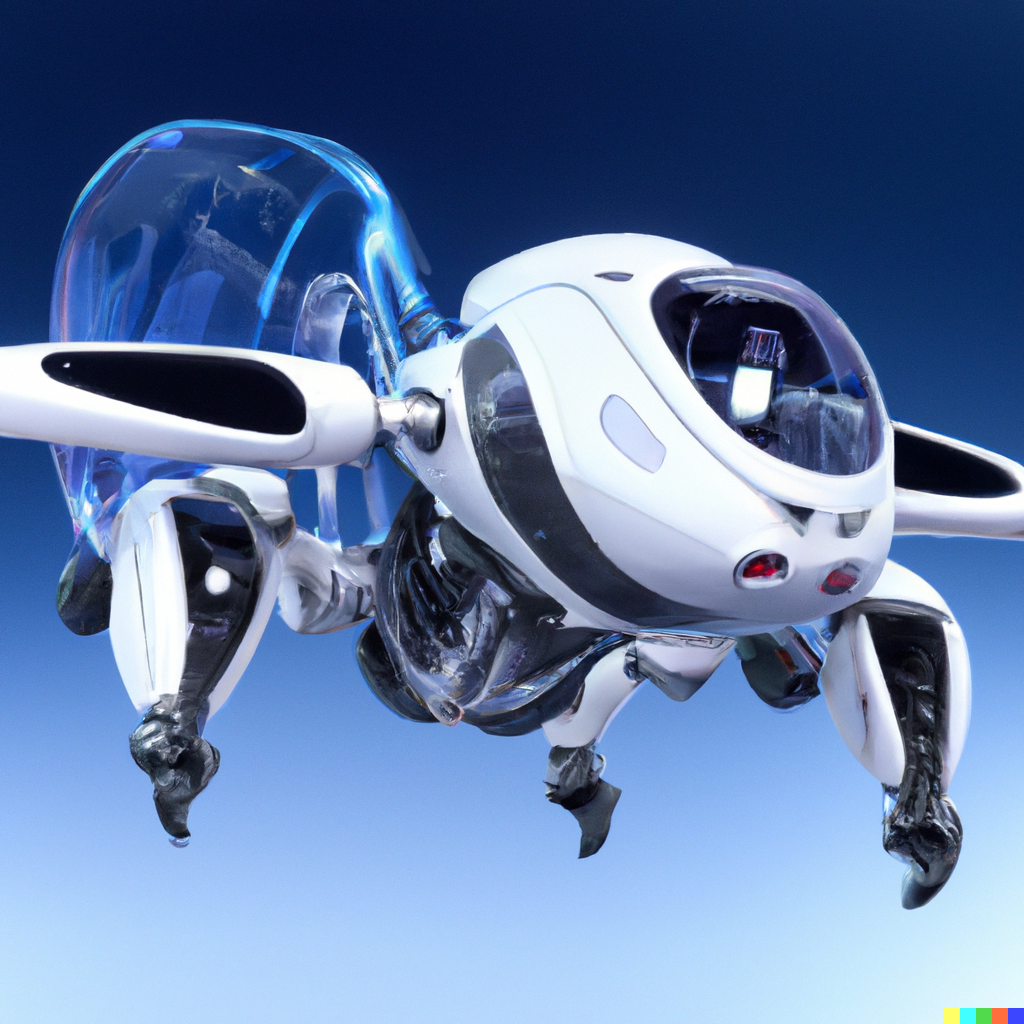
    futuristic autonomous flying robot

    One abstract possibility for autonomous vehicles is one that does not need any kind of connection with any external human or AI system, can completely fly and navigate on its own, and contains programmed free will. While the definition of “autonomous” does limit it to be called so, it’s still possible. In the future, it is possible that autonomous flying robots will be able to fly in formation, collaborate on tasks, and autonomously make decisions in real-time.

    4) Drones

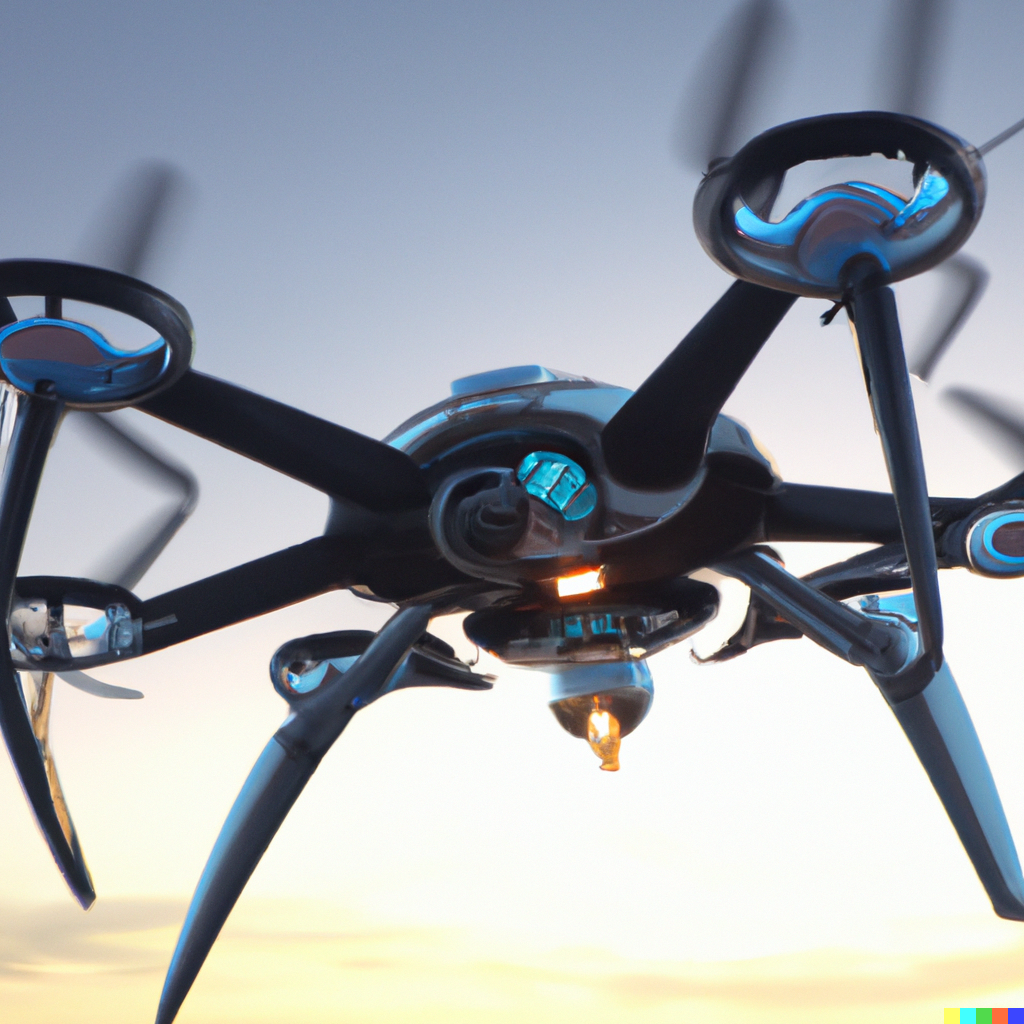
    drone

    Drones are perhaps the most well-known type of flying robot. They come in all shapes and sizes, from large military drones to small consumer drones.

    Multi-rotor drone: A multi-rotor drone is a drone with more than two rotors. Photographers typically use these for aerial photography and videography. Multi-rotor drones are more stable than single-rotor drones and can carry heavier payloads, but they are more difficult to fly and are more expensive.

    Single-rotor drone: A single-rotor drone is a drone with only one rotor. They are generally larger than other drones. Plus, they use gas engines instead of batteries and can lift some decent weights.

    Fixed-wing drone: A fixed-wing drone has wings like an airplane. These drones are typically used for long-distance flights and can stay in the air for extended periods of time. Fixed-wing drones are more stable than rotary-wing drones and can carry heavier payloads, but they are more difficult to fly and are more expensive.

    Quadcopters

    A quadcopter is a type of multi-rotor drone that has four rotors. The quadcopter’s agility is pretty good.

    Hexacopters

    A hexacopter is a type of quadcopter that has six rotors. If you need something that is more stable, a hexacopter should be a good choice.

    Unmanned aerial vehicles (UAVs)

    An unmanned aerial vehicle (UAV) is a type of aircraft that has no cockpit, hence no pilot. A remotely piloted vehicle (RPV) is a type of UAV that is piloted by a human operator from a remote location. UAVs are used in the military.

    5) Gliders

    Gliders are a type of flying robot that does not have any motors or engines. Instead, gliders rely on the wind or other forms of propulsion, such as being launched from a catapult, to stay in the air. Gliders are typically used for leisure and sporting activities, but can also be used for military applications, such as surveillance.

    Rigid-wing glider: A rigid-wing glider is a glider with wings that are rigidly attached to the main body of the glider. Rigid-wing gliders are the most common type of glider and are typically used for leisure and sporting activities.

    Flex-wing glider: A flex-wing glider is a glider with wings that are flexible and can change shape. They are less common than rigid-wing gliders and are used for military applications, such as surveillance.

    Delta-wing glider: This type of glider has wings that are shaped like a triangle.

  • Best Ultrawide Monitors for Each Purpose

    Best Ultrawide Monitors for Each Purpose

    • Last Updated – December 12, 2022 – 12:59 PM GMT

    Ultrawide monitors are becoming increasingly popular. Apart from the larger viewing area, many ultrawide monitors also have a high resolution. This makes them ideal for gaming and other graphics-intensive applications. Before diving into the best ultrawide monitors for all purposes, we’ll try to understand ultrawide displays further.

    What is an Ultrawide Monitor?

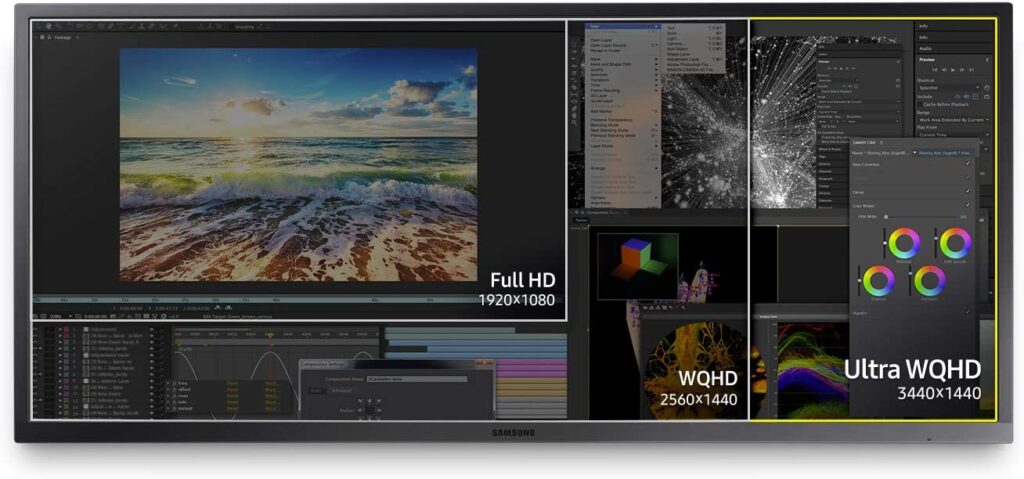
    An ultrawide monitor is a type of computer display that is much wider than a traditional display. What’s actually ultrawide is the aspect ratio. For example, even a 65-inch screen with a width of 52.3 inches, if it has a general 29.4 inches height, it is not considered an ultrawide monitor. And ultrawide monitor’s width is generally 2.33 times greater than a standard 16:9 monitor if its aspect ratio is 21:9. See the difference:

    normal vs ultrawide monitors

    The difference is even greater in the 32:9 ultrawide monitors, which are relatively newer. Ultrawide screen lets you see more of your work at once, making it great for productivity. Such monitors also have great gaming capabilities, as they can display more of the game world than a standard monitor.

    Who is an Ultrawide Monitor for?

    One who is looking for immersive gaming or movie-watching experience will definitely want to consider an ultrawide monitor. But competitive gamers can take the biggest advantage of it. A larger aspect ratio and view area give competitive gamers a significant edge. Not only can they see more of the game, but they can track opponents more easily and spot potential threats earlier. If you want to have more screen real estate to work with, an ultrawide monitor is also a great option. That means you can have multiple windows open side-by-side without overlap, or you can just have one really large window. And for day traders, an ultrawide monitor is a no-brainer, as it significantly enhances their ability of determining trend patterns.

    Curved vs Uncurved Ultrawide Monitors

    curved vs flat ultrawide monitors

    The purpose of the curve in an ultrawide monitor should be first understood. When you’re looking at a monitor for long periods of time, your eyes have to constantly readjust to take in the entire screen. This can lead to eye strain and headaches. A curved ultrawide monitor eliminates this problem because your eyes naturally follow the curve of the screen.

    Is a curved ultrawide monitor good for me?

    If you do a lot of work with multiple applications open at the same time, a curved ultrawide monitor can help you stay more focused. The curved screen creates a more immersive experience that can help you better see all the applications you have open. If you’re not sure whether you want a curved or flat ultrawide monitor, it’s best to use a flat one straightaway. The benefit of the doubt goes to the flat screen. If you want a curved ultrawide monitor, you simply want it for an extra bit of immersion during creative tasks. If you are confused, you do not want those features at all.

    Is a curved ultrawide monitor OK for office work?

    The curve of a curved ultrawide monitor can cause problems when you’re trying to line up multiple windows side-by-side. So, if you’re looking for a monitor for office work, stick with a flat one. For example, if you need to have two Word documents side-by-side, it can be difficult to get them to line up perfectly on a curved monitor. But if your office work is something like graphics designing, video editing, or other creative work, a curved monitor can be more aesthetically pleasing.

    Should I get a curved ultrawide monitor or a flat one?

    If you’re looking for a monitor for office work, it’s best to stick with a flat one. However, if you do creative work or if you want an immersive experience, a curved monitor can be great.

    And if it is for casual purposes, here are some things you should consider before deciding:

    If you have a lot of desk space – If you have limited desk space, a curved monitor can be more difficult to position.

    If you share your screen with others often – If you share your screen with others often, they may not be able to see as much as they would on a flat monitor.

    How much you value image quality – Curved monitors can sometimes have issues with image quality, such as ghosting or screen tearing. So if image quality is precisely important to you, stick with a flat monitor.

    How much you want to spend – Curved monitors are often more expensive than flat ones.

    If you want to use multiple monitors – Multiple flat monitors are easier to line up than multiple curved monitors.

    Vertical Ultrawide Monitors

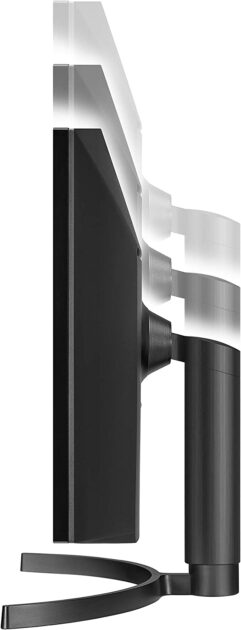
    Much different than a curved or flat ultrawide monitor, this type of monitor looks more like a giant smartphone. It can be changeable with how you position it and how you want to use it. This type of monitor is best for those who want to save desk space or have a more mobile workstation. It is like a desktop smartphone.

    Such monitors are available in resolutions of 1440p and 4K. For starters, vertical ultrawide monitors are much more versatile when it comes to positioning and use. This is due to their unique design, which allows for more options when it comes to how you set them up. Additionally, vertical ultrawide monitors tend to offer higher resolutions than their flat or curved counterparts. This is especially true when you compare them to monitors with similar screen sizes.

    Vertical ultrawide monitors are ideal for users who want the highest level of detail and clarity possible. Those who love smartphone displays are also seekers of such a monitor. Not only does this monitor saves desk space, but it also gives the user a mobile-friendly experience. Most casual PC users use smartphones more amounts than the PC every day. This monitor is easier to get used to.

    How to Look for the Best Ultrawide Monitors?

    The often-overlooked, yet a thing to look for when ultrawide monitors are the panel type. You’ll want to make sure that you’re getting an IPS panel. Higher refresh rates and higher resolutions are also great things to look for, but they don’t mean much if you’re stuck with a TN panel. Another important thing to keep in mind is the screen size.

    Ultrawide monitors come in a variety of sizes, from 21 inches all the way up to 38 inches. It’s important to find the right size for you. The size of an ultrawide monitor affects both the price and value. Last but not least, you’ll want to make sure that the monitor has the right inputs for your needs. If you want to use it for gaming, you’ll need to make sure it has a DisplayPort or HDMI input. If you’re just using it for work or general use, you can get away with just about any input.

    Here we have selected the best ultrawide monitors for each type of user:

    LG 29WQ600-W – For Office Use (Budget Ultrawide Monitor)

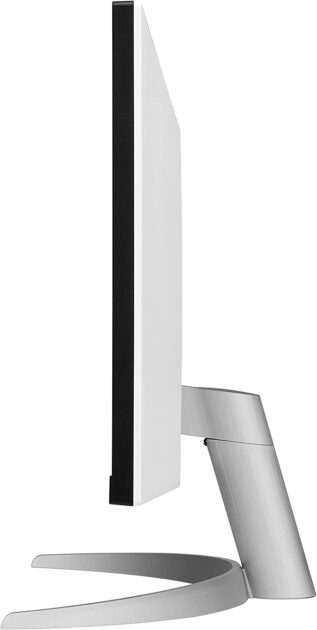
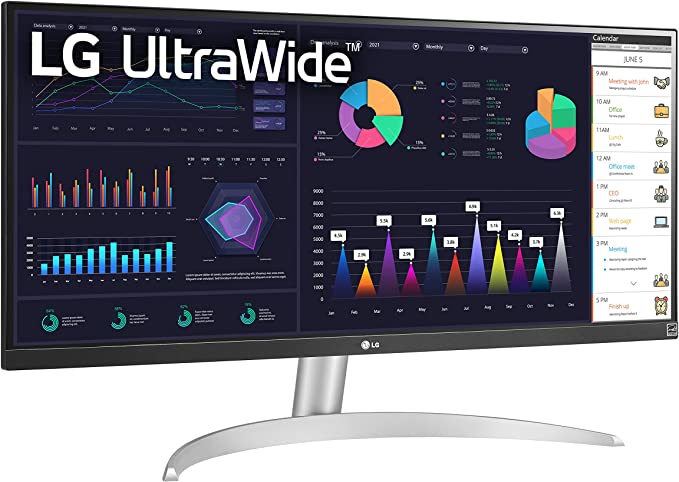
    LG 29WQ600-W Curved Ultrawide Monitor

    The LG 29WQ600-W is a 29-inch IPS LED monitor with a wide Quad HD resolution of 2560 x 1080 pixels. It has a fast 100 Hz refresh rate and AMD FreeSync technology. It also features a USB-C connection for fast and seamless connectivity to your laptop, desktop computer, and other external devices. The OnScreen Control software allows you to control various display settings with a single mouse click. The ultra-narrow bezel and tilt adjustment make it the ideal screen for a desktop setup. This ultrawide monitor is an ideal screen for budget-conscious office users who are looking for an upgrade from their current monitors.

    INNOCN 34 – For Office Use (Mid-Budget)

    INNOCN 34 Flat Ultrawide Monitor

    The INNOCN 34 is a great choice for an office monitor because it has a large 34″ screen with a 21:9 aspect ratio. It also has a resolution of 3440 x 1440, which is higher than most monitors on the market at $450 price range. Although this ultrawide monitor is slightly more expensive than the LG 29WQ600-W, it would be a good choice if a flat display suits your office work or personal preferences. This monitor also features a height-adjustable stand and a tilt adjustment feature. Additionally, it has USB Type C, DP 1.2, and HDMI 2.0 + 1.4 ports, so you can easily connect it to your computer or other devices. The monitor also has a blue light filter to help reduce eye strain.

    SAMSUNG 34-Inch SJ55W – Made for Split-Screen

    SAMSUNG 34-Inch SJ55W


    The SAMSUNG 34-Inch SJ55W Ultrawide Monitor has a variety of other features that make it a great choice for office use, including a tilt adjustment, flicker-free display, and split-screen capabilities. Also, a 34-inch ultrawide display for $290 is unreal. Not only does it offer great value for the money, but the performance is also great. The only drawback is that this is an older version. And the bezels are a bit thick. But other than that, it’s a great monitor for office use. 4ms Response time is super-fast, and you won’t have any issues with image tearing or stuttering thanks to AMD FreeSync. PBP/PIP and easy-to-use embedded split-screen software enable you to work on multiple office tasks at the same time with ease.

    Samsung – 55″ Odyssey Ark 4K – Vertical Ultrawide Monitor for high-budget)

    Vertical Ultrawide Monitor from Samsung

    No, that’s not a smartphone. It’s easy to get confused due to its changeable vertical screen. Changeable means it can be reverted back to horizontal on wish. Mainly because of the high refresh rate, low input lag, and quantum dot display, the Samsung Odyssey Ark is a great display for high-end budget. If you are a casual user or just want to save desk space, or want to wow your friends, this vertical ultrawide monitor is worth every penny of its $2800 price tag.

    If you are a programmer, there is no better choice than this. A vertical monitor is great for editing code and the extra-wide aspect ratio is perfect for viewing multiple files side-by-side. Codes like C#, C++, and Java will look fantastic on this display. If you are a web developer, the Samsung Odyssey Ark is also a great choice. The extra-wide aspect ratio is perfect for viewing multiple web pages side-by-side.

    Viotek SUW49DA – Best Ultrawide Screen for Day Traders

    Viotek SUW49DA Curved Ultrawide Monitor


    The Viotek SUW49DA is a massive all-in-one solution that can replace your multi-monitor setup. It is a 49-inch curved monitor with a 5120 x 1440p resolution. The monitor has a refresh rate of 120 Hz and a 3ms OD response time. It also has FreeSync with LFC and G-SYNC support, and GAMEPLUS targeting crosshairs. The Viotek SUW49DA is also a beautiful dual QHD display that delivers images with phenomenal color reproduction and a 99% sRGB gamut. The monitor is also optimized to play and win with features that are designed to help you focus and win. For traders, this monitor can pretty much change the game. With it, technical analysis becomes easier with better pattern and trend recognition.

    For $850, we could not find a better alternative for traders. This curved ultrawide monitor is a great value and investment for a day trader who occasionally plays PC games.

    DELL S3422DWG – Best Ultrawide Monitor for Budget Gaming

    DELL S3422DWG

    The Dell S3422DWG is a great budget-friendly ultrawide gaming monitor. It has a large 34-inch screen with a resolution of 3440 x 1440, and a refresh rate of 144 Hz. The monitor also features AMD FreeSync technology, which helps to eliminate screen tearing and stuttering. The monitor has a slim, tapered stand that is easy to adjust, and it is also height- and tilt-adjustable. If you have $1000-$1500 in your pocket, go for a mid-range GPU and buy this one for $379. You can use lower graphics settings to get higher FPS and take advantage of the full 144 Hz refresh rate. Such a great monitor for the price.

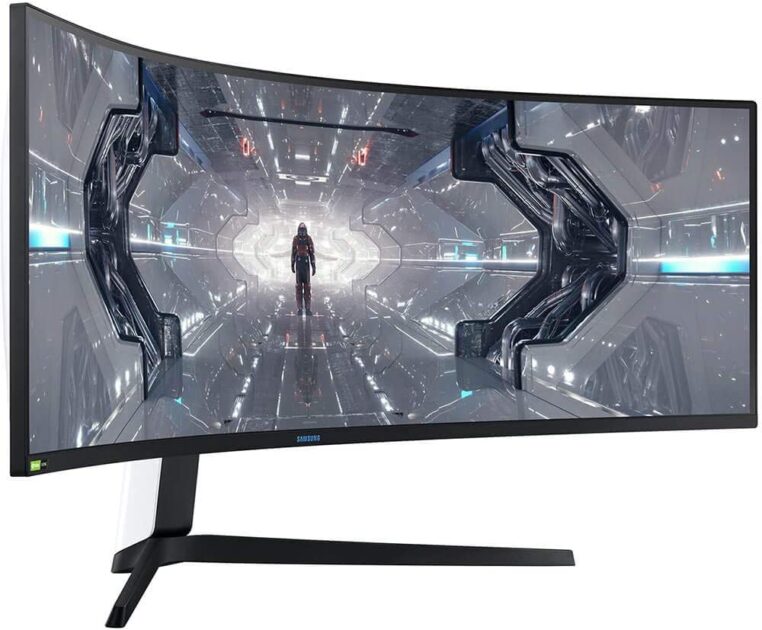
    Samsung LC49G95TSSNXZA – Best for Hardcore Gaming

    Samsung LC49G95TSSNXZA

    The Samsung LC49G95TSSNXZA Odyssey G9 monitor is one of the best monitors on the market for hardcore gaming. It has a massive 49-inch display with a resolution of 5120×1440, making it perfect for gaming on a high-end PC or gaming console. The monitor also has a rapid 240hz refresh rate, making it four times as fast as a traditional 60hz monitor. Additionally, the monitor supports NVIDIA G-SYNC and AMD FreeSync Premium Pro, ensuring that your games will always look smooth and tear-free.

    Finally, the monitor has a customizable Infinity Core Lighting system that allows you to match the look of your monitor to the rest of your gaming set-up. The curved ultrawide monitor also has a whooping 32:9 aspect ratio that keeps games looking alive, even when you need to pause. Maybe the only concern is the price. But if you game for a living, $1,317 for this monitor is a good investment.

    Related Post: Best Treadmills for Virtual Reality: Types and Features

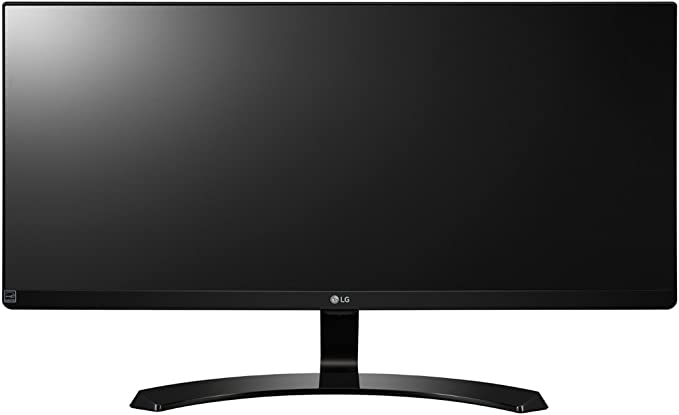
    LG 29UM59 – Flat Ultrawide Monitor, Barely for Gaming

    LG 29UM59

    The LG 29UM59 is a great budget ultrawide monitor for gaming. It has a 29″ IPS display with a resolution of 2560×1080 and a refresh rate of 75 Hz. Also, the monitor possesses a number of features that are great for gaming, including a Reader Mode, Key Lock, DAS Mode, OnScreen Control, Game Mode, and Black Stabilizer. However, the 75Hz refresh rate shows its limitations in games like Fortnite. It also has a number of features that are great for gaming, including Screen Split 2.0, Smart Energy Saving, Six Axis Control, and Flicker Safe. The only significant downside is that it only has two HDMI 1.4 ports and no USB-C port.

    This monitor is for two types of gamers:

    1. Those who want a flat ultrawide display for gaming. Maybe for whatever reasons like the design, they don’t want a curved display.

    2. Those who want an ultrawide display to play games in 60 Frames/second, but don’t want to spend much. This is a great value for $176.

    LG 34WN80C-B (All-fit-in-one Ultrawide Monitor)

    LG 34WN80C-B

    This $500 monitor is an all-fit-in-one solution. For example, if your computer only has one HDMI port, you can use the USB type-C to charge your laptop, connect to another monitor, and transfer data all at the same time. It also comes with a stand that is height and tilts adjustable. Plus, the display is a 34″ curved 21:9 aspect ratio that is WQHD and has an IPS panel. The sRGB color gamut is 99% and it is HDR 10 compatible. This monitor is a great all-in-one solution for anyone who needs an upgrade from their current display. The lower-mid budget ultrawide monitor is perfect for anyone who wants to game, work, or watch movies on a larger screen. Only if your eye is sensitive to curved displays, then this monitor may not attract you. For everyone else, it is a perfect combo of all aspects.

    Bottom Line

    For traders, gamers, office workers, and everyone in between, the benefits of having an ultrawide screen are impossible to ignore. We tried to choose the best ultrawide monitors for each type of user based on their budget as well as the monitor’s unique features. Hope you liked the article!
  • Best Treadmills for Virtual Reality: Types and Features

    Best Treadmills for Virtual Reality: Types and Features

    • Last Updated – November 21, 2022 – 09:33 AM GMT

    Introduction

    A treadmill made for Virtual Reality does not have the same function as a regular one. A person using a VR treadmill can control their speed and direction in the game by walking or running on the machine. Some VR treadmills are made for 360 degree movements, while some are for moving forward or backward. The machine itself is not motorized.

    Using treadmill can be a tiring virtual reality experience, and gets you closer to your tiring real life. Casual gamers who use VR just to take a break from the real life often prefer to use a controller instead. There is no right or wrong way to play VR games. However, there is something called a degree of immersion. And that’s why VR treadmills exist in the first place.

    Why Virtual Reality Treadmills over normal VR?

    Again, remember the purpose of VR. It’s to create an immersive experience that makes you feel like you’re inside the game. And the ultimate goal of VR is to take the immersion into next level. But how? The very primary requirement for that is body movement. And that is only possible with a VR treadmill.

    Now that we know the purpose of a VR treadmill, let’s talk about its features:

    1. 360-degree movement: This is the most important feature of a VR treadmill. Most of the VR games require you to move in all directions. That’s why aone with 360-degree physical movement is the best.
    2. Adjustable speed: The speed of the VR treadmill can be adjusted according to the game you’re playing. For instance, if you’re playing a slow-paced game, you can adjust the speed accordingly.
    3. Portable: At the present, very few lightweight VR treadmills are designed to be portable. It’s like a portable home, a portable playground, or a portable battlefield. Whatever you like to call it. This feature is going to be important for VR Treadmills in the future.

    Why Virtual Reality Treadmills over a normal Treadmill?

    A treadmill is just a piece of fitness equipment that you use to walk or run. A VR treadmill gives you the ability to control your speed and direction, which makes it a lot more fun and exciting. And guess what, some VR treadmills are less expensive than a normal old treadmill. Among a ton of other reasons, that’s why a lot of people are choosing VR treadmills over a traditional one. And yeah, it’s better than just walking. Treadmills are already a form of Virtual walk. There is no single reason to not have a VR Treadmill.

    However, you should take precautions while using one. For example, people with heart conditions should not use a VR treadmill. VR treadmills can get you confused with the real world. While this does not seem to be that big of a problem, super-realistic VR graphics can still create some serious issues. For example, using VR treadmill, you might think you are about to hit a wall and try to avoid it. But, in reality, you might just crash into the wall and hurt yourself.

    The average size of a treadmill is around 64 inches long and 28 inches wide. Virtual reality treadmills are generally similar in length, but broader.

    The average price of a Virtual Reality treadmill is $2,000. There are different types of VR treadmills, and we have selected best of each type.

    1. Skywin VR Mat, Round

    A budget-friendly VR mat for comfort.

    Skywin VR Mat

    1. About the product

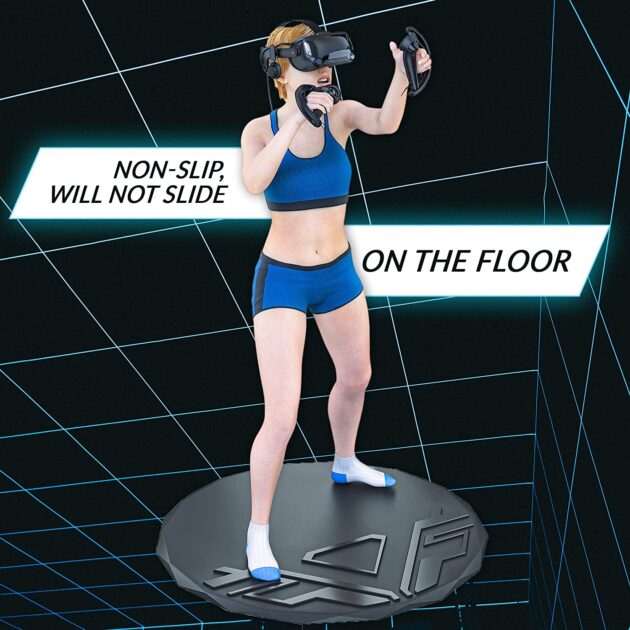
    The Skywin VR Mat is a product designed to increase comfort and safety while playing virtual reality (VR) games. The mat is made of a soft, anti-fatigue material that cushions the feet and reduces fatigue. It also has a non-slip surface to prevent slipping and sliding. The mat also features embossed shapes at the front to help determine direction.

    2. Who this product is for

    This product is for those in budget, who want to increase their comfort and safety while playing VR games.

    3. Who this product is not for

    Skywin VR Mat is not for people who do not want to spend money on a VR mat. Also, it is not for those expecting a complete walking experience while playing VR games.

    4. Price-to-value ratio

    The Skywin VR Mat is fairly priced at $68. It is a well-made product that offers a lot of value. Not only because of its comfort and safety features, but also because it can help you stay centered and balanced in the game.

    5. Pros

    – Cushions the feet and reduces fatigue

    – Prevents slipping and sliding

    – Helps determine direction

    6. Cons

    The diameter of the mat could be larger. Something like 41″ would be more comfortable for most people.

    2. Virtuix Arenas

    VR Arenas featuring treadmills.

    Virtuix Arenas

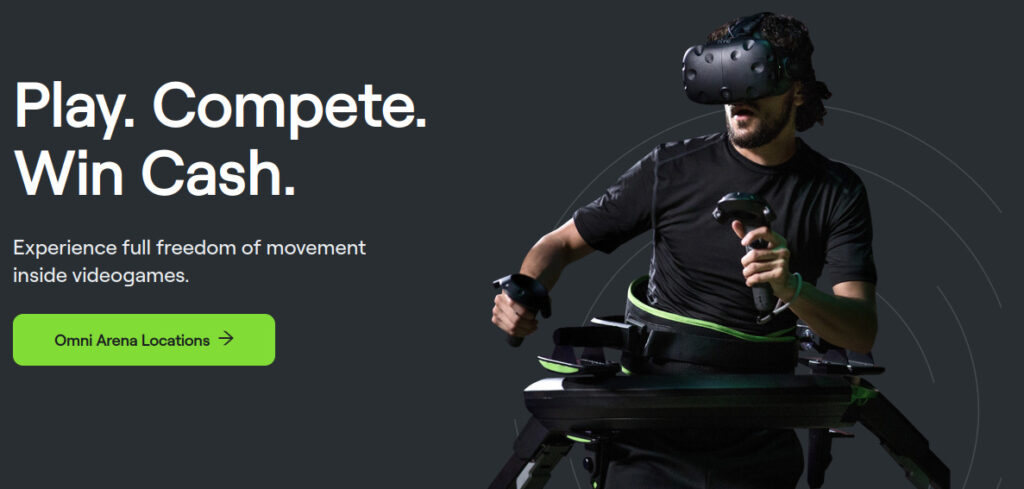
    You don’t need to own a VR headset or a treadmill to play. Virtuix’s Omni VR arenas provide stations for players to come in and enjoy the experience. They are distributed throughout the United States. You can also compete for a chance to win money. The pro of Virtuix’s VR arenas is that it that it is affordable to use – you don’t have to buy a big whole VR treadmill. The con is that you have to go to one of their locations to play.

    Recommended Read: What if you fall asleep inside Virtual Reality(VR)?

    3. Infinadeck

    A futuristic VR treadmill, pricey.

    infinadeck

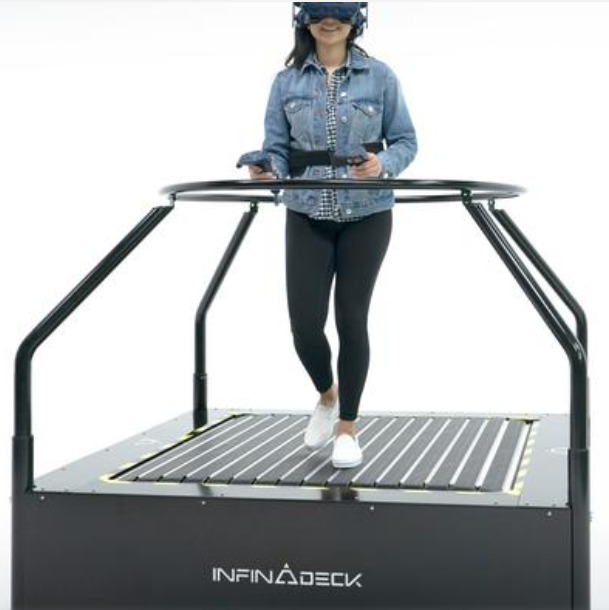
    Infinadeck isn’t available for everyone just yet. But its features are quite impressive.

    • A 360-degree moving floor gives users natural movement in any direction, allowing them to explore virtual environments with ease.
    • The active wireless control system keeps users safe while they move about, and no special equipment or hardware is required.
    • Native integration with your VR OS means Infinadeck will work with any existing VR content.
    • Multiple units can be linked together for shared experiences.

    According to Ken Bossung, the CEO of infinadeck, the company has sold units to the US Army, US Navy, US Air Force, Food and Drug Administration (FDA), and large medical facilities. The clients are in Europe, The US, and in Australia. The main advantage of the Infinadeck is that it offers true natural locomotion. With it, you can walk like in real life to walk in VR. Making it available to the general public has been the goal of the company since day one, and they are getting closer to it. The current version of the Infinadeck is big, heavy, and far from being affordable.

    4. Octonic VR

    VR software, requires a headset and a treadmill to operate.

    Octonic VR

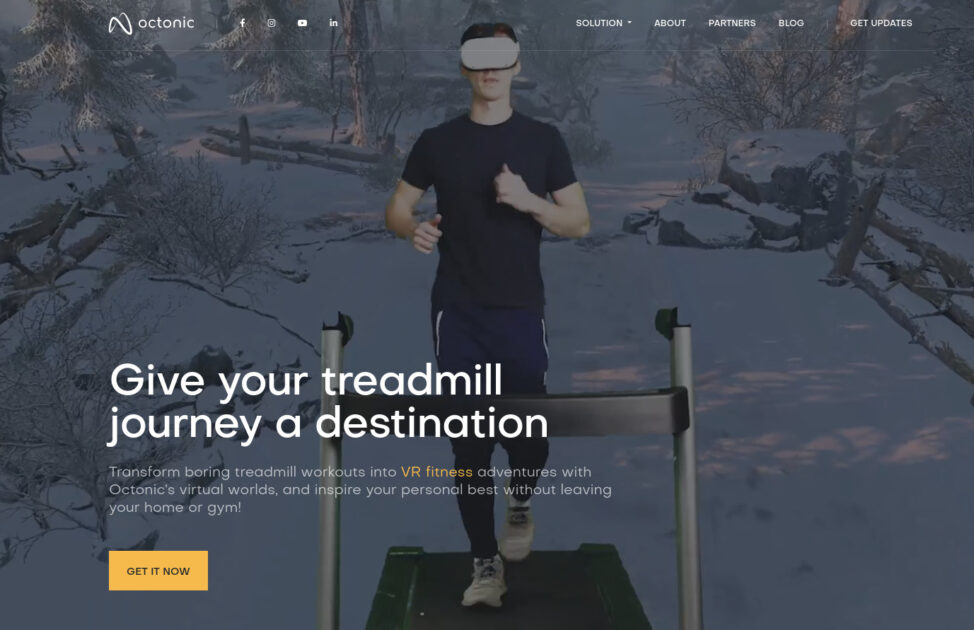
    Octonic VR is a virtual reality fitness software that allows you to workout in various virtual worlds. This software creates a simulation for a perfect virtual reality treadmill setup. It is compatible with Oculus / Meta Quest 2 VR headsets and most fitness treadmills. Octonic VR smart software consists of a VR Motion Engine and a VR Content Library. You can choose between multiple paths and control your speed and how far you go. For people who want to add some excitement and destination to their treadmill workouts, Octonic VR is a great option.

    To be more specific,

    Octonic VR is perfect for those who:

    • Want to be transported to various virtual worlds while working out
    • Seamlessly navigate Octonic’s virtual menu with the hand-tracking system
    • Compete and explore with realistic visuals, interactive virtual reality worlds, and AI runners in the game
    • Start exercising in a matter of seconds

    Octonic VR is not for those who:

    • Do not have a compatible VR headset
    • Do not have a compatible fitness treadmill

    Although Oculus / Meta Quest 2 is the recommended requirement, any mobile VR headset that delivers high performance and comfort should work with Octonic VR software.

    The suggested treadmill to use with Octonic VR is the Hydrorider Easyline Treadmill. One of the key things that makes the Hydrorider Easyline Treadmill so great is its shock-absorbing platform. This is thanks to the 308 individual rotating rolls that are over a flexible, shock-absorbing support platform. For a price of $2,540.00 and weighing only 68 lbs, the Hydrorider Easyline Treadmill is a great buy for those who are looking for an easy and joint-stress free way to get their aerobic fitness done in VR.

    5. Kat Walk C 2

    Virtual reality treadmill experience for an affordable price.

    Kat Walk C 2

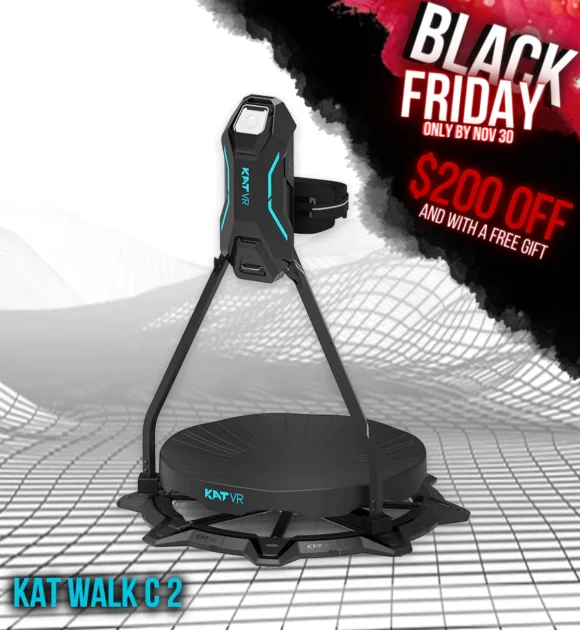
    The KAT Walk C 2 is a 2nd-generation personal VR treadmill that is designed to unlock all physical actions in free locomotion games across different platforms. It provides 360 degrees of infinite and natural movement in VR from a single spot, and enables the missing ways of intuitive human-VR interactions. The C2 is designed to fit right into your gaming cave and become a central point of your VR experience. The VIrtual Reality Treadmill also has 1:1 real time locomotion control. It means that your in-game avatar will move exactly the same way that you do in real life.

    It is perfect for those who want to immerse themselves in the game and get the most out of their VR experience. To be more specific, it is designed for those who want a realistic exploration of the virtual world without any limitations. It is also great for those who want to conveniently fit their VR treadmill into their home.

    However, this Treadmill is not for those who are not interested in VR or who do not want to invest in a VR treadmill. Yes, it means that if you want to buy a VR treadmill, this is the one to choose. It is affordable in terms of price. Furthermore, it is available for purchase right now, and in countries including the USA, Germany, Austria, Denmark, Sweden, and Finland. If you are not from any of these countries, you can contact them for price and time estimations.

    Bottom Line

    The next time you are looking to buy a VR setup, consider a VR treadmill. It’s definitely worth it. In fact, it is worth buying a cheaper VR headset to save for a better treadmill.

  • Drone taxi to take commercial flights in 2024

    Drone taxi to take commercial flights in 2024

    While air taxi companies are already too eager to take commercial flights sooner, a flying taxi on Thursday flew in conventional air traffic near Paris in preparation for commercial drone taxi flights in 2024.

    The Volocopter test aircraft is electric helicopter with multiple rotors resembling a large drone with eight rotors. It took off from the Pontoise-Cormeilles airfield outside Paris with a passenger on board and briefly circled around while other aircraft were nearby. The Volocopter is a German aircraft manufacturer based in Bruchsal (near Karlsruhe).

    The German Volocopter company was founded in 2011 by Alexander Zosel and Stephan Wolf.

    Dirk Hoke says his company will prepare its craft for certification in the next 18 months. Hoke is the CEO of the German company Volocopter. He says he hopes to launch short commercial drone taxi flights by 2024, when Paris will host the Summer Olympic Games.

    Volocopter’s model and flight technicality

    The drone taxi company has also expected its two-seater aircraft to eventually fly fully autonomously with only passengers aboard. But it does admit that much work remains to be done in terms of infrastructure, airspace integration, and public acceptance.

    A Volocopter 2X drone taxi performs an integrated flight in conventional air traffic
    A VoloCity air taxi by Volocopter is pictured at Pontoise airfield in Cormeilles-en-Vexin, near Paris, France, November 10, 2022. Credits: REUTERS/Benoit Tessier

    Sky Taxi test pilot Paul Stone said in a statement that the craft’s digital fly-by-wire system and multiple rotors make it much easier to fly than a traditional helicopter.

    “In a helicopter, when you move one control, three things happen, and it’s like patting your head and rubbing your tummy—it’s a coordination exercise,” said flying taxi Pilot Stone. According to Stone, they remove all of that difficulty in this aircraft. And it also has very simple controls on each axis, which makes it easier to fly.

    Valérie Pecresse, president of the Ile-de-France region surrounding Paris, stated that the region has provided financial support for the initiative because she wants the first passenger drone taxi’s vertical takeoff and landing aircraft to take place in the region.

    Stone described the development of low-altitude aviation for urban air mobility as “an adventure full of promises.”

    Drone taxi industry

    Volocopter is in a costly race with companies like Airbus (AIR.PA) to be the first flying taxi to be certified by regulators, as is XPeng Voyager X2. It hopes to accomplish this in about two years.

    Among Volocopter’s competitors is Wisk Aero, a pioneer in autonomous electric flight. Wisk is a leading Advanced Air Mobility (AAM) company, trying its best to be a professional drone taxi. Wisk Aero unveiled the world’s first self-flying, all-electric, four-passenger vertical takeoff and landing (eVTOL) air taxi in early October. Wisk is an independent company backed by the Boeing Company and Kitty Hawk Corporation. The company’s headquarters are in the San Francisco Bay Area, and it has offices around the world.

    Following that, a Chinese-manufactured air taxi, named XPeng X2, also successfully completed its first public test flight in the United Arab Emirates in October. XPeng X2 typically operated between small airports to provide people with on-demand flights to locations within the flying taxi’s service region. The XPeng Voyager X2 was a fifth-generation eVTOL multicopter aircraft. XPeng X2 can carry two passengers and has eight propellers and eight electric motors, powered by batteries. With a top speed of 130 kph, the flight time of the XPeng X2 air taxi is typically 35 minutes.

    The future

    Some predict that by 2024, enthusiasts will be able to fly short distances over Los Angeles, Paris, and other major cities using on-demand, electric drone taxis.

    XPeng Voyager X2 claims that its sixth-generation flying taxi will also be available in 2024 and will cost less than $156,600. This newer generation drone taxi model will also be able to drive on the road.

    Each eVTOL passenger may spend as little as $2.25 per mile or as much as $11 per mile, according to business officials, investor documents, and a NASA study.