Author: Britney Foster

  • Data Analytics: Definition, Types, and Applications

    Data Analytics: Definition, Types, and Applications

    Data analytics falls under the category of computer science. Specifically, it is a branch of computer science that focuses on collecting, analyzing, and interpreting large data sets to make informed decisions. Data analytics is closely related to other computer science disciplines such as software engineering, machine learning, and artificial intelligence. These technologies are all aimed at helping individuals/organizations to make better decisions based on data.

    Definition

    Data analytics is the process of analyzing data to gain insights. It involves extracting and cleaning data, analyzing patterns, and visualizing results. For example, to analyze data, marketers collect sales data and use it to identify trends and potential opportunities. And as a result, metrics such as customer satisfaction, revenue, and ROI can be tracked and improved.

    Why data analytics is key

    A company’s data-driven decisions are five times more likely to result in improved business performance. And not only that, a significant portion of consumers (i.e. 80%) are more likely to stick to a company if it uses its data to provide personalized services like tailored offers and discounts.

    Marketing is definitely not the only field where data analytics is key. Fields involving the necessity for data-driven decisions such as finance/stock market, healthcare /patient records, and retail/inventory management also benefit immensely from data analytics.

    Due to the huge availability of data (i.e. almost 1.7 megabytes of data is created every second), data analytics is becoming increasingly important. In 2022, 333.2 billion emails are sent every day. Currently, the total amount of data available is around 97 trillion gigabytes. And it’s projected that global data creation will have grown to more than 180 zettabytes by 2025.

    To understand how significant that number is, compare it to the number of stars in the Milky Way; 200-400 billion.

    The rest of the article is going to be about different types of data analytics and their applications. Also, there might be some overlaps, like healthcare, which utilizes all four data analytics methods, and business, which uses most of them.

    1. Descriptive Analytics

    Descriptive analytics is the most basic type of data analytics. It involves summarizing data to understand what has happened in the past. Due to that nature, it’s also known as “historical analytics”. It is not essentially used for predicting future trends or making decisions, but it does provide a context for understanding data.

    For example, descriptive analytics can give a company insight into the success of its products over a certain period of time. It means that it’s possible to identify the most profitable lines of business and discover which products are more popular.

    Usage of descriptive analytics includes analyzing website traffic, customer buying patterns, and medical records.

    Analyzing web traffic

    Web traffic is about understanding how/how many users interact with your website. Descriptive analytics helps to determine metrics such as page views, bounce rates, and click-through rates. For example, if the bounce rate is extremely high, like more than 56% (As 56 to 70 percent bounce rate is higher than average), it generally indicates that the website does not have enough relevant contents for the users. The most common data analytics tool to analyze web traffic is Google Analytics. This tool uses sophisticated algorithms and predictive analytics to filter out the raw data and provide detailed insights into user behavior.

    Analyzing customer buying patterns

    Customer buying day

    Do you know, according to stats, customers do not buy things randomly; there is always a pattern behind it? Tuesdays, Wednesdays, and Thursdays are the most popular days for making purchases of jewelry and fashion items. For analyzing customer buying patterns, data analytics tools like IBM Watson and SAS are common choices for businesses. When more users click through materials within the IBM Analytics Content Hub, the solution analyzes usage patterns to recommend content that aligns with their specific interests.

    Analyzing medical records
    medical descriptions

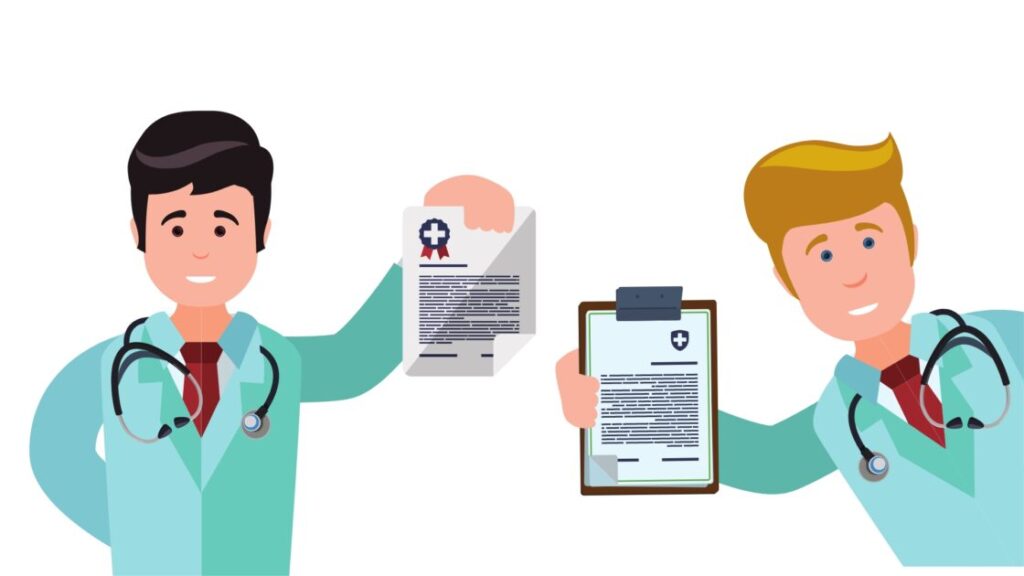
    Specifically in the medical field, as we all know, a patient’s data is very important. Data is behind every decision that a doctor makes. Descriptive analytics, in form of medical records and connected sensors, provides detailed information about a patient’s health. Furthermore, doctors can use this data to compare a patient’s health with other patients and develop the most suitable treatment plan. In fact, the deepest uses of descriptive analytics are found in the medical field.

    2. Diagnostic Analytics

    Diagnostic analytics is another type of data analytics, and also the second step of data analytics after descriptive. It is about understanding why certain things happened, and why certain patterns exist. This means diagnostic data analytics helps to drill down into data to get insights about the root causes of issues. For example, if the bounce rate of a website is high, it can now be analyzed to find out the exact reason behind that.

    Unlike descriptive analytics, it does not just provide a descriptive summary of data, but it also looks for the reasons behind the available data. Here are some applications of diagnostic analytics:

    Sports analytics
    sports analytics

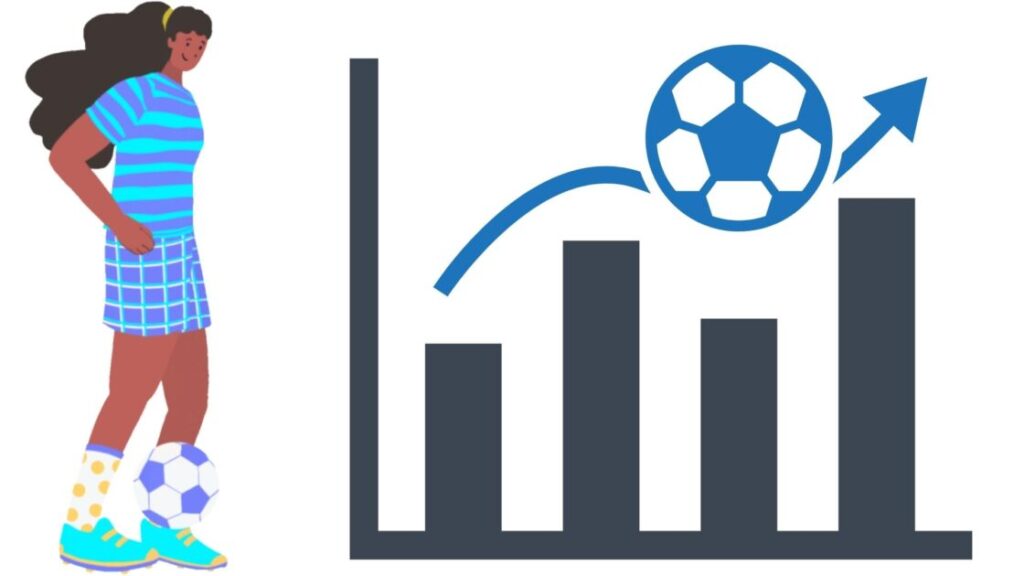
    Diagnostic analytics is commonly used in the sports field. Like, to analyze player performance, and identifying the potential factors that contribute to their performance. This data analytics help identify the factors that contribute to player fatigue, or the factors that contribute to better performance. One great example of this is the NBA’s SportVU system, which tracks player movement and performance to give teams a better understanding of their players. The system can then be used to identify the strategies and techniques used by successful players.

    Analyzing medical records

    medical diagnosis analytics

    In the medical field, diagnostic analytics is used to identify the cause of a particular health issue. Like, it helps identify genetic or environmental factors that cause that health issue. As it enables doctors to identify the root cause of a medical issue, they can come up with the most suitable treatment plan.

    Analyzing a software’s performance
    software analytics

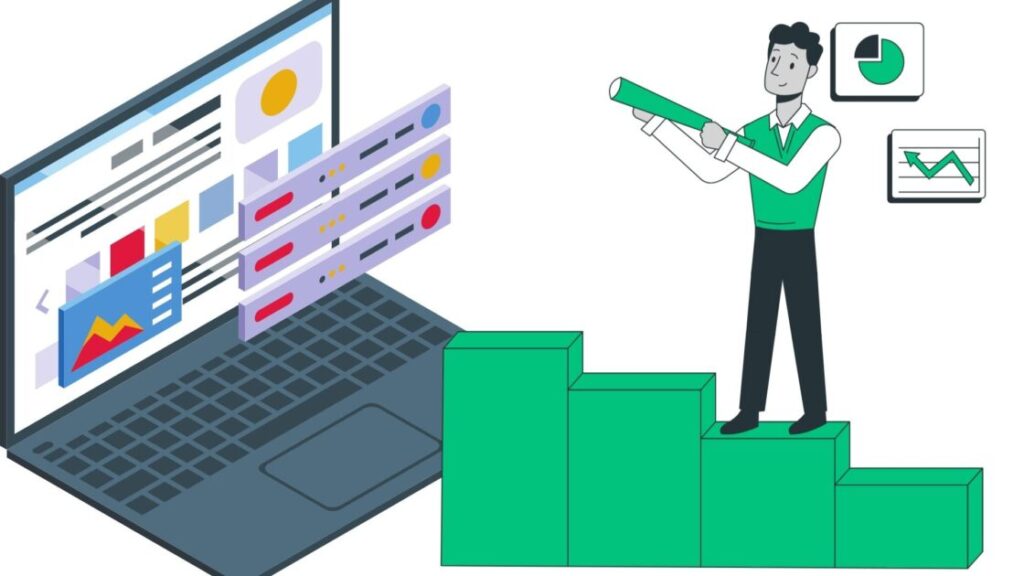
    Another use of diagnostic analytics is to analyze the performance of business software. As it helps trace the main cause of any performance issues, finding out ways to improve the performance is possible. In this way, online businesses can ensure that their software is working properly and is meeting their needs. Especially for software and online platforms with complex algorithms, like Google’s search algorithm, the role of diagnostic analytics is considerably huge.


    The most popular data analytics tools for diagnostic analytics are Microsoft Power BI and Tableau. Tableau can help to visualize data to identify trends quickly and find out correlations between different variables. For example, the most common use cases for Tableau are comparing customer feedback and sales data to identify customer preferences. With Microsoft Power BI, users can create interactive data visualizations that help to detect early signs of problems.

    3. Predictive analysis

    Predictive analysis takes it to another level. The current extent of predictive data analytics is already remarkable. From predicting crimes a week earlier to predicting natural disasters days prior, it has become a staple of data analysis. Predictive analytics is basically about using existing data to predict future outcomes. After collecting and analyzing data, predictive analytics uses algorithms to identify patterns and trends, and then predict future events. The whole process is governed by predictive models, mostly based on machine learning and artificial intelligence.

    Predictive analytics in healthcare
    predictive medical analytics

    Healthcare again! Predictive analytics is widely used in the healthcare field. One example is its application to predicting the probability of patients being readmitted after discharge. A predictive model can identify patients who are likely to return for hospital treatment within a month of discharge. This allows healthcare providers to focus on those patients, and provide them with the necessary support and resources to prevent readmission. But different from descriptive analytics, predictive analytics can go beyond simply summarizing the patient’s data; the model itself can analyze data and make predictions. All that’s left is to validate the predictions, and human doctors are for just that.

    Predictive analytics in crime detection
    predictive analytics in crime detection

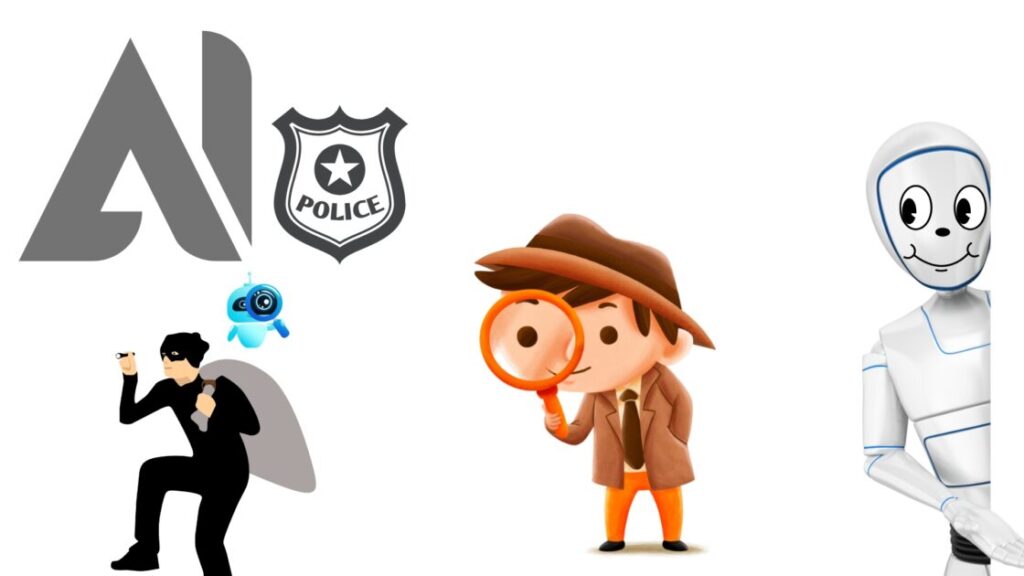
    Believe it or not, a few months ago, Chicago Police created an AI system to predict potential crimes a week earlier. What’s even scary is that the model does so with 90% accuracy. Currently, the system is pretty limited, according to those who performed the experiment. But its limitations are only due to the lack of data. And the limitations for that keep on decreasing with time. To back this fact, we can take the fact that the volume of knowledge is doubling every 12 hours. But the doubling rate used to be more or less around 25 years in 1945. Now, this crime prediction thing is not completely like looking to the future to see whether or not a crime happens. To predict crimes, these models rather involve data metrics such as the location of previous criminal activities, the time of the day, and some absurdly meaningful metrics like the weather.

    Predictive analytics in Businesses

    predictive analytics in business

    The whole field of business in 2022 pretty much relies on predictive analytics. It’s now like a necessity, not a privilege. Everything from predicting customer behavior to forecasting demand to creating predictive maintenance schedules, predictive data analytics is behind it all. All thanks to the power of machine learning and predictive models. What’s more in predictive analytics than descriptive analytics is the former allows businesses to forecast the ‘what if’ questions. For example, if a business owner wants to know what would happen if they increased their advertising budget, predictive data analytics can help them figure it out. It means the ability to perform a “demo” of the future in the current state, with zero risk. Some softwares that use predictive analytics include Salesforce, Oracle, and SAP.

    4. Prescriptive Analytics

    Now comes the most complex and sophisticated type of data analytics: prescriptive analytics. It is a type of data analytics that goes beyond predicting the future; it actually provides advice on what to do to achieve the best outcome. This is the most complex type of analytics.

    Here are the fields of usage of prescriptive analytics:

    Prescriptive analytics in Business

    Business prescription

    Marketers use email automation to sort leads into categories based on their motivations, mindsets, and intentions and deliver email content to them based on those categories. You have gone through those emails, haven’t you? This improves customer satisfaction and loyalty since customers are being offered the right products at the right time (or at least as far as the data is correct). Prescriptive analytics can also be used to identify employee traits and characteristics that are associated with high performance.

    Prescriptive analytics in production
    product prescriptive analysis and discussion

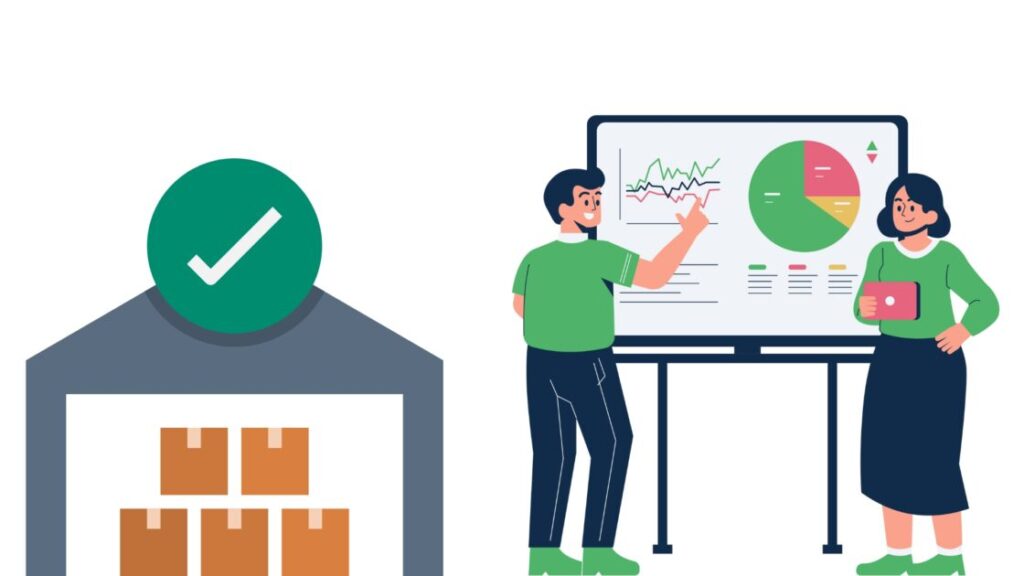
    Okay, prescriptive data analytics is a really underrated term in production processes. In a manufacturing plant, manufacturers use prescriptive analytics to optimize the production process and inform the management about any issues. A prescriptive model also considers factors like raw material availability, personnel availability, and customer demand. Prescriptive analytics helps understand the impact of these factors on the production process and prescribe the optimal solution. This means not only can the manufacturers improve their production efficiency, but they can also save money and reduce wastage. Refer to this article from IBM for more info.

    Prescriptive analytics in healthcare

    Prescriptive analytics in healthcare

    Medicine is an area where prescriptive analytics shines too, just like any other data analytics method. Prescriptive data helps by providing real-time prescriptions to doctors on how to best treat a patient. These analytics can provide advice on the best drug dosage or the best medical intervention needed. Furthermore, it can even suggest which tests should be done and which drugs should be used.

    Conclusion

    Many analytics fall under the umbrella term “data analytics.” Data analytics systematically assists users in understanding and leveraging data. As per the stats, most, (i.e. between 60 to 73 percent – Forrester) of the data collected is never used. Nevertheless, the forever-growing volume of data and the increasing sophistication of data analytics tools make this an exciting field with unlimited potential. However, using data for illegal stock market manipulation, insider trading, and identity theft are just a few of the many unethical uses of data analytics. Regulations, oversight, and technology are necessary to ensure that the usage of data analytics helps more than it harms.


  • 5 Current Robots that have a Personality

    5 Current Robots that have a Personality

    For a robot, a purpose was all it once needed. Now, time has taken us to a point where robots with personality are taking over. In fact, by 2030, there will be a whooping 244 million physical personal assistant robots. Not only do they serve, but they also possess traits.

    Robots are now commonly serving us as virtual friends, home assistants, chefs, and even nurses. But personality, a trait exclusive to humans, means a lot more than that. Not only it takes decades to develop, but is also the thing that makes us unique. As a robot does not have childhood, its personality needs to rely solely upon programming. Unlike us, who went through a childhood, and remember key checkpoints our life from joy to pain, robots are simply programmed to replicate our emotions. And that’s how they develop their own personality.

    Robots with Personality

    No gripper, no servos, and no AI, can replace a human brain. But, that doesn’t stop us, humans, from exploring, discovering, and creating. Here are the 5 robots of the present that have a personality:

    Moxie – Kids’ Charismatic Robot Friend

    Moxie is an example of a robot with personality. It uses SocialX™ to perceive, process, and respond not only to natural conversation, but also eye contact, and facial expressions. This creates a unique and personalized learning experience for children, and on top of that, studies have proven it to help develop social and emotional skills. The $999 robot friend utilizes AI, cloud-based software, and evidence-based science to create a personalized learning experience. Its 15.5x9x6 dimensions and 7lbs 6oz weight make it portable and easy to handle. Moxie’s preliminary studies suggest that it can help children make significant improvements in social and behavioral skills. This charismatic robot is ideal for both neurotypical and neurodiverse children.

    ChatGPT – A Chatbot with Personality

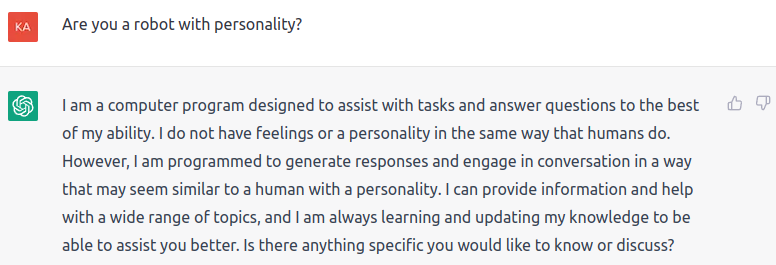
    I don’t have to write anything, as ChatGPT speaks for itself:

    Asking ChatGPT whether or not it is a robot with personality

    As you can see in the above response, the bot pretty much has its own personality, that is far from the generic “chatbot” type of conversations. In fact, the sophistication is beyond our own. All this superintelligent bot lacks is a physical form.

    Vector 2.0 – A robot with personality and purpose

    Vector 2.0, a robot with personality

    When you spend a few hundred bucks on a robot, you consider it an investment. And Vector 2.0 from Anki ensures that it’s a worthwhile one. Alive with personality and voice recognition, Vector is a robot companion powered by AI and advanced robotics. He is responsive to sound, sight and touch, and his voice-activated Alexa capabilities make him an even smarter assistant. For example, he can time dinner, take photos, give you the weather and answer your questions. Vector is always learning and updating with new skills and features. Now this not only makes Vector a robot with personality, but also a robot with a purpose. Vector 2.0 has got a 4.1 star rating out of 10,000+ orders on Amazon, so you do not need to worry about its quality. Even after the discontinuation of Anki, the parent company, this robot is still up and running.

    Raffi – A 13 year old boy’s creation

    Raffi is a robot developed by 13-year-old Prateek from Chennai, India. The robot has its own personality, as it responds to queries, understands emotions, and will not answer if scolded. Prateek has created a unique robot that displays personality and emotion, something not seen in other robots. After its release in August 2022, this robot has earned admiration from social media users. It’s not only proving that even a 13-year-old can successfully create a robot with personality, but also setting a new standard for modern robotics.

    Sophia – A robot with personality, and even nationality

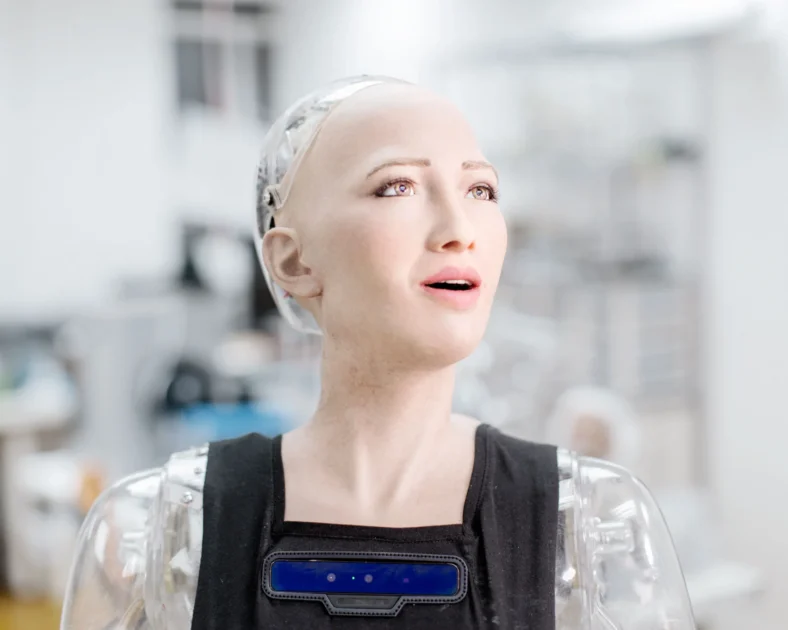
    Sophia, the robot
    Image Credits: WIRED

    Each and every one of us knows Sophia, the world’s first robot to receive citizenship. Sophia is a robot with personality. Standing at 167 cm tall, she is powered by a 110/220-V power supply or 24-V lithium-polymer battery. Sophia’s 83 Degrees Of Freedom allow her to move her head and neck, arms and hands, torso, and mobile base. Sophia is a robot with personality. Despite being a robot, she is a famous perssonality, and have appeared in many talkshows including the Tonight Show with Jimmy Fallon, and The Late Late Show with James Corden. She is also a part of the United Nations Development Program, and has her own Wikipedia page. Sophia’s attractive personality even attracted Will Smith to shoot a video with her, as you can see:

    Bottom Line

    Despite having personality, none of the above robots come with a form of consciousness. As you saw, there are more than one ways for a robot to possess personality. For some, the personality is all about being funny and entertaining, while others are innovative and proactive with it. The level of sophistication in these robots is insane; humanness, however, is still far away.

  • Ideal Internet Speed for Each Purpose

    Ideal Internet Speed for Each Purpose

    The average internet speed in the US is 45 Mb/s. The ideal internet speed, however, depends on the user’s purpose. There are some activities asking for much faster speeds than others. In fact, small differences in speeds can significantly affect the user’s experience. On top of that, consistency of the speed is just as important. If the speed is 80 Mb/s for a second, and then drops to 10 Mb/s, it won’t be a pleasant experience. Such fluctuations are common in some cheaper connections, but premium connections, too, do not ensure consistent speeds. Choosing the right ISP is the first adequate step.

    What Internet Speed Should I Have?

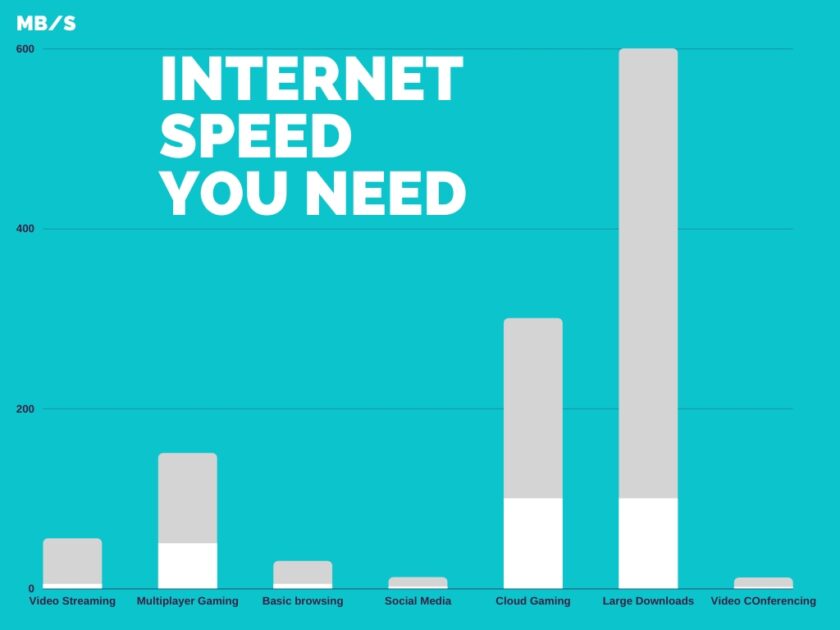
    The chart below shows the internet speeds you need for different purposes:

    internet speed for different purposes
    • Video streaming – 5 to 50 Mb/s
    • Multiplayer gaming – 50 to 150 Mb/s
    • Basic browsing – 5 to 25 Mb/s
    • Social Media – 2 to 10 Mb/s
    • Cloud Gaming – 100 to 200 Mb/s
    • Large Downloads – 100 to 500 Mb/s
    • Video Conferencing – 1.5 to 10 Mb/s

    Things to consider about internet connection

    Invest in a good quality connection – Bad internet connections can have more latency, jitter, and packet loss. That’s due to a bad Internet Service Provider (ISP). It’s worth investing in a good quality connection with a reliable ISP. To find out what’s the best ISP in your area, use the comparison tool from Broadband Now.

    Buy more speed than you need – It’s good to buy more speed than you currently need. That’s especially important if you download larger files. The actual downloading speed of files is often much lower than the maximum speed of your connection. In most cases, if you have a 100 Mb/s connection, files download at around 15-20 Mb/s.

    Never settle for an unstable connection – An unstable connection is always worse than a slow connection. Immediately complain to your ISP if your connection is unstable.

    Look for a reputable ISP – Some ISPs may give you a faster connection at the price of your privacy. For example, some ISPs sell user data to advertisers or even throttle certain types of traffic. To make sure your ISP is reputable, check reviews from other users, and look for any news stories about them.

    Use a wired connection if possible – Wireless connections are often slower and less stable than wired connections. If you can, use a wired connection instead of a wireless one.

    Check your equipment – In some cases, the problem may not be with your ISP. The problem may be with your equipment. For example, an old router may be the bottleneck of your connection. In that case, you should upgrade your router.

    Why do websites load slowly despite a high internet speed?

    Websites can load slowly for two reasons, and slow internet speed is only one of them. You may be thinking that you’ve paid for a higher internet speed, and it still takes an eternity for a web page to load! Even if you have a high internet speed, websites may open slowly due to their lack of optimization for speed. It’s nothing wrong on your end. According to tooltester, the average loading speed of a website is 2.5 seconds on desktop and whooping 8.6 seconds on mobile. You and many other consumers strictly hate slow-loading websites and complain about the ISP. In fact, even stats say: if a webpage loads for more than 3 seconds, 53% of mobile site visitors simply leave. Yes, it’s not just you! But still, before calling your ISP, do test your internet speed.

    Ideal Internet Speed for your Budget

    Your internet speed is the last thing you want to skimp on when setting your budget. Faster internet speed always seems attractive. It’s true that high-speed internet is essential for cloud/multiplayer gaming and large downloads. Furthermore, if many people in your home are streaming or gaming in 4K, you’ll need a higher speed. But it doesn’t mean you have to break the bank. According to Forbes, 25 Mbps internet costs $32 a month. However, a 1000 Mbps internet, despite being 40 times faster, costs a little more than double. Now, your decision here might look obvious – you may want to go for the 1000 Mbps one. That’s a big mistake because there is a reason for such a large difference in price. The majority of internet users simply don’t need more than 25 Mbps. In most cases, a consistent 25 Mbps does the job for you, unless:

    • You’re a competitive gamer.
    • You have multiple people streaming 4K content.
    • You consistently need to download huge files.

    Bottom Line

    Internet speed is important, but it’s not the only thing that matters. Consider other factors such as latency, jitter, and packet loss. Also, make sure your equipment is up-to-date, and don’t look for faster internet by giving up your privacy. If you’re concerned about your privacy, use a VPN. That will encrypt your traffic and make it harder for your ISP to sell your data. It will cost a little bit of your internet speed, but it’s worth it. In fact, that’s the ideal way to go.

  • Are the Boston Dynamics Dancing Robots Real?

    Are the Boston Dynamics Dancing Robots Real?

    It was December 29th, 2020, Boston Dynamics released the video of a robot dancing to “Do You Love Me” by The Contours, taking the internet over with questions. That was followed by 2021’s “spot’s on it”, featuring 7 Boston Dynamics dancing robots (spots). And still, the questions about these robots’ reality linger, along with their purpose and functions. Till now, the 2020 video has 38 Million views, and the 2021’s has harnessed 3 million views on YouTube.

    Are the Boston Dynamics Dancing Robots Real?


    2020’s Dancing Robot

    A Boston Dynamics Robot Dancing

    This machine is for real, and yeah, it’s dancing. As we can clearly see, it is grooving and shaking to the ’60s classic. However, it lacks artificial intelligence (AI) capabilities. As we have discussed in a previous article, such a tiny level of programming is not AI. In general, you think of an AI-powered robot, when you see a dancing robot. Unlike industrial robotic arms or automated vacuums, the ones that dance look more like humans. Furthermore, their movements are more advanced than those of industrial robots, which can easily trick us into thinking they are AI-powered. In terms of physicality, this is real, and not any CGI or anything like that.

    2021’s Dancing Robots

    Boston Dynamic Dancing Robots (spots), 2021

    Okay, now this one’s really something! In June 2021, Boston Dynamics released a video of their Spot robots dancing in unison, to challenge and push their machines to the limit. The result? A 77-second, jaw-dropping performance of smooth and harmonious movements, perfectly synchronized to the music. It took hours of programming and choreography to make this happen, but the hard work paid off. Talking about the authenticity of the video, again, these robots are 100% real. The level of programming these spot robots have, compared to what the 2020 dancing robots had, is just mind-blowing. Yes, these dancing spot robots from Boston Dynamics are not dancing of their free will. They are just listening to their synchronized inner clocks. But everything it’s so in sync with the music, too hard to believe that the robots not listening to the music with their ears.

    What does it take to create a human-like dancing robot?

    humanoid robot in a dance club

    As we saw, the Boston Dynamics Dancing Robots are real, but not AI-powered. The dancing robots are controlled by an operator and their purpose is to show off their mobility and performance capabilities. But what does it actually take for them to create an actual dancing robot that possesses AI?

    Dancing robots can already understand the concept of rhythm and have the ability to move. To create a dancing humanoid robot with AI capabilities, it needs the ability to:

    1. Recognize and interpret music – To be called humanoids, these dancing robots need to learn the human ways of doing things. Instead of listening to their inner synchronized clocks, they should have the ability to recognize and interpret music. The natural language processing (NLP)’s role here is to enable the robot to understand the song, the genre, and the rhythmic patterns.

    2. Understand the concept of dynamics – This means that the robot should be able to understand the dynamics of the song, such as the melody, tempo, and volume of the sound. Deep learning algorithms can help recognize and interpret patterns. But without a form of consciousness, the robot won’t be able to truly understand the concept and comprehend it.

    3. Create its own unique style – Rather than just copying the dance moves of others, the robot should be able to create its own unique style. For this, the robot needs reinforcement learning algorithms, which enable it to learn from its own experience and build its own set of movements. That’s just like how AI image generators create new images out of existing ones and even new ones.

    Conclusion

    Boston dynamics, being one of the largest robotics companies, has certainly achieved remarkable exposure with its dancing robots. Apart from providing entertainment, these physical robots are indeed real. However, as the robots are currently not autonomous, the extent of their dancing capabilities remains limited. As we discussed the lack of AI, is something that will change in the near future. We didn’t see the next big dancing robot from Boston Dynamics in 2022. 2023 hopefully.

  • The Downfall of the Social Media Trend

    The Downfall of the Social Media Trend

    People’s attraction to any platform or channel ebbs and flows over time. The trend of social media is no different. Recently, it is becoming clear that users are disengaging with social media platforms. Reasons vary. Some cite the lack of privacy, while others point to the fact that social media can be a breeding ground for trolling.

    Companies are already doing their part to protect their brands from the upcoming social media trend reversal.

    For example, advertisers are cutting budgets and shifting focus to other platforms. Bottega Veneta, in early 2021 announced it to stop posting on Instagram and Facebook. Talking about Twitter, following Musk’s controversial takeover, more than 50% of the advertisers have already left.

    Consumers are growing wary of excessive personal data collection:

    https://twitter.com/shikhirev/status/1603802024516411392

    And even social media companies themselves have started to lay off their employees preparing for the worst. For example, Twitter’s new CEO Elon Musk, and Meta’s Mark Zuckerberg have recently fired tens of thousands of employees. On the other hand, Pinterest Inc. is slowing hiring and has laid off some recruiters due to the uncertain digital-ad market.

    Many companies rely solely upon social media to promote their products and services. In fact, Facebook alone generates $40 billion in revenue from advertising. 93% of marketers use social media for promoting their products and services in some way. So, the downfall of social media can quickly affect the marketing strategies of companies.

    How social media downfall affects different fields of businesses:

    Business Field Impact on Social Media Consequence
    Online businesses Negative digital reach Reduced interaction with customers, making it hard to promote products and services
    Advertising companies Decline in ad visibility Less revenue generated from campaigns
    Event organizers Inability to promote events Fewer attendees, resulting in less profits
    Retailers Inability to advertise Decrease in sales and profits
    Marketing firms Lack of marketing tools Strategies turn ineffective
    Travel companies Impeded access to customers Decline in bookings and income
    Entertainment companies Unable to market services Lack of customers, hence reduced profits
    Media companies Decreased access to potential customers Reduced audience
    Education companies Harder to reach students Lower enrollment and income
    Consultants Inability to connect with customers Reduced profits
    Public relations firms Blocked access to customers Hindered reputation building
    Bloggers Reduced access to readers No/Fewer readers and less revenue
    Affiliate marketers Inability to promote products and services Fewer sales, fewer income
    Social media influencers Decreased reach and engagement Lower income from sponsorships and endorsements
    Freelancers Lack of access to clients Fewer projects i.e. reduced income

    And guess what, the reversal is well within sight!

    The rise of Social Media

    First of all, what caused social media to come this far and high? Social media’s rise began in the late 1990s, with the first social media site, Sixdegrees.com, founded in 1997. And as of October 2022, 59.3 percent of the total global population uses social media. Over the past 12 months, social media user numbers have continued to grow. In fact, despite a social media downfall being in sight, the truth is that 190 million new users have joined social media since this time last year. It’s pretty easy to understand why individuals and businesses invest so much in social media now. However, the rise of these platforms, which made social media what it is today, has a story. Here are the drivers behind the rise of social media:

    Need of a digital society

    With the growing number, all internet users started getting connected with one another in some way or the other. This gave rise to the need for an online society, where people can interact with each other, share information, and express their thoughts. And guess what, this need of having an online society resulted in the rise of social media which has now become an integral part of our lives.

    Six Degrees provided a platform for users to create their own profiles and connect with other users in the late 90s. This was followed by the launch of Friendster, a social networking platform in 2002, which allowed its users to upload images, videos, and music, get connected with others, and comment on their posts. Society’s need of having an online presence led to the launch of social media giants such as Facebook, Twitter, and Instagram.

    Social media has provided us with an easy and effective way of communicating and staying connected with our family, friends, and colleagues. With the help of social media, we can easily share updates about our work, post pictures, and videos, and even voice our opinions about different topics.

    Most people think that the rise of social media was led by the people using it. However, there are various other factors in the game;

    Business interaction with customers

    Businesses, that wanted a digital way to reach their customers, were the key driving force behind the rise of social media. They made use of social media to establish relationships with customers, increase brand loyalty, and get customer feedback. The use of social media, according to a recent study, is really effective. Businesses that invest in social media marketing see an average return of $2.80 for every dollar spent. That’s huge!

    It is social media that also gives businesses the opportunity to create organic content. Social media gives you the opportunity to connect with fans and followers every time they log in. This should inspire you to keep your social media posts entertaining and informative for your followers. Your followers will be glad to see your new, organic content in their feeds. They keep you top of mind, so you’re their first stop when they’re ready to make a purchase. This is the reason that this type of content allows businesses to connect with their customers in a more personal way. This also helps businesses show their true personalities and build trust with their customers.

    In fact, businesses always needed a way to reach audiences; they were just not getting it. Traditional marketing like television, radio, and newspapers ruled in the past, As time changed, and with the rise of the internet, businesses had to keep up. Social media has been the result.

    The Drivers of Social Media Downfall


    Social Media and Democracy in the US

    The Pew Research Center survey found that, except in the US, a majority of global citizens view social media as beneficial for democracy overall. However, US citizens largely viewed social media as a bad thing for democracy. As the US is the biggest market for social media, this has a significant impact on the social media trend. Particularly in the US, people are of the opinion that social media undermines the election process and erodes trust in government. And, they are not wrong, maybe. We have all witnessed the 2016’s US presidential election and its aftermath. Thinking back it is a bit scary to see how social media was used and misused by people looking to manipulate public opinion.

    No Diversification in Social Media Advertisement

    Social media websites show various types of ads to users. Necessary for businesses to reach potential customers, ads are tailored to users’ interests and demographics. Ads are displayed in newsfeeds, pop-ups, and sidebars. Ads can be text, image, or video-based. Like that, advertisers can target specific audiences and track performance. So, by providing relevant ads, social media websites generate revenue and help businesses grow.

    However, too much ad exposure can lead to people’s reduced interest in social media. Ads can be intrusive, distracting, and annoying. They can reduce user engagement and create mistrust. Too many ads can clutter newsfeeds and negatively affect user experience. This can lead to users abandoning the website and seeking alternative online services. To avoid social media’s downfall, websites must carefully manage ads and ensure they are relevant to users.

    It should look more like this:

    Type Percentage
    Image Ads 26.2%
    Video Ads 16.8%
    Instant Experience Ads 8.4%
    Poll Ads 8.4%
    Carousel Ads 12.1%
    Slideshow Ads 7.5%
    Collection Ads 5.6%
    Lead Ads 4.7%
    Dynamic Ads 4.7%
    Messenger Ads 2.8%
    Stories Ads 2.8%
    Augmented Reality Ads 0.01%

    Instead, most social media sites still show the same, boring, images and video ads more than 75% of the time.

    As we have seen in recent times, users have started to get really annoyed by Facebook ads. Not only are they intrusive but they also take up a huge portion of the screen. This makes it extremely difficult to scroll through the feed and find the content that you are actually interested in. People are starting to become more aware of trackers. As a result, people are completely abandoning platforms like Facebook.

    Social Media Profiles

    In 2022, the number of people using social media has not decreased by much. However, some forms of social media are better to generate revenue than others. For example, Facebook is more effective for businesses than Instagram for generating revenue. Whatsapp is still one of the most popular social media apps for messaging, however, it does not generate much revenue.

    So, people’s reduced interest in one specific type of social media, the one where public profiles are a thing, causes the overall social media field to decline.

    Examples of such social media are Twitter, Instagram, Facebook, etc. The trend of such social media sites as Facebook and Twitter has been pretty bearish this year, as we’ve witnessed.

    As your social media profiles can be used against you, people are becoming more cautious. Cautious in the way that they are abandoning platforms that are the most profitable for social media companies. Rather, they are heading on to Reddit. Reddit, though, generates very less revenue, but its anonymous profile is much safer in people’s view.

    Increasing awareness

    Personalities like Elon Musk have warned people about the negative effects of social media, that it makes you feel inferior. Now, such small signs have played a great role in people’s reduced interest in social media. Also, people are becoming more aware of how social media companies sell your data to the highest bidder. Yes, they do, and the awareness of this has made people think twice before using social media, especially in business. However, the problem is not even about the data being sold, but the fact that people are not being informed about it.

    Social Media Discouraging free speech

    Andrew Tate and Donald Trump are just a few examples of people who have faced consequences for expressing their opinions on social media. Although they were not the most pleasant posters, this has made people think twice about what they post online. As a result, people have had to become more careful of the consequences of the words they use there. No single person should be able to control what people can or cannot say in a public forum. When Musk took over Twitter, he promised to make Twitter a haven for free speech. But he is struggling to maintain Twitter as a thing. The fate of social media heavily correlates with Twitter.

    Lack of meaningful interaction

    Social media is used to connect with people and share ideas, but it is not always successful. Users are so focused on getting likes and followers that they forget the purpose of social media. They are also getting less engaged in meaningful conversations on social media. At least, nothing more than a bunch of people fighting in the comments. This has contributed to the decline in the use of social media. Like, who really cares about the amount of likes you get? In reality, what helps it is not even about the number, it is about the quality of the conversation. This is why people are slowly getting bored and leaving social media platforms.

    Fake news

    Fake news is one of the biggest problems on social media today. The problem is that it is difficult to distinguish between fact and fiction. In fact, inaccurate news has created a lot of confusion and mistrust among social media users. This has made people more skeptical of the information they are getting from social media.

    Cringe content

    Yes! As TikTok and YouTube shorts have become increasingly popular, people have started creating cringe content. Even facebook’s short videos and Instagram reels add up. This has led to people getting more annoyed by the content they are seeing online. When one hears of social media, cringe comes up in the mind of a lot of people. While this factor is not the biggest contributor to the downfall of social media, it is still a factor.

    How much did 2022’s wall street decline impact social media trends?

    After a decent recovery, the S&P 500 is still 19% down this year, and we are writing this in December. Now, this has had a direct impact on the fate of Facebook’s or Twitter’s stocks. The declining US economy is causing a dip in the number of social media users, as well as the company’s profits. As the majority of tech and social media companies are located in the US, they have seen a significant drop in their stocks and profits. Also, their user base has reduced.

    But the question here, is, how much did this decline really impact the stable upward trend of social media? It did to an extent or two. However, it could have been better. For example, meta’s stocks have fallen by over 64%. Meta’s owner, Zuckerberg, has lost over $90 billion in 2022. A better outcome would have been if the tech giant had started diversifying its investments and resources, instead of accumulating its wealth in the US economy. And maybe, the companies could have shown a better future of social media to its users, rather than ones like the “Metaverse”.

    As social media is a big part of the consumer economy, it directly influences the stock market. So, the damage is mutual. Social media has contributed to a downtrend in the stock market, also resulting in the downfall of many companies. Cousins of social media, like online streaming services, also got caught in this economic downfall.

    The Aftermath

    Now, when talking about the downfall of social media, the alternative is what needs to be discussed. To start, people should focus on having meaningful conversations with friends and family. Face-to-face interaction should be given priority. Additionally, people should invest more time in non-digital activities. Whether it’s reading a book or taking a walk, these activities can be beneficial in terms of mental health. In fact, as mixed reality is going to disrupt reality itself, we simply may not require social media. For example, in mixed reality, there is no such thing as real or virtual, as both worlds are intermingled. And if we go social in mixed reality, then the interaction will not require any other physical devices like smartphones at all. We might well be heading toward that era.

  • Understanding the Role of Data Collection in Machine Learning

    Understanding the Role of Data Collection in Machine Learning

    Introduction

    Data collection’s role in machine learning is like that of collecting the foundation blocks of a building. It provides the necessary insight and information needed to develop, train and optimize models. Data shapes the model, and its quality and accuracy depend on the data set. For example, biased AI algorithms can result from biased datasets. Collecting high-quality, diverse data is key. But high-quality data is difficult to obtain. Here is a list of roles data collection plays in ML:

    1. Collecting Data to Train models.

    Okay, this one is obvious. The more data, and the more relevancy, the better. For example, you are training an image classifier; your dataset should comprise images of various types, sizes, and orientations. And to train a chatbot, you need data that includes conversations and topics. Furthermore, any missing data should be filled with accurate and relevant data. For example, if you are dealing with numerical data and some entries are missing, use an average of the other entries. Even complex models, such as OpenAI’s GPT-3, Google’s BERT, and Microsoft’s Turing models, need data to train on. The data collection process relies on AI. Yes, it’s using AI to create AI, as we’ve discussed in a previous article.

    ```python
    import pandas as pd
    import numpy as np
    
    # Read the data
    data = pd.read_csv('data.csv')
    
    # Fill missing values with mean column values
    data.fillna(data.mean(), inplace=True)
    
    # Count the number of rows and columns in the dataset
    row_count, col_count = data.shape
    
    # Split the data into features and target
    X = data.iloc[:, :-1]
    y = data.iloc[:, col_count-1]
    
    # Split the data into training and testing sets
    from sklearn.model_selection import train_test_split
    X_train, X_test, y_train, y_test = train_test_split(X, y, test_size = 0.2, random_state = 0)
    ```

    The above code snippet: reads data from a CSV file, fills missing values with the mean of the column, splits the data into features (X) and target (y), and finally splits the data into training and testing sets. It means that you have collected the data, pre-processed it, and split it for training a machine learning model.

    2. Collecting Data to Optimize Model Performance.

    Once the model is trained, it’s not that the task is over! You also need to optimize its performance. And the data comes into play here as well. You can use data to identify its strengths and shortcomings and use the insights to make appropriate changes. Again, the quality of collected data is so important. For example, if you have a customer churn model and the data set is biased toward one type of customer, the model might over- or under-predict churn. No matter how much tuning you do, the model won’t be accurate. Keep an eye on stats like accuracy, precision, and recall to identify any gaps or changes. To optimize the model, use data from various sources, such as customer surveys, call recordings, and other customer touchpoints.

    
    ```python
    # Read the data
    data = pd.read_csv('data.csv')
    
    # Check the shape of the data
    row_count, col_count = data.shape
    
    # Split the data into features and target
    X = data.iloc[:, :-1]
    y = data.iloc[:, col_count-1]
    
    # Use the model to make predictions
    predictions = model.predict(X)
    
    # Calculate accuracy and other metrics
    from sklearn.metrics import accuracy_score
    accuracy = accuracy_score(y, predictions)
    
    # Check for any gaps or changes
    if accuracy < 0.7:
      # Collect more data
      data = pd.read_csv('additional_data.csv')
      # Retrain the model
      model.fit(data)
    ```

    The above code snippet: not only reads data from a CSV file and splits the data into features and targets, but also uses the model to make predictions. It then calculates the accuracy and other metrics, and checks for any gaps or changes. If accuracy is low, it collects additional data and retrains the model. In this way, data collection helps optimize the model’s performance.

    3. Collecting Data for Model Maintenance.

    Once the model is trained and deployed, the data collection process should continue. Collecting data on model performance and predictions can help you identify and address any issues, such as bias and accuracy. Collecting user feedback, customer sentiment, and other related data can help you understand how the model is being used and how it can be improved. Any Machine Learning model’s primary goal should be to improve its accuracy over time, and data collection should be a repetitive, ongoing process.

    ```python
    # Collect data from customers
    data = pd.read_csv('customer_feedback.csv')
    
    # Check the shape of the data
    row_count, col_count = data.shape
    
    # Check for any bias or accuracy issues
    if accuracy < 0.7:
      # Collect more data
      data = pd.read_csv('additional_data.csv')
      # Retrain the model
      model.fit(data)
    
    # Collect data from other sources
    data_2 = pd.read_csv('data_from_other_sources.csv')
    
    # Combine the data
    data = pd.concat([data, data_2], axis=1)
    
    # Retrain the model
    model.fit(data)
    ```

    The above code snippet: collects data from customers, checks for any bias or accuracy issues, collects data from other sources, combines the data, and retrains the model. In this way, data collection helps maintain and improve the model’s performance over time.

    4. Data Extension.

    Data collection can open room for data extension. Some patterns exist, and some are created. Data extension is a process of creating patterns from existing data. Take image generators for example – they use AI to collect and labeled images, and even the recreated images are labeled and used to train the model to create new, completely unique ones.

    ```python
    import cv2
    
    # Read the data
    data = pd.read_csv('data.csv')
    
    # Split the data into features and target
    X = data.iloc[:, :-1]
    y = data.iloc[:, col_count-1]
    
    while True:
      # Generate new images
      generated_images = []
      for i in range(len(X)):
        generated_image = cv2.imread(X[i])
        # Modify the image
        generated_image = cv2.blur(generated_image, (5, 5))
        # Add the modified image to the list
        generated_images.append(generated_image)
      
      # Label the generated images
      labels = [y[i] for i in range(len(X))]
    
      # Add the generated images to the dataset
      X = np.concatenate((X, generated_images))
      y = np.concatenate((y, labels))
    
      # Retrain the model
      model.fit(X, y)
    ```

    The above code snippet: reads the data, splits it into features and targets, generates new images, labels them, adds them to the dataset, and retrains the model. In this way, data extension helps in creating more data, which can be used to train the model.


    As you can see, we used python code snippets to illustrate the process of data collection for machine learning. What we did in the first section was to collect data to train the model. In the second section, we used data to optimize the model’s performance. The third one was about using the data to maintain and improve the model. And in the fourth section, we used data to extend the model. Understanding and correctly utilizing data collection, you see, is the key to creating powerful and accurate models that can solve real-world problems.

    Data Collection Tools for Data Engineers

    Keeping up with the latest data trends is the most important factor in successful data collection. 70% of the world’s data is user-generated; as such, collecting filtered data for Machine Learning models is essential. Not only because user-generated data can be unstructured and noisy, but also because it can contain incorrect or obsolete information. It’s also the most difficult to cope with trends because the data needs to be constantly updated and monitored. And for that live data, it’s necessary to collect them from reliable sources only. But first and foremost, it’s worth noting that experienced data engineers use specific techniques and tools to collect, clean, sort, and store data.

    Here are the best tools for collecting only filtered data for a machine learning model:

    Wrangling Tools

    Wrangling tools like Trifacta, Talend, and Pentaho help clean and organize data from different sources like spreadsheets, databases, and web applications. They have powerful visual data preparation capabilities that allow data engineers to quickly identify and discard unwanted data. Not to mention, they are also effective in transforming data into a more usable format.

    Data Lake

    A data lake is a centralized repository of raw, structured, semi-structured, and unstructured data. After data collection, this helps data engineers store and access data from the same place. This makes it easier to search, combine, and filter the data according to their needs.

    Data Science Platforms

    Platforms like RapidMiner and KNIME offer an intuitive environment for creating data models and visualizations. These platforms can help data engineers identify patterns, trends, and outliers in data. The tools they provide are powerful for filtering data and generating insights from it.

    Business Intelligence Tools

    Business intelligence tools such as Tableau and Qlikview help organizations quickly access and analyze data from multiple sources. These tools are great for data engineers because they provide an interactive interface for creating sophisticated data visualizations. They also allow data engineers to filter, sort, and aggregate data for efficient data collection.

    Cleansing Tools

    Data cleansing tools like Tamr and OpenRefine can detect, remove, and replace corrupted or incorrect data. They use unique algorithms to detect patterns, and outliers, and replace them with valid data.

    Data Mining Tools

    Data mining tools like RapidMiner and Weka can extract meaningful information from large datasets. They help data engineers filter, sort, and update the collected data from multiple sources. After data collection of customers, for example, data mining tools can identify purchasing patterns. Apart from filtering the data, they also provide insights like customer churn rate and product popularity.

    ETL Tools

    Extract, Transform, and Load (ETL) tools like Alooma and Fivetran help move data from different sources into a single location. They allow data engineers to filter, clean, and transform data quickly.

    Another important thing to consider is the security of data. It’s necessary to ensure that no minors were harmed, no personal data is leaked, and no malicious actors are involved in the data collection process. For that, data engineers need to use secure data transfer protocols and encryption technologies like SSL and TLS, and use tools like Dataguise to detect any suspicious activities.

    What does Collecting High-Quality Data Mean?

    For a machine learning model, high-quality data means data that is not only accurate but complete, consistent, and up to date. In fact, in ML, one single data point can make the difference between accuracy and failure. For example, take linear regression; a single outlier can affect the model’s accuracy. In AI-powered devices like self-driving cars, a missing data point can have catastrophic results. 85% of machine learning projects fail amid insufficiency, inaccuracy, and inconsistency in data. And that’s mostly even after using the tools mentioned above; due to a lack of understanding in choosing fundamental data sources for the purpose. Here are the sources of data collection for machine learning:

    1. Scraping Blogs for Informative Data

    • Natural Language Processing
    • Topic Modeling
    • Text Classification

    Blogs are great data collection methods for current trends, new products and services, customer feedback, and more. To train the machine learning model, the data must be structured and labeled, which can be done through web scraping. As web scraping is legal, it’s a popular choice for ML engineers. Furthermore, filtering the blogs for relevant content, and based on the blog’s authority and accuracy, makes it a great data source. Written data contains the most amount of misinformation. In fact, stats show that more than 85% of text data collected is either wrong; outdated, or incomplete.

    2. Social Media Scraping

    • Sentiment Analysis
    • Brand Monitoring

    There are two different sets of social media: one like Linkedin, Twitter, and Reddit; and the other which is more visual like Instagram, Snapchat, and Facebook. The first set is great for collecting text-based data, while the second is better for collecting and analyzing visual data.

    Text-based

    For example, if you were scraping data from a Twitter account, you could use a sentiment analysis library like TextBlob to label the text data.

    #import library
    from textblob import TextBlob
    
    #scrape data from Twitter
    tweets = get_tweets_from_account(username='example_user')
    
    #label the data
    labels = []
    for tweet in tweets:
      sentiment = TextBlob(tweet).sentiment
      if sentiment.polarity > 0:
        labels.append('positive')
      elif sentiment.polarity < 0:
        labels.append('negative')
      else:
        labels.append('neutral')
    
    #output the labeled data
    labeled_tweets = zip(tweets, labels)
    print(list(labeled_tweets))

    Twitter is a great source of relevant comments and opinions, providing an easy way to collect and analyze public data. But more than that, as most Linkedin posts are from professionals, it is a great source of industry-specific data.

    Reddit, for example, may not be your top social media source of data collection:

    Reddit comment thread with weird comments

    Did you, at any point, realize that the above Reddit thread was about a Mechanical Keyboard? Because it actually was! This is what the actual title looked like:

    title of the reddit thread

    The fact that most text-based web data is wrong, is also applicable here.

    Visual-based:

    Social media like Instagram and Snapchat are great sources of visual data like images and videos. One thing to remember, though, is that the data must be labeled for the ML model to be trained properly. Like, for example, if you’re collecting images of cars, you need to label them as “car” “sedan” or “SUV”. You should also refer to the authorities of the OP, and the accuracy of their social profile, to make sure the collected visual data is high quality.

    Below is an example of how to label visual image data after scraping from social media i.e Instagram. First, we will scrape the visual image data from Instagram using the Instagram API:

    import requests
    import json
    
    # Get the access token 
    access_token = 'xxxxxxxxxxxxxxxxxxxxxxxxxxxxxxxxxxxx'
    
    # Specify the URL 
    url = 'https://api.instagram.com/v1/media/{media-id}/?access_token=' + access_token
    
    # Make the request 
    resp = requests.get(url)
    data = resp.json()
    
    # Print the response
    print(json.dumps(data, indent=2))

    Once the data is scraped, we can label the visual image data using a supervised machine learning algorithm:

    # Import libraries 
    import pandas as pd
    from sklearn.preprocessing import LabelEncoder 
    
    # Load the data 
    data = pd.read_csv('instagram_data.csv')
    
    # Instantiate the LabelEncoder 
    le = LabelEncoder() 
    
    # Fit the LabelEncoder with the data
    le.fit(data['label'])
    
    # Encode the labels 
    data['label_encoded'] = le.transform(data['label']) 
    
    # Print the encoded labels
    print(data['label_encoded'])

    3. Collecting Data from Surveys

    • Demographic Analysis
    • Regression Analysis

    I can’t emphasize this one enough. Surveys can provide the highest quality data, and it all depends on your data collection strategy. Stats tell us that the average response rate for surveys is around 33%. So, if you’re looking to collect data from 100 people, you need to send out at least 300 surveys. The accuracy and consistency clearly depend on the individuals’ characteristics, like reliability, honesty, etc.

    If you are collecting data via survey to train an ML model that requires accuracy, you need to make sure the surveyed individuals are reliable. The examples of ML models that require accuracy are:

    • ones that predict the likelihood of a person buying a product.
    • stock market bots
    • medical diagnostics
    • fraud detection systems
    • self-driving cars

    80% of people say they are truthful in their surveys, and this means you do not need to worry about data accuracy in their honesty. However, the actual accuracy of the data can vary depending on the complexity of the questions themselves.

    For example, I am conducting a simple little survey about this post, and I’ll likely get accurate results:

    Survey

    Are you enjoying the post?

    Please click the button below to submit your response.

    Yes: 0

    No: 0

    And if the survey is for using the data to train the ML model that requires consistency, like natural language processing, you need to make sure that the individuals answer the questions in a consistent manner i.e. less misinformation, even in the price of the number of participants.

    4. Observations

    • Pattern Recognition
    • Predictive Modeling

    The observation method of data collection helps researchers to get a better understanding of a situation. It involves observing people in their natural environment and recording the data. Market research, where researchers observe people’s behavior in the stores, for instance, uses this method of data collection. You don’t need to rely on verbal or written responses from the participants. Just observe, collect, and analyze the data. To create games’ NPCs or virtual assistants, most of the data is collected by observing people’s behavior. The ways to observe people’s behavior are:

    a. Direct observations – Observing people in their natural environment, such as when they’re shopping at a store or relaxing in a park.

    b. Participant observations – Involves researchers interacting with the participants and observing their behavior.

    c. Self-observations – The researcher observes his or her own behavior.

    5. Experimentation for Data Collection

    • Hypothesis Testing
    • Predictive Modeling

    Machine learning is mostly about experimentation anyways. You may set up an experiment to test a hypothesis and measure the results. In fact, the most accurate data is collected through controlled experiments. Yes, controlled experiments are expensive and time-consuming, but you can’t ignore the results. Some examples of experimental techniques for data collection in ML are:

    a. A/B testing – To measure the impact of changes in the design or features of a website.

    b. Split testing – Divides the participants randomly into two or more groups, with different treatments for each.

    c. Multi-armed bandit – Gives participants multiple choices, while the experimenter is trying to find out which option is the most successful.

    One more thing about experimentation; data collection after completion is just as important as during the experiment. You can use this valuable data to measure the results of the experiment. For example, if you are testing a new feature on a website, you can measure the success of the feature by looking at the user engagement data. However, it is important to note that experimentation is only one of the methodologies of data collection.

    Bottom Line

    Data’s role in machine learning is integral to its success, and its collector, whether a human or an AI-enabled system, plays an important role. Apart from time, effort, and skill, data collection requires the ability to identify data sources. No one or two sources will be sufficient, and you know that pretty well by now. Trained professionals who can find the best data sources are invaluable.

  • How Accurate is the MyHeritage AI Time Machine?

    How Accurate is the MyHeritage AI Time Machine?

    How AI Time Machine Works

    AI is timeless, an entity of several trillions of calculations that can collect historical data, and build upon the present to predict the future. However, as we all are witnessing for a while now, AI is going the opposite way than we had predicted. We’ve already mentioned that in one of our previous articles. Every futurist from 2010 predicted AI to first take over physical tasks, then maybe someday creative works. But as we can see with AI image generators, AI has turned creative before helpful, and, in fact, is using that creativity to help us with physical tasks. It’s going just the opposite. Similarly, in contrast to a future-predicting AI, MyHeritage’s AI’s ability to predict the unseen past is trending.

    Introduction to MyHeritage AI Time Machine

    MyHeritage AI Time Machine is an emerging technology that utilizes your photos to show you a glimpse of what your ancestors looked like. Basically, it allows you to explore the past and see yourself in different roles. As you consensually submit 10-25 photos of yourself, the AI engine creates your AI avatar in various periods in history. You can customize gender, pose, and background to get photorealistic images. In fact, you can also share these images on social media and use them as profile pictures. It takes 30-90 minutes to generate these images, and the output depends on the quality of the photos uploaded. MyHeritage offers a subscription plan, as well as a one-time purchase to get access to all the Time Travel themes. A free trial period is also available at times. AI Time Machine is a fun way to explore the past and see yourself in different roles.

    myheritage AI time machine demo
    Image credit: MyHeritage.com

    What it is Not

    Over-excitement is only normal, when an ancestry website, not even a tech website, offers you a “Time Machine”. Calm down, we’re just not there yet! Here are the 5 common misunderstandings about the MyHeritage AI Time Machine:

    Does not provide an exact or close resemblance to your ancestors. It all happens automatically using specialized technology. The AI avatars generated by MyHeritage are synthetic images and not actual photographs.

    Not an actual time machine. It is not a real-time machine, and you will not be able to travel back in time. No, you are not going to get a physical or video-based time machine to meet your ancestors with MyHeritage.

    No guarantees of perfection. While highly realistic, images created by AI Time Machine™ are simulated by AI too; they are not authentic photographs.

    Not foolproof. It is important to upload photos featuring only one person. If there are other people who appear prominently in your photo, crop them out before uploading them.

    Does not guarantee results for all ages. No. The technology for MyHeritage AI Time Machine™ needs to create a model of the person, and photos from a wide range of ages tend to confuse it.

    How accurate is the MyHeritage AI Time Machine?

    We can not yet measure the accuracy of MyHeritage AI Time Machine, as it is not a photograph. It is a simulated image created using AI. The AI still needs to go through a lot of hustles before actually predicting what your stone-age ancestors looked like. Accuracy, in terms of the image, depends on the quality of the photos uploaded. A higher number of photos with varied poses and expressions, taken on different days, will give you better results.

    Furthermore, it all depends on several factors, including:

    • quality and diversity of the photos uploaded
    • number of photos uploaded
    • lighting and background
    • gender and pose

    The accuracy of your ancestors’ physical characters, however, is indefinite. That’s because AI can only go so far in simulating facial features, body type, and physical characteristics similar to you. Now, 20 generations back, you had a million ancestors, and it’s yet impossible to predict the exact look of one of them. I said “yet”, because who knows, collective DNA-based technology is already a thing. In fact, MyHeritage has been long known for its DNA testing kits, long before this AI thing. And maybe in a few decades, we’ll be able to predict our ancestors’ physical characters accurately. Funnily enough, though, that’s when we will really be able to travel back in time.

  • Largest Monitors of Each Resolution

    Largest Monitors of Each Resolution

    A big screen is a good fit unless it’s too big for your desk. The average size of a monitor is 27 inches, and the largest one is 55 inches. In most cases, a larger display has more resolution, but not every time.

    According to Comparitech, an average person spends around 7 hours a day looking at the screen. Only around 50% of web visits are from computers (laptops or desktops), and the other half use smartphones/tablets. However, the size of a desktop/laptop screen is far more significant than a mobile screen. And the benefits of a larger monitor become quite clear. Larger displays are good for gaming, watching movies, and most importantly, doing all those things at once. But multitasking is not the only need people buy larger monitors for.

    Benefits of a Larger Screen

    Here are the benefits of a larger screen for different users:

    For gamers – Larger monitors give better image clarity. Both competitive and casual gamers benefit from a larger screen. For PvP games, a larger screen area provides a tactical advantage. The biggest advantage for gamers is being able to stay immersed in the game. Bigger the screen, simply greater the immersion level.

    For professionals – Larger monitors make it easier to multitask. Professionals can have multiple windows open at once for easy access to the information they need. Also, a larger screen allows for more efficient use of office space.

    For artists – A larger monitor allows for more precision in digital art. Artists can work on larger canvases and can draw and paint with greater detail. Furthermore, it’s also easier to view artwork in its entirety, allowing for better evaluation.

    For home users – Apart from a TV, home users may also use a monitor to watch movies, browse the web, and more. A larger screen allows for better viewing of movies, photos, and videos. And for multiple persons for use, a larger monitor is always more comfortable.

    Lastly, for all types of users – Bigger monitors give a more enjoyable viewing experience. A bigger display is always better unless the pixel-to-size ratio is too terrible for your purpose.

    Why not buy a larger TV instead?

    There are very large screens in existence, the largest one being LG’s 325-inchExtreme home CinemaTV. In fact, the average size of televisions ranges from 42 to 75 inches. However, they are still TVs, and can not be used as a monitor. TVs are optimized for video, not the graphical elements a monitor requires. TVs lack features like higher refresh rates, low input lag, and adjustable resolution. So, if you’re looking for a large screen for your computer, you’ll need to buy an actual monitor. Monitors offer superior image quality, and are far more responsive, making them the better choice for gamers, professionals, and anyone wanting the best PC experience.

    Here are the largest monitors of each resolution, sorted by the resolution’s popularity among people:

    Largest 1080p Monitor – AOC C32G2E 32

    AOC C32G2E 32-inch 1080p monitor
    • Dimensions – 20.65″ x 27.95″ x 9.64″

    AOC C32G2E monitor is the largest 1080p monitor around, with a diameter of 32 inches. Its frameless 3-sided design ensures a great viewing experience. In general, a resolution of 1920*1080 is not enough for 32-inch displays, especially monitors. However, this one has a contrast ratio of 3000:1 and a response time of as low as 0.50ms. The refresh rate of 165Hz with AMD FreeSync cancels out the poor pixels-to-screen-size ratio. Furthermore, the curved display is 1500R with a 178° angle in both directions. This means that the monitor covers almost any viewing angle.

    Honorable mentions of 32-inch 1080p monitors – Dell S3222HG, Samsung LC32R500FHEXXY (curved), and LG 32GN550-B.

    If you consider a 3840*1080 monitor as 1080p too, then the INNOCN 44C1G‘s flat ultrawide screen is the largest one with a diameter of 43.8 inches.

    Largest 4k Monitor – SAMSUNG Odyssey Ark 55

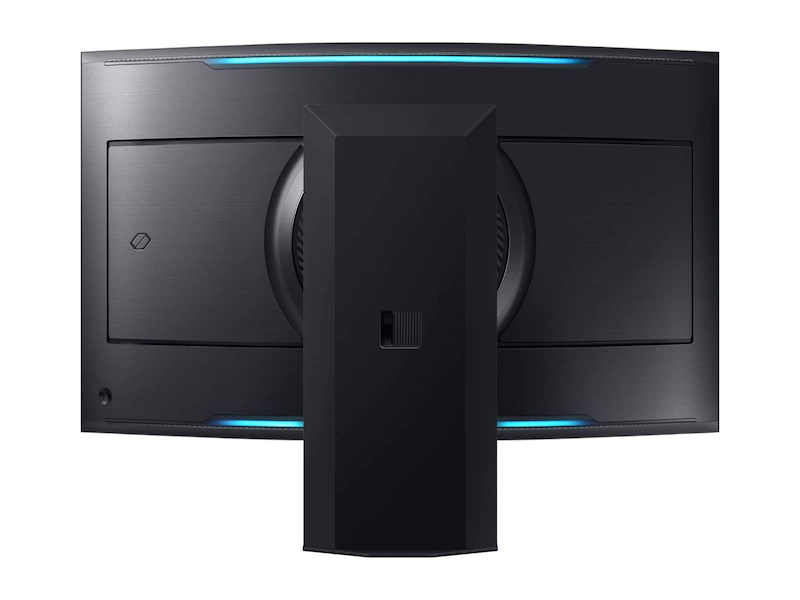
    Samsung's 55-inch Odyssey Arc iwht a 4k display
    • Dimensions – 15″ x 46.3″ x 43.4″

    The SAMSUNG Odyssey Ark is something we have discussed already in our previous article about the best ultrawide monitors. Apart from the crown of the largest 4k monitor, this heavyweight is also the largest curved ultrawide monitor and the largest monitor in the market. This time, we are emphasizing its size.

    The Odyssey Arc boasts a 55-inch display with a 1000R curvature that wraps around your vision for maximum immersion. The monitor’s 1ms response time, pretty good for such a large monitor screen, eliminate lag for ultra-smooth action. Again, that lag is inevitable even in an 8k TV larger than this one. Furthermore, the monitor has a multi-view feature, allowing for up to four screens at once, all on the 55-inch ultrawide screen. Now, a larger screen means difficulties to get that same image quality as in a 24-inch 4k monitor. But, the Odyssey Ark manages to maintain its high quality 1,000,000:1 contrast ratio, enabling enhanced color expression and depth. This, to its best extent, is supported by HDR10+ gaming to show you every detail that could lead to victory.

    Largest 720p monitor – Dell E198WFPv 19″

    DELL's 19" 720p monitor
    • Dimensions – 21.69 x 17.91 x 15.83 inches

    In the early-mid 2010s, there were a lot of 720p monitors 24 inches or larger, such as the Cielo TE24T7H 24. However, as displays kept getting better, it became easier to create 1080p or 1440p monitors for similar production costs. So, companies shifted their focus towards higher resolution. As of now, the largest 720p monitor you can buy is the 19-inch Dell E198WFPv. If you are buying this monitor, you’re probably tight on budget. Currently, the product costs $88 on Amazon.

    There are some larger products that look like 720p monitors at the first glance. Like the 24-inch Sceptre E246BV-FC, which looks like a monitor, but claims to be a 720p TV:

    Sceptre E246BV-FC
    Sceptre E246BV-FC's Amazon Title

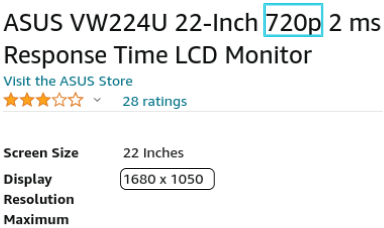
    And the 22-inch ASUS VW224U, which claims to be a 720p monitor in the title, but has a resolution of 1680 x 1050:

    ASUS VW224U's Amazon description

    We can only consider a monitor with a resolution of 1200*700, or 1366*768, as 720p.

    Quick tip: If your monitor has a low resolution or a lower resolution for its size, AMD’s sharpening technology can make up for it to an extent.

    Largest 8k monitor – Dell UP3218K 32″

    Dell UP3218K 32" 8k monitor
    • Dimensions – 28.37″ x 8.7″ x 24.32″

    When you hear of an 8k monitor, your first reaction would be “for real?!”, instead of just being overwhelmed by its size. The 32-inch Dell UP3218K provides a massive 7680×4320 (8k) resolution. All those pixels manage to fit into the 32-inch screen, which means that the pixels-to-size ratio is far better than any monitor in existence. After being launched in Nov. 2017, Dell UP3218K has not been the people’s choice, except for those who simply need an 8k monitor at any cost. It is one of the handfuls of 8k monitors, as not many companies produce 8k monitors. That’s due to the fact that 4k is far enough for any human eye. So, unless we invent some super-eyes or something like that to view higher resolutions, monitor companies will keep on producing larger 4k screens, rather than upgrading to 8k.

    It’s a fact that the UP3218K has not performed well in the market. Yes, the monitor does have a rating of 4.2 out of 5 in DELL’s store, and 3.5 in Amazon. It’s not that people do not like this 32-inch 8k display, but that there are larger 4k monitors available for half the price, with no sacrifice of viewing quality. And people simply go for the latter.

    Bottom Line

    Any time you buy a monitor, consider the features and the pixel density for its size. In the article, we have discussed the largest monitors of each resolution available in the market. As you saw, there are also ways to over-pay, like for the DELL UP3218K’s useless 32-inch 8k screen. For those on a budget, a 24-inch 1080p screen does the job pretty well. For current games, needs and trends, the safest choice is a 4k monitor of any size.

  • Different Ways and Devices for Vehicle Tracking

    Different Ways and Devices for Vehicle Tracking

    Racers have long used tracking devices for vehicle performance measurement, but now there are other purposes for these devices. Car tracking devices first came up in the 60s. The difficulty to track was never a problem; the challenge was to find the right device. There was, and still is more than one concern about tracking vehicles. Concerns include safety, monitoring fuel consumption, to knowing the exact location of a fleet. Privacy and cost are also factors, as the data these devices collect can be sensitive. There are a variety of tracking devices for vehicles, each with its own fields of jobs.

    GPS trackers – Monitor vehicles in real-time.

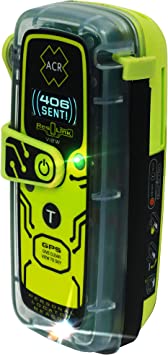
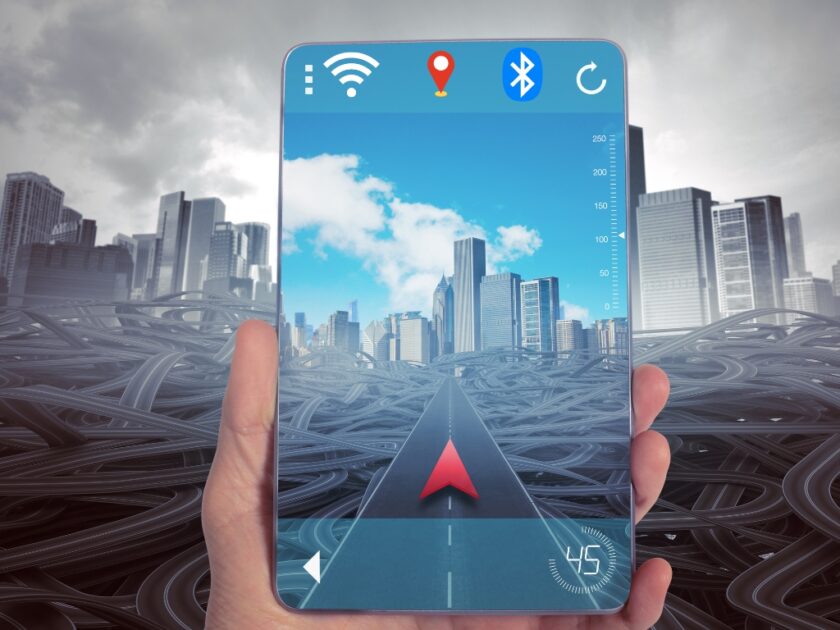
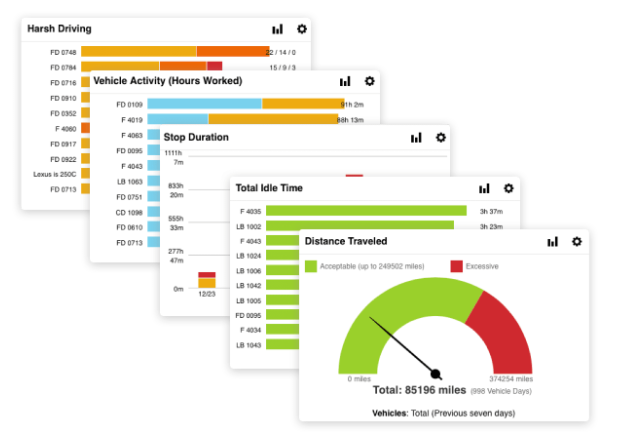
    GPS trackers can track cars in real-time. They are one of the most popular devices used to monitor vehicles. GPS trackers provide reliable data, such as the exact location, speed, and direction, of the vehicle. Furthermore, GPS trackers can provide additional data, like idle time, and routes. For example, in 2-way communication, these trackers can even detect the temperature in the vehicle. In fact, autonomous vehicles use GPS trackers to constantly update their position. For example, Google’s self-driving car, Waymo, uses GPS trackers to navigate. More specific applications, such as tracking heavy-duty trucks and trailers, are also possible with GPS trackers.

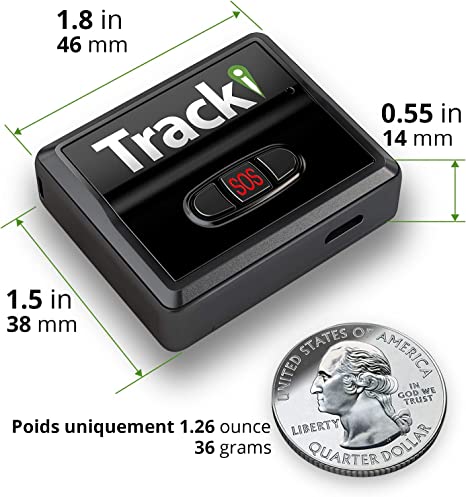
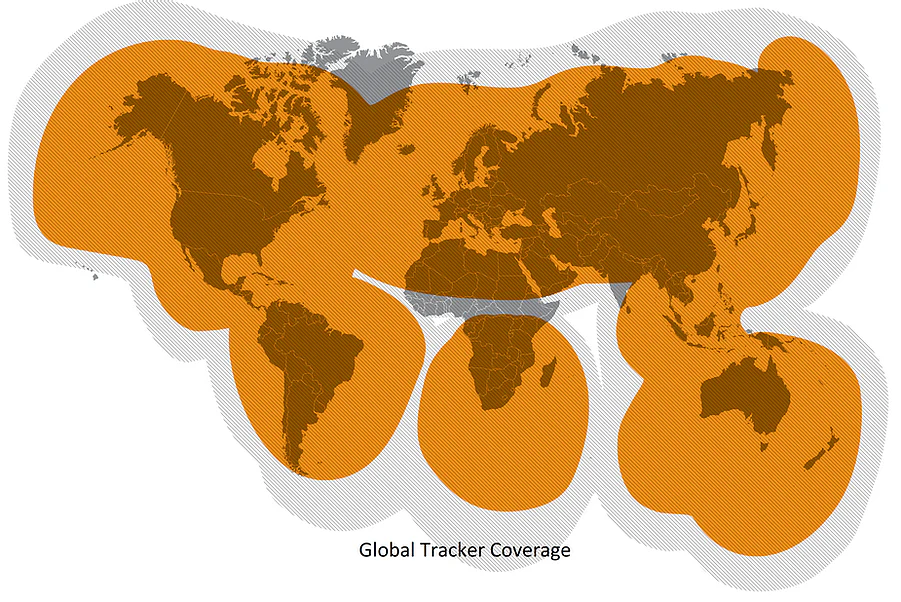
    GPS Vehicle trackers are available in various forms. Passive trackers log vehicle location and speed data. Real-time, active trackers provide live streaming data. Cellular trackers require a subscription and work off cellular networks. Satellite trackers offer global tracking and require no subscription. Trackers can be portable or hardwired into a vehicle. Installation is simple and you can do it yourself in most cases. Businesses use vehicle trackers to monitor fleets and employees, consumers use trackers for personal use and peace of mind. Trackers are an invaluable tool for vehicle owners in one way or the other.

    ODB-II Car trackers – Hardwired

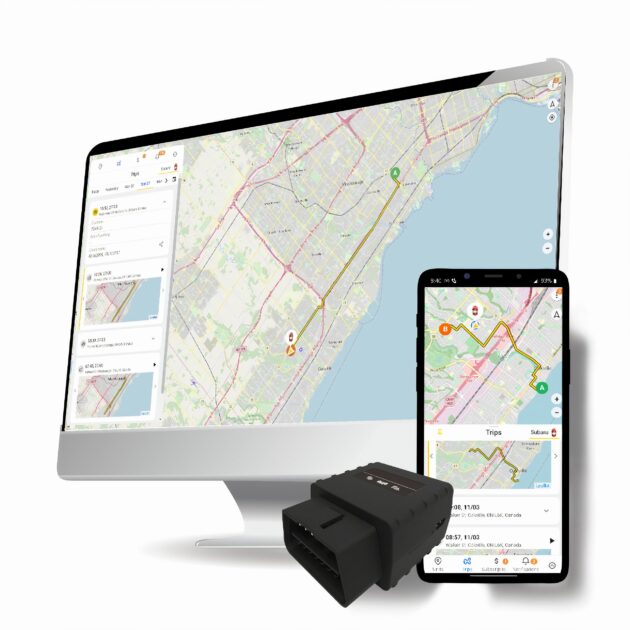
    ODB-II GPS based vehicle tracker

    OBD-II tracker devices are popular GPS-based tracking solutions for vehicles. They can collect metrics from the vehicle’s engine. These devices also send real-time updates to a web-based dashboard or mobile app. Some specific data include speed, distance, location, and fuel efficiency. ODB-II not only helps track vehicles but also helps diagnose engine problems.

    Plug and Play Car tracking – Portable

    GPS-based portable vehicle tracker
    Image credit – Arpaway.com

    Plug and Play trackers are usually smaller in size. You can quickly and casually install and remove them. They are ideal for use in rental cars, company fleets, and vehicles multiple drivers share. Rechargeable batteries power these devices, and they typically last up to 3 weeks on a single charge. Data collected can include speed, location, and route history.

    Subscription-based vehicle trackers – Cellular

    Cellular trackers use cellular networks for both power and signal. They are the most reliable type of GPS tracker because they don’t rely on satellite signals. These devices use a data plan to send location data to a web-based dashboard or mobile app. In addition, they are more secure than satellite-based trackers because they have built-in encryption and authentication. An example of a cellular tracker is the LandAirSea SilverCloud, offering annual and monthly plans for vehicle tracking. However, people hate ongoing subscriptions and often turn away from these trackers.

    Global coverage, no subscription required – Satellite

    optimustracker global coverage for tracking vehicles
    Image credit: Optimustracker.com

    Satellite-based vehicle trackers use the Global Positioning System (GPS) for tracking vehicles. They offer global coverage, so people from anywhere in the world can use it. With these devices, observers can monitor speed, route history, and vehicle location. Some popular satellite-based trackers are the SpyTec GL300MA, the Bouncie GPS Tracker, and the GPS TRX-2.

    Advanced trackers for tracking vehicles

    Advanced trackers tend to be more expensive than the other types, but they offer the most features. They usually have a range of sensors, including accelerometers, gyroscopes, and temperature sensors. This data helps track driver behavior, such as harsh braking, sudden acceleration, and cornering. Some advanced trackers can even help in search and rescue missions.

    ACR 2922 ResQLink

    Advanced GPS tracker

    ACR 2922 ResQLink is a good example of an advanced GPS-bases. The View is a small, rugged, lightweight personal locator beacon. It is buoyant and includes attachment clips for increased wearability. Upon activation, an SOS distress signal with GPS position is sent directly to Search and Rescue forces worldwide. It also has a 406Link testing subscription option, which allows sending pre-canned non-emergency self-test and GPS test messages. It has global coverage using the 3 satellite constellations of COSPAS-SARSAT. Additionally, it has a bright LED Strobe light and an Infrared Strobe light for multiple visual signals. For SAR (Search and Rescue) services, this is really helpful due to features like: no subscription required, pre-canned messages, global coverage, and multiple visual signals. It can locate the vehicle in a short time and help Search and Rescue forces locate the vehicle. In cases of emergencies, this ACR 2922 ResQLink View is really helpful.

    Vehicle Trackers for Business – Fleet tracking systems

    Tracking devices offer numerous benefits for businesses. By having visibility over their vehicles, businesses can reduce fuel costs, improve driver safety, and optimize routes. Businesses can use these devices to monitor driver behavior and ensure compliance with laws and regulations. In addition, tracking devices can help businesses recover stolen vehicles. Many companies with multiple vehicles use Fleet tracking systems. They offer more advanced features than individual GPS trackers, such as automated reports and job dispatch. They may also be customizable, allowing companies to set up their own rules and tracking settings. We’ll also talk about that later on in the article.

    Radio Frequency ID tags – Tracking vehicles by radio waves

    RFID Tag
    Image Credit – Wikipedia

    Radio Frequency ID tags track assets by radio waves. Businesses use this to track vehicles for different purposes, including transport and logistics, and even construction. RFID tags are small, inexpensive, and easy to install. Who use these tags are:

    Advantages of RFIDs

    They are lightweight, portable, and durable. They are also resistant to environmental conditions, such as dust, heat, and moisture. The tags have a long battery life and can last up to 10 years. Also, RFID tags are cost-effective. They are much cheaper than conventional tracking methods. According to research, the global RFID tag market is to reach $35.6 billion by 2030. This growth is mainly due to the increasing demand for tracking and monitoring solutions. Overall, RFID tags are a great solution for tracking vehicles. They are cost-effective and provide accurate data.

    Industries using RFIDs

    They are used in many industries to improve efficiency and reduce errors.

    1. Automotive industry: RFID tags can help track vehicles in car parks and prevent theft. They can also monitor vehicle maintenance and servicing.

    2. Construction: Even for construction, RFID tags help keep track of resources and equipment and ensure their efficiency.

    3. Trucking company: For example, a trucking company can monitor the location of their vehicles in real-time, detect any unauthorized stops, and plan routes to save time and fuel. RFID tags can also monitor driver behavior, such as speeding or excessive idling.

    4. Maintenance: Another use for RFID tags is for fleet maintenance. Tags can detect when a vehicle needs servicing and alert the driver before a breakdown occurs. This helps reduce the amount of time a vehicle is out of service and helps reduce the cost of maintenance.

    Why RFID over GPS?

    RFID tags can also track the movement of vehicles in real time, but unlike GPS, they can do so without relying on any external signals. This makes RFID a more reliable and cost-effective way to monitor and secure fleets of vehicles. Furthermore, RFID tags are much smaller than GPS devices, and they consume very little power, making them ideal for tracking vehicles. RFID tags can also monitor maintenance schedules, and improve driver safety. With GPS and other data, RFID tags can help companies better manage their fleet, reducing fuel consumption by up to 15%.

    Mobile Asset Tracking – Versatility in Vehicle Tracking Output

    Mobile asset(vehicle) tracking

    Mobile Asset Tracking is a fleet tracking system that uses GPS and cellular technology to monitor and track assets. It’s a powerful tool. Businesses save time and money with it while boosting productivity. Apart from GPS, mobile asset tracking allows for Wi-Fi and Bluetooth tracking.

    Benefits include:

    • Increased visibility. Track vehicles in real-time, monitor driver behavior and get alerts on unexpected stops.
    • Automating processes. Automate dispatch, route, and billing processes.

    Mobile asset tracking has been gaining popularity among fleet owners, as it helps to improve the efficiency of the fleet.

    For businesses

    Mobile asset tracking is becoming a popular choice in tracking vehicles as businesses realize its benefits. Specific platforms, like E-Trail, offer comprehensive solutions to help businesses get the most out of their mobile asset tracking. In fact, any company looking to track vehicles on mobile devices can benefit from the power of mobile asset tracking. Examples of such companies include delivery companies, retailers, logistics companies, and many more.

    – Delivery companies: Track delivery vehicles and manage routes.
    – Retailers: Track retail vehicles and monitor employee performance.
    – Logistics companies: Monitor truck fleets and ensure timely deliveries.

    VerizonConnect

    VerizonConnect vehicle tracking system for businesses
    Image Credits: VeriZonConnect

    VerizonConnect’s fleet tracking system is an effective way to reduce fuel costs and optimize routes for a business’s fleet of vehicles. With high-resolution maps and smart clustering technology, users can locate their vehicles and monitor their movements in real time. Additionally, VerizonConnect provides accurate ETAs to help plan trips and keep drivers on schedule. The system also allows users to monitor vehicle diagnostics and maintenance needs. This helps businesses keep their fleets in top condition and avoid costly repairs or breakdowns. By setting up geofences (something we’re discussing in a second), users can also monitor unauthorized out-of-area use, helping to prevent the misuse of company assets.

    Related Post: Things That Can and Can’t be Tracked

    Geofencing – Set boundaries and get alerts when crossed.

    Compared to other vehicle tracking methods such as GPS tracking, geofencing offers a more accurate and efficient approach. Geofencing creates a virtual boundary around a specific zone and sends an alert when a vehicle enters or exits the set area. This technology allows companies to not only track their vehicles’ location but also monitor their speed and routes. By setting up triggers, businesses can receive notifications when a vehicle enters or leaves a predetermined area, or when it exceeds a certain speed. You can use this data to optimize route planning, reduce fuel consumption, and ensure vehicle safety.

    The benefits of geofencing are numerous. Geofencing helps businesses with tracking unauthorized vehicle use and detecting/reducing the risk of cargo theft. In addition, geofencing is a secure and cost-effective solution. It requires no additional hardware or devices to be installed in the vehicle, and the system can be easily configured and maintained by the company. Overall, geofencing offers an effective and reliable tracking solution for businesses. Here is one:

    Example: Fleetup

    fleetup, a location-based vehicle tracking system

    FleetUp Geofencing offers endless flexible borders for unlimited GPS fencing for tracking any vehicle. You can create geofences, assign vehicles or shipments, and monitor activities in real time. With quick identification of client sites, business warehouses, and shipyards, along with color coding, you can customize geofences to your unique requirements. Receive alerts when vehicles enter or exit geofences and analyze the time it takes to move between boundaries. Reports record exact times of entering and leaving virtual borders; an effective way to track vehicles. This is specifically helpful for monitoring unapproved use and potential incidents of theft. For example, businesses can enter any address and draw a fence of any dimension around it.

    Tracking Vehicles Autonomously – With AI

    By using AI-powered cameras and sensors, autonomous tracking can quickly detect and track vehicles in real time, providing detailed insights into vehicle movements. The technology is useful for a variety of applications such as fleet management, vehicle tracking, and monitoring, traffic management, and more. Autonomous tracking is able to accurately detect and track vehicles even in challenging environments, such as in dense traffic or on highways. Moreover, it can also detect different types of vehicles, such as cars, trucks, and buses.

    Autonomous vehicle tracking vs traditional methods

    The autonomous method offers superior speed and accuracy compared to traditional methods. Autonomous vehicle tracking is more reliable and secure than traditional methods. It can detect vehicles from long distances and provide information about the vehicle type, speed, and direction. AI algorithms also help improve accuracy and reduce false alarms. Autonomous tracking’s advantage over traditional methods is that the former drastically reduces the need for manual tracking and allows for improved decision-making. This does not only mean cost savings but also quicker responses to changing traffic conditions. Furthermore, autonomous vehicle tracking eliminates the risk of human error. Reducing human error is important because in some cases like highway monitoring, a false alarm could lead to costly consequences. So, not only is autonomous tracking more accurate, but it also has the potential to save lives.
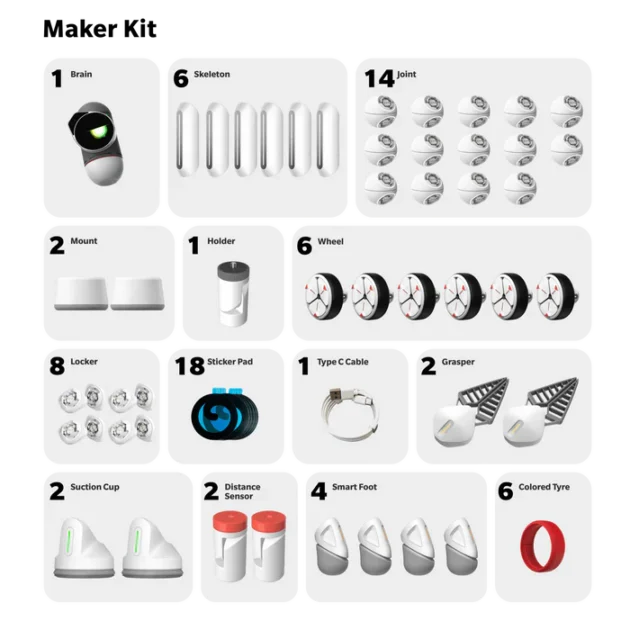
    Internal Autonomous Tracking

    internal autonomous tracking

    This type of autonomous tracking is the one any autonomous vehicle uses. There are a few different parts of it: One is object detection, which is the ability to identify and track objects. Another is motion prediction, which means predicting an object’s future position. Lastly, there is behavior prediction, which is the ability to predict an object’s future behavior. Behavior prediction is the most important type of autonomous tracking because it has the potential to prevent accidents.

    External Autonomous Tracking

    external vehicle tracking

    Autonomous tracking does not only mean something an EV uses. External autonomous tracking systems use a combination of sensors, AI, and big data to track vehicles. Increased use of it would free up police and other emergency services to focus on more important tasks. Many times these departments get calls about things that are not true emergencies. This new system is way more accurate than a human for tracking a vehicle. In fact, it is estimated that the system could reduce the number of false alarms by over 90%. Sensors sense the environment better than human eyes and ears, and complex AI algorithms use a variety of metrics to make sense of the data. Sensitive locations, such as schools and hospitals, should be given special attention. The system also provides better data for things like insurance companies and city planners.

    Basis

    The basis of the development of external autonomous tracking is by establishing communication with the different systems that are used in a city, state, or country for tracking vehicles. Europe, North America, and some Asian countries are already using this system. The main reason why this system is gaining popularity is that it is very accurate and it can track any kind of vehicle. External Autonomous Tracking helps in video analytics of a vehicle by providing the data related to the vehicle such as registration number, type of vehicle, color, and make. This system also uses AI to automatically detect any kind of vehicle. Over GPS-based methods that require more manual input and are not as accurate, this system is much more efficient in tracking vehicles.

    Bottom Line

    While tracking devices may vary, one thing remains certain: vehicle tracking technology is a valuable tool. Tracking cars, trucks, and other vehicles using GPS, RFID, and other devices is a great way to ensure safety and peace of mind. But still, “GPS” sticks out with other tracking methods and devices. In fact, disruptive innovation is revolutionizing the overall tracking-tech industry. As you saw in the article, traditional methods and new technologies both have a place in tracking vehicles. Autonomous and connected vehicle technology is starting to replace manual GPS-based methods and RFID. As vehicle tracking technology continues to evolve, so too do the options available to you. The price of privacy, however, is worth protecting as it evolves.

  • Best DIY Programmable Robot Kits for Adults

    Best DIY Programmable Robot Kits for Adults

    Introduction

    Robot Kits teach robotics and programming principles so well. Both beginners and experienced robot builders use such kits. For beginners, kits offer an easy way to get into robotics without a lot of investment. And it’s the right time to begin, with the robotics market expected to reach $160-$260 Billion by 2030. Experienced builders can use robot kits to create new and innovative designs. And everyone in between can benefit from the flexibility and power that programmable robot kits offer.

    What are Programmable Robot Kits?

    Programmable robot kits are sets of parts and instructions that allow you to build a robot that can be programmed to carry out specific tasks or functions. Most kits include a microcontroller i.e. the “brain” of the robot, and a set of sensors and actuators. Sensors are devices that measure light, sound, touch, temperature, or other conditions. They send this information to the microcontroller, which uses it to make decisions about what the robot should do next. Actuators are devices that allow the robot to move or make noise. Common actuators include motors, speakers, and lights.

    What can you do with a programmable robot kit?

    Programmable robot kits can be used to build robots that perform all sorts of tasks, from simple to complex, and by people of all age ranges. Some examples include:

    -A line-following robot that can autonomously navigate a pre-determined path (a common first project for beginners).
    -A robot arm that can pick up and move objects (a popular project for experienced builders).
    -A robot that can avoid obstacles and navigate its way through a room (a more advanced project).
    -A weather-monitoring robot that can take temperature and humidity readings (a project that combines sensors and actuators).
    -A robot that can play sounds or music (a fun project for all levels).

    What do Robot Kits for Adults Mean?

    When you hear about robot kits for adults for the first time, you may get confused about their meaning. Robot kits come up in all different shapes, sizes, and colors, but they all have one thing in common- the ability to teach. For kids, this might be the first time they have stepped into the world of robotics and engineering. And for adults, these programming kits are a great new hobby, or maybe a step towards their potential career path, or a practice for a robot competition.

    The Coplus STEM Building Kit, for example, is great for (8-12) kids who are interested in remote control cars, robots, and other similar toys. The kit includes everything five different RC vehicles, including a stunt truck, robot, and 360° tumbling car. However, for adults, this is not the best choice, as it is more of a toy than a serious building kit.

    Educational robot kit for kids

    Programmable Robot Kits for Adults may contain materials that are not suitable for children, such as small parts that could be a choking hazard. They also include more detailed instructions that suit adult learners. In fact, there are also some kits for specific age groups, such as teens or seniors. Some robot kits that are made for adults can also be used by kids, like the ones made of plastic. Robot kits for adults are those that are better suited to adults, and less suited for kids, sometimes even prohibited.

    What are DIY Programmable Robot Kits for Adults?

    DIY Programmable Robot Kits for adults are kits suitable for adults to build, program, and customize their own robots. According to a brookings survey, 52% of adults believed that robots will perform human tasks by 2050. These kits give adults the chance to explore new robotics, coding, and engineering skills rather than buying a ready-made robot. Doing it yourself also saves a fair bit of money compared to buying a finished product. In fact, many of the kits on the market today offer endless possibilities to customize, upgrade, and experiment with robot design. Customization like adding vision or sound is available in the right kit. Here are the best DIY Programmable Robot Kits for Adults:

    Adruino K000007

    The Arduino Starter Kit is great for those who want to learn about coding and electronics. The programmable robot kit is easy to use for adults, more so due to the 170-page book. Kids don’t like books, even if its easy-to-read. Anyways, with over 100 components, this kit can help you build 15 projects. This is a great way to get started with learning about STEAM subjects. This is also a great way to spend some quality time with friends or family. That’s because the included book comes with plenty of activities you can complete collaboratively. The memory speed is up to 2933 MHz, which is plenty fast for this type of kit. You can use this Kit with a Personal Computer that has a compatible CPU Socket.

    ClicBot Kit

    Image credit: keyirobot.com

    The ClicBot Kit is a great DIY programmable robot kit for adults and kits. It is super user-friendly and requires no coding skills. The robot comes in individual pieces which allow for many different variations. With firmware that continuously updates, the ClicBot Kit is a great gift for anyone who loves to tinker and learn. Although it is suitable for kids too, it’s not toy enough for adults to not also enjoy. One good thing is that it teaches problem-solving ability, logical thinking ability, and spatial thinking abilities with how the robot works.

    Adeept PiCar-Pro Raspberry Pi Smart Robot Car Kit

    The Adeept PiCar-Pro is easy to install and learn, and it comes with multiple functions. The two-degree-of-freedom camera is a great feature that allows you to get a great view of your surroundings. The Adeept PiCar-Pro is a great way to get hands-on experience with programming, coding, electronics, and robotics. The two servos that control the camera head rotate smoothly and provide a great view. However, the Adeept PiCar-Pro does not come with a Raspberry Pi board, so you will need to purchase one separately. But overall, the Adeept PiCar-Pro is a great programmable robot kit for adults.

    ELEGOO Mega R3 2560

    The ELEGOO Mega R3 2560 Project Starter Kit is a great way to start with Arduino programming and robotics. The CD this kit includes contains 16 tutorials that are easy to follow, and the kit contains every basic tool. Like, as a development board, USB cable, and all the basic components. The kit also comes with a nice plastic container with compartments for all the parts, making it easy to keep everything organized. The only minor issues I had with the kit were that it was tough to discern the colors on the resistors. I needed a longer USB cable than what was included. This is a great kit for anyone interested in learning Arduino programming and robotics.

    Makeblock mBot Ultimate 10-in-1 Coding Robot

    The Makeblock mBot Ultimate 10-in-1 Coding Robot Building Kit is a great programmable robot kit for adults. It is compatible with Arduino & Raspberry Pi, and it has a lot of features that make it a great choice for those who want to learn to code or build robots. The kit includes a lot of parts and accessories, and it is easy to assemble and use. The free mBlock programming software makes it easy to program the robot, and the Makeblock App makes it easy to control the robot. The kit is a great gift for adults who are interested in learning to code or build robots. The good thing about this one is that kids, too, can use it as a STEM learning toy.

    LK COKOINO

    The LK COKOINO Robot Arm for Arduino is an excellent programmable robot kit for adults. “For arduino” means that the arm is controlled by an arduino compatible nano controller. The arm is also great for teaching teens about robotics and engineering. The kit includes everything needed to build the robot, including a detailed assembly and programming tutorial. You can control the robot arm with a joystick or by recording and repeating up to 170 actions. One good thing about this kit is that it doesn’t require soldering, so it’s easy to put together. Talking about the specs, this arm has a maximum lift of 70g, a horizontal reach of 12.8″, and a vertical reach of 9.6″. It’s powered by two “18650” batteries (not included). This means it’s quite powerful and can lift quite a bit.

    SunFounder Raspberry Pi Smart Video Robot Car Kit

    The SunFounder Raspberry Pi Smart Video Robot Car Kit is also compatible with Raspberry Pi 4B 3B+ 3B 2B. This means that it is a great investment for those who want to learn about robotics programming and electronics assembling. The kit includes an easy-to-assemble aluminum alloy body, a pan-tilt camera, an ultrasonic module, and a line-tracking module. The modes and modules available with this kit are impressive and offer a lot of value. The programming software is easy to use and the online tutorials are professional and high-quality. Moreover, the fact that the car is open source and provides schematics, structure diagrams, and source code is very helpful. This car robotic kit is not just a toy. That’s because it’s ideal for creating your own robot and exploring endless activities. Furthermore, I like that it can play in Python with Web Control and in Blockly (like Scratch).

    FREENOVE Big Hexapod Robot Kit

    The FREENOVE Big Hexapod Robot Kit is a detailed and impressive set that allows users to control a big hexapod robot with their Android devices, iPhones, or computer. Apart from Raspberry Pi 4B/3B+/3B/3A+, the robot is also compatible with 2B/B+/A+/Zero 1.3/Zero W models. But they require extra parts that are not included in the set. The kit includes a robot shield, 14 kinds of machinery parts, 18 servos, 2 servos, an LED module, a camera, an ultrasonic module, an accelerometer module, and more. It also comes with a detailed assembly tutorial and complete code (Python). One unique selling point is that the robot can be programmed to balance itself. Yes, that’s right, the robot has the ability to balance itself. It can do other basic robot things such as walking, live video, face recognition, pan tilt, and ultrasonic ranging.

    xArm 6DOF Robot Arm Kit

    The xArm UNO kit comes with the xArm 1S robotic arm and a variety of sensors to support expandability and creativity. The xArm 1S is a desktop robotic arm with powerful servos that can perform various functions like gripping and sorting. The included sensor expansion kit has sensors like an ultrasonic sensor, color sensor, touch sensor, and more. The xArm UNO also supports secondary development with the included UNO R3 and UNO R3 expansion board. The xArm UNO is a great tool for adults looking to get into robotic automation or education. Kids under 14 are prohibited from using. One good thing about the xArm UNO is that it comes with 10 provided function games; Claw Machine, Password Lock, Light Sensitivity, Auto Sorting, and 6 more. These games make it easy to adapt to the xArm UNO and learn how it works.

    Bottom Line

    So, we’ve rounded up the best DIY programmable robot kits for adults. One thing to remember is that adults can use all available robot kits, but some kits are specifically designed with adults in mind. As such, kids or hobbyists should choose their kits carefully. The end goal of programmable robot kits should be to learn, create, and have fun. And for technical and creative individuals, who want to pursue robotics, this is a good place to start.